
Motherboard Failure

POG

Registered user
Joined
Mar 20, 2007
Messages
2,833
Reaction score
0
Location
.
One of the kids desktops is dead. This means I get kicked of this one as soon as they get home from school because they have to do all those vital things like chatting on MSN, downloading silly girly games, and only very occasionally doing homework. This is clearly unacceptable :thedummy

The problem is a 6 year old desktop running on an Intel P4 and a Lex 845 ATX Mobo. The power is on but there's no power self test, BIOS screen, beep or start up of any kind.

I have taken the case apart, dusted and cleaned everything with ASM, checked that everything's seated okay but still no result. The Mobo and processor are so obsolete that they're almost antiquities so I can't find replacements online (yet).

The other problem is that quite a lot of our photos were on the ATA hard drive which we would really like to have back (and yes hindsight says that we should have backed them up to an external hard disk but we never got round to it - you know how it is).

The questions I have are:-

1) Can I jump the hard drive to another computer with a SATA drive or possibly an ATA drive and retrieve the saved data ?

2) To get the kids off my back, replace Mobo and processor (if they have died which I believe that they might well have done after 6 years use) and will I have to replace the graphics card (presently a 64Mb nVidia AGP 6060 card) with something more compatible to today's Mobos. If that's the case, then I guess the sound card and hard drive will need updating too then.

3) Or would I be cheaper to get a new pre-built box

I have no qualms about replacing or building my own system. The PC would only be used for surfing, chatting on MSN (SO demanding) and homework etc. The case is an ATX mid tower by the way but doesn't have any case fans and no obvious position for one either.

Any help and advice would be mucho appreciated and would be worth a few beers at a mutually convenient meet if only to get the bloody kids off my back (you must know what teenagers are like :eek)

Many Thanks,

POG
 
Oh dear - have the same probs with wife and kids - therefore have 4 pc's to cope with demand.


In theory, if your HD is fully goosed, then, you should be able to slave your HD into a new pc (change jumper settings and plug it in ) (google it for instructions)

I think a 6 year old pc is ready to be retired, and rather than muck around, probably better to look for a new one.

G luck.
 
Do you have a copy of Windowz? if so i have a PC here you can come and collect. Just built myself another. It has AMD Athlon64 3000 Nvidia 128
GeForce6600gt card. DVD x1 cos i'm putting the writer in tother:D
1 1/2 gig Ram. DFI LanParty nF250b mother board. I will have to remove all my stuff of it thou first. OH! and a new-ish ( 4 months ) PSU OH and about ten USB ports. Giza PM if you want it, but make it soon.

Lyn.
 
Do you have a copy of Windowz? if so i have a PC here you can come and collect. Just built myself another. It has AMD Athlon64 3000 Nvidia 128
GeForce6600gt card. DVD x1 cos i'm putting the writer in tother:D
1 1/2 gig Ram. DFI LanParty nF250b mother board. I will have to remove all my stuff of it thou first. OH! and a new-ish ( 4 months ) PSU OH and about ten USB ports. Giza PM if you want it, but make it soon.

Lyn.

PM sent :thumb2 Many thanks :)
 
The other problem is that quite a lot of our photos were on the ATA hard drive which we would really like to have back

Been there - a couple of easy solutions

1 If another desktop PC is available.

Unplug the hard drive from the dud computer and the data and power leads from the CD?DVD drive on the good computer.

If the DVD drive shared a data cable with the hard drive you will need to change the jumpers on the removed drive to slave (normally a little chart on the hard drive showing settings).

Plug the hard drive onto the DVD cables (you can leave it hanging, no need to properly install it)

Now boot the PC and assuming the drive is OK it will be recognised by the PC and you can transfer any files you need to the computer's C drive.

2 If you have access to a laptop or don't want to open up a desktop PC

Buy a USB drive case. These are £20 - £30 in retail stores but about £8.00 at computer fairs. Install the drive from the dead PC in it and plug into a laptop (or desktop) computer.

I use these cases to make use of old hard drives. Good backup storage and an easy way to move large files between computers.
 
If the DVD drive shared a data cable with the hard drive you will need to change the jumpers on the removed drive to slave (normally a little chart on the hard drive showing settings).

Many, many thanks for this :thumb Understood all the rest of it just a bit unclear about the bit that I've quoted. Is this the data cable on the good computer or the dud one ? Thanks once again, Andy :thumb
 
Many, many thanks for this :thumb Understood all the rest of it just a bit unclear about the bit that I've quoted. Is this the data cable on the good computer or the dud one ? Thanks once again, Andy :thumb
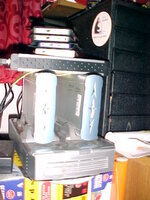
When your new one arrives use one of these to put your old Hard drive in >>
Desktop hard drives are normally 3.5 inch
http://cgi.ebay.co.uk/ICY-BOX-3-5-I...ryZ86758QQssPageNameZWDVWQQrdZ1QQcmdZViewItem
they come complete with all leads and power supply.
just connect and your PC should recognise it ok and then just D/L what you want, reformat old drive and use it as a back up like what I do :)
the smaller ones are 2.5 inch laptop drives [only 40 gig ]
big ones are 2 x 300 gig and 2x 500 gigs...all with fan cooling [thats a must, if you intend using them over 2 hours a day ]
 

Attachments

  • MVC-874F.JPG
    MVC-874F.JPG
    65.9 KB · Views: 115
I am assuming that the dead drive is not Serial ATA as it's an oldish computer and will be an IDE drive

Two devices can share a IDE data cable, e.g. two hard drives, two dvd/cd drives or one of each so IDE cables have a socket on each end (motherboard and drive) and one in the middle (second drive). There is a theory about which drive should be plugged into which socket but I have never found it make any difference.

As computers normally come with one hard drive and one dvd some makers put them on separate sockets and some put them on the same lead. When they are on the same lead one must be designated "master" and the other "slave". This is done by positioning jumpers over pins on the drive, normally on the edge next to the sockets with a label on the drive showing the connections for each condition. The C drive will always be the master and a single device on a lead will also be master.

So if you are connecting the drive to the DVD cables on another computer you need to set the jumpers on the hard drive to the same condition as the dvd you are unplugging. If the dvd is on its own cable it will be a master so you need do nothing. If the dvd is sharing a cable with the hard drive it must be slave so you need to change the jumpers on your drive to slave.

There is a good description here with photo but the description uses "primary" instead of "master".

http://www.pcguide.com/byop/byop_SettingHardDriveJumpers.htm

Note that even if it's a new computer with SATA hard drive it will still have IDE sockets in the mother board and the chances are that a DVD drive will be plugged in there.

Note 2. If you try to boot with two hard drives on the same lead set to master the computer will hang on the BIOS screen as it does not know where to boot from.

Note 3. Are you sure it's the main board that is dead and not the power supply. Even if the power supply is providing power to drives and you can hear them running, it may not be supplying power to the main board. I have had this problem but fortunately I had a spare power supply available to test it on. If it is this, power suply bricks are dead cheap.
 
When your new one arrives use one of these to put your old Hard drive in >>
Desktop hard drives are normally 3.5 inch
http://cgi.ebay.co.uk/ICY-BOX-3-5-I...ryZ86758QQssPageNameZWDVWQQrdZ1QQcmdZViewItem
they come complete with all leads and power supply.
just connect and your PC should recognise it ok and then just D/L what you want, reformat old drive and use it as a back up like what I do :)
the smaller ones are 2.5 inch laptop drives [only 40 gig ]
big ones are 2 x 300 gig and 2x 500 gigs...all with fan cooling [thats a must, if you intend using them over 2 hours a day ]

Thank you for that, Proff. This jumping business is all new to me, and as life, it's all a learning curve :thumb :bow:bow
 
storehenge?

attachment.php
 
I am assuming that the dead drive is not Serial ATA as it's an oldish computer and will be an IDE drive

Two devices can share a IDE data cable, e.g. two hard drives, two dvd/cd drives or one of each so IDE cables have a socket on each end (motherboard and drive) and one in the middle (second drive). There is a theory about which drive should be plugged into which socket but I have never found it make any difference.

As computers normally come with one hard drive and one dvd some makers put them on separate sockets and some put them on the same lead. When they are on the same lead one must be designated "master" and the other "slave". This is done by positioning jumpers over pins on the drive, normally on the edge next to the sockets with a label on the drive showing the connections for each condition. The C drive will always be the master and a single device on a lead will also be master.

So if you are connecting the drive to the DVD cables on another computer you need to set the jumpers on the hard drive to the same condition as the dvd you are unplugging. If the dvd is on its own cable it will be a master so you need do nothing. If the dvd is sharing a cable with the hard drive it must be slave so you need to change the jumpers on your drive to slave.

There is a good description here with photo but the description uses "primary" instead of "master".

http://www.pcguide.com/byop/byop_SettingHardDriveJumpers.htm

Note that even if it's a new computer with SATA hard drive it will still have IDE sockets in the mother board and the chances are that a DVD drive will be plugged in there.

Note 2. If you try to boot with two hard drives on the same lead set to master the computer will hang on the BIOS screen as it does not know where to boot from.

Note 3. Are you sure it's the main board that is dead and not the power supply. Even if the power supply is providing power to drives and you can hear them running, it may not be supplying power to the main board. I have had this problem but fortunately I had a spare power supply available to test it on. If it is this, power suply bricks are dead cheap.

Awesome, Andy :bow Thank you very much, this should earn me some brownie points, especially if I can get all the photies back. I will check all of these and get back to you. Thank you:beer: :bow:bow:bow
 
Bustupbiker is a top bloke, generous to the extreme :bow:bow

He is giving us a newish computer that he no longer needs, FOC. What a guy !

I am stunned. My hat is off to you. Thank you very much :thumb:thumb:thumb2
 
So THAT is where all those nicked MOD laptops are!!!

Yes, but if they are as good as the rest of the kit British forces have to use they will be Pentium 160s with 500 Mbyte drives, 32k of RAM and Windows 3.1
 
**500 Mbyte drives, 32k of RAM and Windows 3.1**

I think i can ( Just ) remember those machines too! :augie
 
Pog! Just a thought here, don't go the route of putting your old drive in the Nvidia chipset board as the master and useing the supplied drive as the slave.
You will get problems as they WILL not have the same chipset and will go ***sup...instal windowz on the big drive and slave your drive, then copy all your files over to the new one. If you had said i would have shown your the cables and jumper setting whilst you were here.. Good luck. Lyn.
PS: nice to put a face to the name, and nice to meet Mrs Pog also.:D
 
Pog! Just a thought here, don't go the route of putting your old drive in the Nvidia chipset board as the master and useing the supplied drive as the slave.
You will get problems as they WILL not have the same chipset and will go ***sup...instal windowz on the big drive and slave your drive, then copy all your files over to the new one. If you had said i would have shown your the cables and jumper setting whilst you were here.. Good luck. Lyn.
PS: nice to put a face to the name, and nice to meet Mrs Pog also.:D


Many, many thanks for your generosity and words of wisdom, Lyn. Just back home now and the installation of windows is under way :D

I haven't done anything about the older drive yet, I'll have to puzzle that one out later on. There is a link on this post supplied by yet another very helpful Tosser, so I'll look at that and attempt from there on. If I have any problems, would it be okay to PM you ?

Once again, many, many thanks :thumb :beerjug::beerjug:
 
**500 Mbyte drives, 32k of RAM and Windows 3.1**

I think i can ( Just ) remember those machines too!

Just Remember!!!! My first "computer was a ONE k Sinclair. Followed by a 16k BBC (which upgraded to a massive 32 k at great expense and used for business with home written accounting and stock control software). Upgraded to a Amiga with a HARD DRIVE (20 Mbyte which I never managed to fill) and that could do things with video editing that today's PCs can't match.

I now work with 600 Gbytes of hard drive. 1kbyte to 600Gbytes in 20 years.


Back
Top Bottom
