Nav 5 just messing about Help!

RJM123

Member
UKGSer Subscriber
Joined
Oct 20, 2024
Messages
39
Reaction score
10
Location
Broadstairs
Hi All, on my to Croatia today via grossblocker pass which was fab by the way. Set my sat nav for next route on my trip (rijeka) get to somewhere near the slovenia border and it goes weird continually recalculating then gets stuck at 80% of the route, no map or road definition on the screen just a layer of buildings which seem to match the terrain.gps bike is just sitting in the middle of a brown screen and gives messages like "continue to route" but there isn't one! Any help really appreciated. Russ

=======

I have moved this into the Nav V section.

Richard
 
Last edited by a moderator:
Could it be something to do trip planner route? Perhaps getting its knickers in a twist(me or the sat nav) and causing it to lock cos maybe it's got an impossible route to calculate?
 
Reset it and start again.
 
I only use my nav 5 as a back up or to play music when it can be bothered to stay connected to my comms.
Found it easier to use MRA on my phone.
No help with your situation but my two penneth worth.
 
The Nav V is a very good device, more than capable of rendering up and running routes.

In your thread:

https://www.ukgser.com/community/threads/unable-route-file-insufficient-space-navigator-v.552491/

You told us that you’d created a 5,000 mile trip, which the Nav V was (understandably) incapable of loading. This you then told us, you’d split the 5,000 mile route into two parts, but not the length of each. This MIGHT be your problem. If the route is too long, then the device cannot cope with it. That though is just a guess, based on your description in post #1, Another possibility is that you MIGHT have sections of the map missing. Another possibility is that you MIGHT have something in your preference settings that is conflicting with the device’s ability to render up a route. Yet another, MIGHT be that the route you have asked the device to display and run is badly created, making it impossible for the device to run it. In short, we can keep guessing.

To help you, please:

A. Share with us the route(s) that you have created, so the forum members can check and, hopefully, run them.

B. Check what settings you have active on your device in ‘preferences’.

C. Without running the route, display the map on your device. Zoom in on it. Can you see see all the small detail of the roads, right from where you are standing through to the Slovenian border and beyond? This is an easy way to see if the full detailed maps are installed correctly and active.

D. Do NOT do a hard reset. That will very probably wipe all your routes from your device, along with any favourites you have created and maybe need. Only do this if you have a way to back up your device and reload the routes and favourites.

 
Last edited:
I have just asked Google the question: bmw navigator v brown screen and incapable of calculating a route.

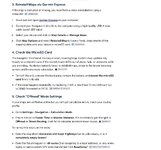
AI is not infallible, however its initial response MIGHT match my guesses in post #6. It says:


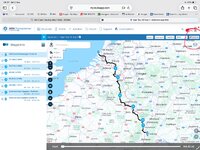
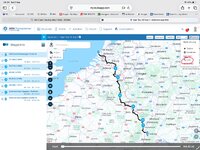
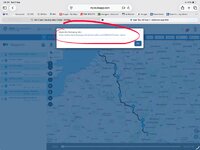
IMG_2203.jpegIMG_2204.jpeg

Await your response, so we can try to help you.

:beerjug:

PS I really would hesitate before carrying out action 2 in the screenshot. If something goes wrong and you have no way of reinstalling the route(s) you are very possibly stuck.
 
Last edited:
Were the routes checked prior to setting off?

I load my primary routes onto my XT before setting off, for each route I make the track visible, then look at the route, zoom in a bit and scroll along the route - does it all match the track (i.e. what I planned on the computer and thnk I am getting) does it calculate, does the time / mileage for the route look correct and match the plan. Does not guarantee a device will not fail on a trip, but at least I know everything is pretty much in order and working before setting off.

I use MRA for planning, load essential routes on XT before setting off, but can BT them from MRA to XT in an instant - and keep a few alternate route options in MRA in case plans / weather changes, this saves me having to put a ton of routes I may not need on the device, leaves me a few backup options I can access easily, and I can also quit easily modify / create extra routes using MRA either on phone / tablet or laptop - even a borrowed or Hotel computer....

...And if all else fails I can use MRA for navigation, having run it side-by-side with XT for testing in the car it is very similar to use and works well, but on the bike I prefer the XT - robust / waterproof / good screen size / easy to operate with gloves on etc etc But just use MRA in car now as I am not yet old enough to use driving gloves and can still see a small screen (with glasses / contacts admittedly)
 
So when I designed the routes on mra they looked good and sensible way points, I.e no silly loops etc, and they loaded OK onto my sat nav. All good
can I download the route file from the mra App? Then I could post it to you guys? In the meantime can anyone recommend a suitable phone mount for gs? So I can navigate the route via mra app? .
 
have you established the map data for Croatia exists in the device?

can you set up an A to B route in the Nav to your intended destination?

Europe map data is split across two separate files, North and South. You may have an intact North but have South missing or corrupted. You can check this in Settings for Maps. If South is present, is the check box ticked to activate it?
 
Maybe his mobile device has run out of credit?
 
I had a similar issue- the memory was full and needed some stuff deleting so it could get past the 80% point.
 
Until the OP responds, we are probably as much in the dark as he is.

Most, if not all, of the main likely causes of him seeing a browned out screen - along with the inability to run what is we assume a route created in MyRoute - have been suggested and / or guessed at.

Over to him….. unless anyone has any more suggestions?


Back
Top Bottom