Need to format

Les Wassall

HiD50.com leading light in HiD
UKGSer Subscriber
Joined
Jan 15, 2003
Messages
4,038
Reaction score
8
Location
Cheshire
I need to format my pc as the Norton 04 has made a mess with the system, so I want to upgrade to XP, I have the disk with XP on and was told to just put it in the drive and it will install and format at my comand, well not so lucky.
So can anyone tell me the commands to put in to format, and what settings to set the Bios at while this goes on, (keep it simple) I have done a format once before but a few years ago so very rusty.
Also I do not have any floppy disk for boot up, do I only need the cd with the xp on?
 
Les Wassall said:
I need to format my pc as the Norton 04 has made a mess with the system, so I want to upgrade to XP, I have the disk with XP on and was told to just put it in the drive and it will install and format at my comand, well not so lucky.
So can anyone tell me the commands to put in to format, and what settings to set the Bios at while this goes on, (keep it simple) I have done a format once before but a few years ago so very rusty.
Also I do not have any floppy disk for boot up, do I only need the cd with the xp on?

Start your PC up and enter the BISO setup, usually by pressing the Del key, change the boot drive to boot from CD, save it and reboot.

You may get a message saying Press any key to Boot from CD....

XP will then install, it will check your hard drive for any other OS. it will then give you a few options which will include a complete new install, if you accept the new install you will then have the option to format the drive.

Mick
 
Thanks Mick, have tried to do that but no joy, have changed the boot option (1) to cd from floppy, option 2 is cd and 3 is ide-0, it then starts on the xp disk, I tell it to install then it says insert the xp disk press enter when ready, and thats it, nothing else happens:confused:
 
is it a proper xp disc?

if it boots from the cd then stalls, the disc might be damaged.
 
It's a copy, so I'll put it down to being crap, will have to sorce another one.

:beerjug: for the help.
 
Les Wassall said:
It's a copy, so I'll put it down to being crap, will have to sorce another one.

:beerjug: for the help.

:nono tut tut. a copy eh? what is the world coming to? :rolleyes:
 
Create a recovery disk (floppy)

boot from recovery disk

then either use fdisk or format c:
 
floppy won't help much in installing xp :confused:

you will only be able to format in FAT32 not the usually more desirable NTFS & his dodgy disc still won't install xp.

there is a prog to make a set (6 needed) of xp boot floppys on the net somewhere, i've seen it. still need decent install files.

get hold of a disc that boots & contains all the files and is uncorrupted.
http://www.suprnova.org/ is your friend here.

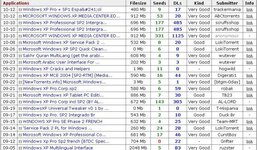
a quick search:
 

Attachments

  • clipboard01.jpg
    clipboard01.jpg
    85.5 KB · Views: 80
Quick way..

A quick way..

Nip around a mates place.. get then to install your HDD as second drive ( a slave drive, so change disk jumpers accordingly)..

Then you can format it as much as you wish.
Once formatted copy onto it, the contents of the Win32 folder on the XP disk.

When you put the disk back inyour system.. boot from startup/rescue floppy.. at the prompt change to the Win32 folder and run install..

You will never need the XP CD again.. as if you ever need to install something you didnt, you just enter the folder directory instead of the putting the CD in.. works a treat.

Also means if worst comes to the worst you can install/replace your installation when required, not needing the CD.

I have a 160gig drive, so have the entire XP CD copied onto my disk incase.
 
Spent all day trying to fix the thing, have found the site to get the 6 floppys done so thats the next step, as the pc will not boot from cd. :(
 
All done now :D got the boot floppys of the net, which allowed me to install from cd.
Thanks for the help.


Back
Top Bottom