OpenStreetMap, what’s the latest….

Only the older units needed a single file named gmapsupp.img

In the new ones you can keep as many map files as you want, with any name you want as long as the extension is correct.
 
Only the older units needed a single file named gmapsupp.img
me you want as long as the extension is correct.

Give us less knowledgeable an example please - I have tried a couple of times with a 345 garmin with no success. The unit does not see my map
 
Only the older units needed a single file named gmapsupp.img

In the new ones you can keep as many map files as you want, with any name you want as long as the extension is correct.

I thought that was the case, as I could save multiple OSM maps to my Nav IV (I think) onwards.
 
Give us less knowledgeable an example please - I have tried a couple of times with a 345 garmin with no success. The unit does not see my map

Ditto and thanks. I think we've also answered Richard's question - I have a wheezy old 550! However, when downloading a file to a card, the file still seems not to be recognised. Is this because it's a disc image file?
 
It is relatively simple.

The maps that can be installed by the users on the Garmin devices come in the .img format*.
When you normally download or purchase the maps you get given the option to download the .gmap file, to be used with BaseCamp, and/or the .img file, that is the same map, but in a format that the Garmin GPS device can read.

Now: older devices can only read one .img file at a time. And generally this always have to be named the same, hence the famous "gmapsupp.img".
Older devices, like my 60csx, will look for the gmspsupp.img file for the maps (location: /GARMIN/). Ignore any other .img files with different names. If nothing is found, it will use the embedded base maps.

You can combine multiple maps in a single gmaspsupp.img file, but (for me) it is a faff.
As written above, as I constantly use two sets of maps on my 60: Great Britain routable open street maps, and some non routable openstreet maps with greater detail for greenlaning.
You can keep multiple maps on a memory card and rename them accordingly, but I find it easier to have 2 memory cards with the two different files, swap them when needed.
I keep the spare card in the battery compartment. A little duct tape as padding to keep it wedged in place between the card compartment and the batteries. :)

memorycard60.jpg


On newer devices, like my XT, you can have multiple .img map files (location: /Map), with whatever names you want. The unit turns on, scans memory for files and, when found, these will be available as extra maps you can activate/deactivate manually.
On the XT, I have the Garmin maps, plus non routable OSM for greenlaning (gbopen in the screenshot) as above and, for this example, I also loaded another set of maps: TalkyToaster's.
You can see both "custom" maps in the screenshot within the XT's memory and then available in the MyMaps menu.
(You cannot see the original Garmin maps in the XT filesystem. I guess those are hidden to prevent people from copying them around.)


zumo-card.png


And here you can then activate them from the settings:

zumo-maps-menu.png


zumo-maps.png


I honestly don't remember when the cutoff between "old" and "new" device is.
I was using multiple maps on my Zumo 396 as well, in the same exact way as I'm doing with my XT. I think that was feasible for the 660 too.

Fair to say that most GSMap devices up to the 64 might only read one map at a time as described above, but not 100% sure.


*not to be confused with MacOs X .img volume image file format. Not the same thing.

 
I agree with er-minio, the ability to have multiple maps has been around for a long time. Like him, I am sure it was available on the 660 and whatever the equivalent BMW branded device was.
 
I agree with er-minio, the ability to have multiple maps has been around for a long time. Like him, I am sure it was available on the 660 and whatever the equivalent BMW branded device was.

It was, I think you’d have to go back to a 2610 to use a single map image, and I’m not even sure about that as I seem to recall a very long tour of Europe with multiple maps on my 2610.

All the units for years have had the ability to use multiple maps, and none of them have to be called gmapsupp.img. It’s safest to change the name, because if you do download a new map and it’s called gmapsupp.img it will overwrite the old one.


Sent from my iPhone using Tapatalk
 
So, still no joy. It must be me? I've tried umpteen times on my 550 and 660. Each time I've downloaded the OSM map onto the card, popped the card in the unit and there's no sign of it? They're all img / disc image files. Should they be readable by the unit?

When I used the osm.nl site, I was able to open up the maps in Mapsource (yeah, I'm a Luddite!) and then load the maps, routes etc it onto the unit. Is there a way of doing this via other providers' sites?

Sorry to be so dense! All and any help appreciated! :beerjug:
 
Sorry to be so dense!

e45.png


Sorry! Your message reminded me of this old internet meme!

:D


Don't worry at all, dealing with this stuff is not always super-linear/logical.
Where do you copy (in which directory) the .img file in the Garmin unit?
 
And you don't see it available in the settings or the map info on the Zumo?
Sorry for the stupid questions, but trying to get a baseline.

I don't have a zumo 660 anymore (thank god) but to troubleshoot the problem I'd personally try a few routes and see what happens (it is an older device and I don't remember exactly all the nuances, but there were minor differences here and there):

1. Install the whateverfilename.img in the /Garmin directory on the zumo and see what happens.
Looks to me you have done this already and doesn't work.

2. Rename the file gmapsupp.img and place it in the /Garmin directory on the zumo and see what happens.

3. Rename the file gmapsupp.img and place it in the /Map directory (create it if missing) on the zumo and see what happens.

4. Install the whateverfilename.img in the /Map (create it if missing) directory on the zumo and see what happens.
 
One file in the Garmin folder as shown below. However, clicking on it shows "file corrupted"
 

Attachments

  • IMG_5855.JPG
    IMG_5855.JPG
    100.4 KB · Views: 144
So, still no joy. It must be me? I've tried umpteen times on my 550 and 660. Each time I've downloaded the OSM map onto the card, popped the card in the unit and there's no sign of it? They're all img / disc image files. Should they be readable by the unit?

When I used the osm.nl site, I was able to open up the maps in Mapsource (yeah, I'm a Luddite!) and then load the maps, routes etc it onto the unit. Is there a way of doing this via other providers' sites?

Sorry to be so dense! All and any help appreciated! :beerjug:

.....And breathe..... Yes, .img file are readable on the device. Disc image files (.dmg) (which are very different from .img files) are not readable on the device. Depending on the site you download from, they will either install to basecamp, or be device ready images.

1) Which site are you downloading them from?
2) When you look on the SDcard (in Windows Explorer or Finder) are they in a folder called Garmin? Your device will only read maps in a folder root/garmin.
3) Are the file)(s) called gmapsupp.img? As above, and once more, you can only have one gmapsupp.img file. But you can rename the file (say, to "imanumpty.img")
4) did you download JavaWa Device Manager, like I suggested about 400 posts ago? This will tll you what maps are on your device, all you have to to is connect the device to you computer and start Javawa.

Please report back.
 
One file in the Garmin folder as shown below. However, clicking on it shows "file corrupted"

It says the disc image is corrupted. It shouldn't be a disc image (.dmg) it should be .img, but you can't open either on the computer.
 
.....And breathe..... Yes, .img file are readable on the device. Disc image files (.dmg) (which are very different from .img files) are not readable on the device. Depending on the site you download from, they will either install to basecamp, or be device ready images.

1) Which site are you downloading them from?
2) When you look on the SDcard (in Windows Explorer or Finder) are they in a folder called Garmin? Your device will only read maps in a folder root/garmin.
3) Are the file)(s) called gmapsupp.img? As above, and once more, you can only have one gmapsupp.img file. But you can rename the file (say, to "imanumpty.img")
4) did you download JavaWa Device Manager, like I suggested about 400 posts ago? This will tll you what maps are on your device, all you have to to is connect the device to you computer and start Javawa.

Please report back.

1. www.Userbeam.de https://www.freizeitkarte-osm.de/

2. Yes. In A Garmin folder as shown in the pic above.

3. Yes. I just downloaded a file from userbeam. Andorra_gmappsup.img However, it still appears as a disc image file when downloaded to the laptop?

4. Not yet but I'll give it a try.
 
One file in the Garmin folder as shown below. However, clicking on it shows "file corrupted"

That should be fine pete. The computer (even the PC) might interpret the .img file as a different format.
 
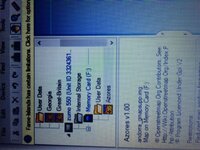
Bloody bizarre this! None of the files I downloaded show on the units' map info. Yet, they show on the JaVaWa AND on Basecamp! as in the pic shown here!
 

Attachments

  • IMG_5857.JPG
    IMG_5857.JPG
    142.5 KB · Views: 206
Bloody bizarre this! None of the files I downloaded show on the units' map info. Yet, they show on the JaVaWa AND on Basecamp! as in the pic shown here!

Rename it to andora.img - maybe the unit only "see's" FAT filenames (8.3)
Also, turn on your file extensions in Windows so you can see what they are - show file extensions
 
Rename it to andora.img - maybe the unit only "see's" FAT filenames (8.3)
Also, turn on your file extensions in Windows so you can see what they are - show file extensions

Tried that. Still no joy. Next step is to try a pal's PC and see if it works for him. Eliminate some glitch in my laptap! The joys ...


Back
Top Bottom