PC running slow when online

Kenny

Trustworthy Scouser AND
Moderator
Moderator
Joined
Jan 6, 2002
Messages
12,650
Reaction score
1,233
Location
Toxteth scouser, made good ..now hiding on Wirral
I'm enjoying life with my XP...but lately it has been a
right slow PITA when online as there seems to be a program running in
the background ( I did the usaul ctrl/alt/delete and that shows
nothing running !)

I'm with EE ( ex orange ) for my internet.

Have paid for kaspersky and also weekly run malwarebytes and
spybot etc.

Have de-fragged but wondering if there is a free program
( doubt it ) that can clean up my PC so it runs better/faster
when on the internet.

Running on Google Chrome ( which does seems to take up a lot of memory usage ) as Explorer is crap these days.

Any recommendations/quality advice ?

:beerjug:
 
Ctrl.alt.delete - and go to processor usage tab?

See what each process is using by way of resources?

Delete temp files etc the usual way in sys tools?

Al
 
Empty your cache, cookies etc. use Firefox instead.
 
To see if it's a software issue, I'd disable a load of progs on startup then test your speed by going online.


1. Open the Start menu and type msconfig into the Search box.
2. Click the msconfig search result. The utility will open in a new window.

3. Click the Startup tab. You'll see a list of programs that start when your computer starts.

4. To stop a program from automatically launching when you boot the PC, uncheck the box next to its entry.

5. When you are finished deselecting startup items, click OK. If you made any changes, you'll be prompted to restart the computer. You don't have to restart it immediately, but the changes won't take effect until you do.

When you restart the computer, MSConfig will alert you to the changes. In the window that pops up, check the box next to Don't show this message or launch the System Configuration Utility when Windows starts, and click OK to prevent future alerts. You can always return to MSConfig to reverse the changes or make additional tweaks.
Warning

Use caution when disabling items in MSConfig. Many entries have names that aren't self-explanatory. Research each entry before unchecking its box; use the Web to search for the name of the entry, and to get an idea of its function. Without doing your homework, you could end up disabling an important application such as your antivirus program.

There IS an option to run with only MS progs selected, but as it says in the above cut'n'paste, make damn sure you also enable your AV software.

Akkshully (just to wind up Herr Schtum) your AV prog could even be the culprit.......it's possible it's doing an automated full system check, which can really slow things down on a low end machine.......IIWY, after trying the above (but keeping the AV software running) I'd uninstal your Kaspersky and run a new, fresh and updated installation of AVG (free version) which will just sit there unobtrusively.....if it's a lot faster, you will at least kow it's your original AV prog :thumb2
 
If you have a load of chrome extensions installed try disabling them and see if it helps. Look for something that will tell you your disk activity as well. It's built into Win 7 but not xp. I would also disable kaspersky and see if that helps.
 
You might be an unwilling participant in a Botnet where unscrupulous tossers take remote control and use your PC to launch Distributed Denial of Service attacks against chosen web sites/services. A clue could be obtained by using task manager to monitor your network usage when you have no browsers or other internet connecting apps running. Note some PC updates will run on boot up connection and use bandwidth but these should stop after completion , also check task manger for which process or app is sucking up the CPU time/network bandwidth (cant recall how good XP task man is for the latter). As XP is now no longer getting patch updates from Microsoft (unless your paying them) its not going to get any more secure and most AV engines or scanners aren't going to catch everything (afterall someone has to be 1st in the victims list), maybe time for an update?
 
PC all clear of viruses. Same with Kaspersky turned off. Turned most of my start-ups to off. I do know I'm only getting 4.01 Mb/s ( Orange / EE say I should get between 4.00 and 16.00 Mb/s !
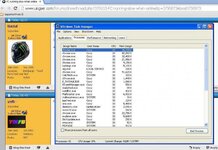
Screen shot shows Chrome using an awful lot !!

Maybe ( never tried it ) I should try Firefox as suggested above !
 

Attachments

  • untitled.jpg
    untitled.jpg
    74.6 KB · Views: 100
Firefox is good.....very good in fact.

You have nowt to lose by trying it :beerjug:
(there was a new version out yesterday as well.....just make sure you get it from the Mozilla official site and not a tucows type place which will try and load all sorts of unwanted shyte along with it :blast)
 
I switched to Maxthon browser sometime ago from Firefox for the same reasons the op has. Another suggestion download C CLeaner it's free and gets rid of the crap on your c drive.


Sent from my iPad using Tapatalk
 
Firefox is good.....very good in fact.
OK..downloaded Firefox. Offline now to drink and beat the wife etc...but maybe a PC play later on :bounce1
One excellant thing about Google Chrome was that it rememebered your passwords etc and typed them in for you...is this facility available with Firefox ?

Also had a clean with ccleaner :thumb2

Thanks all, appreciated

:beerjug:
 
Yep, you got the same password save facility on FireFox. When you type a password in, it will pop up a box asking if you want to save it. And you should have been offered the option of importing your settings from whatever when you installed FireFox.

Another thing you could do is click on the link in my signature. I've been running this for 5 years now, never a sniff of a problem. It runs in the cloud, not on your computer, so doesn't take up your resources. When I first installed it my comp went from a 45 second fire-up time to 5 seconds. (No definitions files on the comp for it to wade through...)

You can always go back to your old AV if you don't like it, but do give it a chance, a week or so.


Back
Top Bottom