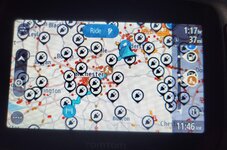
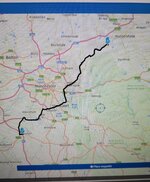
Planned route

Doc

English and Proud
UKGSer Subscriber
Joined
Nov 22, 2018
Messages
23,018
Reaction score
22,281
Location
Slawit
Planned a route on MRA and shared it onto my TomTom no problem.
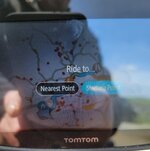
Why does it come up like that on the screen ? I asked Arsey and he said press starting point which I did and it wanted to send me all over the place. Luckily it was just a test and I knew where I was going.

Cheers Doc
 

Attachments

  • 20230503_114029.jpg
    20230503_114029.jpg
    234.5 KB · Views: 120
i would say starting point also, although i would manually drive to your start point before starting.

Otherwise it will create a route to the start point too
 
Ok,stupid question, but where are you in relation to the starting point of the route ?
 
i would say starting point also, although i would manually drive to your start point before starting.

Otherwise it will create a route to the start point too

I must be doing it wrong as I thought I was at the starting point. My address.
 
MRA advise u to start a route a little way from your actual location. I normally start a route about half a mile away. Then let the Nav take me to the start point. But not sure if that is a Garmin thing.
 
Tip number one (as with the XT and other modern Garmin devices) put your start point in MyRoute app, say about half a mile from your actual start point.

Tip number two, if you are not already, become a gold member of MyRoute. Then use the ‘More’ facility to add more shaping points to your A to B route.
 
Tip number one (as with the XT and other modern Garmin devices) put your start point in MyRoute app, say about half a mile from your actual start point.

Tip number two, if you are not already, become a gold member of MyRoute. Then use the ‘More’ facility to add more shaping points to your A to B route.

Just done the Gold thing - I like it.

Goodbye Basecamp methinks. :thumb2
 
Tip number one (as with the XT and other modern Garmin devices) put your start point in MyRoute app, say about half a mile from your actual start point.

Tip number two, if you are not already, become a gold member of MyRoute. Then use the ‘More’ facility to add more shaping points to your A to B route.

I will try that thanks and yes i am a gold member.
 
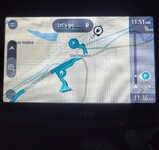
Well done as you lads said. I can get to the first point and then thats it. If i carry on satnav is wanting me to go back to first point for some reason but the whole route is showing on satnav.
Am i still doing something wrong ? or is it the tomtom ?
Or maybe i should just pay for the MRA navigation although its going to be free eventually i think.
 

Attachments

  • 20230504_114606.jpg
    20230504_114606.jpg
    255.7 KB · Views: 41
  • 20230504_114621.jpg
    20230504_114621.jpg
    244.4 KB · Views: 41
  • 20230504_115203.jpg
    20230504_115203.jpg
    236.3 KB · Views: 40
Tip number one (as with the XT and other modern Garmin devices) put your start point in MyRoute app, say about half a mile from your actual start point.

Tip number two, if you are not already, become a gold member of MyRoute. Then use the ‘More’ facility to add more shaping points to your A to B route.

Where is the “More’ facility ?
 
Route > Toolkit > Expand


I called it ‘more’ simply as it adds more points.
 
Tip number one put your start point in MyRoute app, say about half a mile from your actual start point..

I live at the back of a housing estate, i always have my start point on the last part of the estate road before i hit the junction for the main road.
seems to work ok :)
 
I live at the back of a housing estate, i always have my start point on the last part of the estate road before i hit the junction for the main road.
seems to work ok :)

Super.

I too live in and on an estate (it’s called London) and do exactly the same. Even if I lived in a field in Northumberland, I’d do the same.

If I create any route, starting from anywhere, I put the first point (I always name it START) some distance away, plonking it on a road that I want to take.


Back
Top Bottom