POOR CONNECTION

Tommo

Registered user
Joined
Sep 7, 2006
Messages
389
Reaction score
0
Location
Stroud, Glos
I am getting a poor connection from where you plug in the Audio cable to the Power/Audio lead on the 2610 the effect of this is interrupted or lost speech, I now of at least one other person suffering the same has anyone else encountered this problem.?

To remedy this I am considering cutting off the jack plug on the audio lead and the socket on the power/audio lead and soldering the wires together to make a good connection.
Has anyone out there done this?
Tommo
 
Had a similar problem with the quest. The audio connection at the jack plug seems to work loose over a period of months, presumably due to the constant low level vibration. So cut out the connection, soldered the two wires together and enclosed in heat shrink tubing - top result :)

Peter
 
This is a "feature" of the jack socket, I'm afraid. There are two solutions that work, one more permanent than the other:
  1. Place a washer or two over the jack plug before pushing it into the socket. If you get the washer thickness right then this will give a sort of "preload" on the terminals inside the socket and the connection will be much more reliable
  2. Cut off the plug and socket and solder the leads together
If you go the soldering route then you need to connect the brown and white leads from the Garmin harness, and it's not polarity sensitive. Don't worry about insulating the red and black pair because they aren't connected at the other end. As Peter said, heatshrink is the best way to insulate the leads and if you use some of the adhesive lined stuff over the whole lot it weatherproofs it and gives it mechanical strength too.
 
I take it that when you do this adaptation you are referring to the jointing of the cable which would then run into an autocom or similar ......I presume you are not making reference to actually 'hard wiring' an earpiece to the audio cable. I know it sounds daft but I HAD to ask. Regards :D
 
I take it that when you do this adaptation you are referring to the jointing of the cable which would then run into an autocom or similar ......I presume you are not making reference to actually 'hard wiring' an earpiece to the audio cable. I know it sounds daft but I HAD to ask. Regards :D

No I just needed to do away with the plug and socket and solder the cables together. Jobs done now thanks for your concern.
 
Does that mean you are not bothering with voice commands ?...sorry to drag this on but Ive got a similar situation brewing myself !!!!!! :thumb
 
Does that mean you are not bothering with voice commands ?...sorry to drag this on but Ive got a similar situation brewing myself !!!!!! :thumb

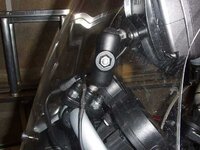
No I am still using voice commands via my Starcom1 but rather than use the the plug and socket which did not give a very good connection resulting in losing most of the voice prompts I decided to do away with this plug and socket and solder the wires together instead, see picture. Hope this helps.
 

Attachments

  • Ram Mount 002.jpg
    Ram Mount 002.jpg
    44.9 KB · Views: 84
Yes indeed, thanks for that. It was an issue which was bothering me because Im facing the same predicament and wished to know how others had overcome this problem.Many thanks. :thumb


Back
Top Bottom