Very funny


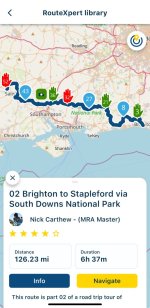
I can see the route@Wapping
So I’ve played about with my iPhone and iPad.
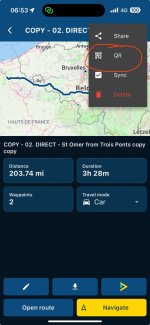
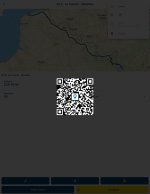
I’ve opened a particular route from my library on my iPad and shared it via QR Code.
View attachment 347542
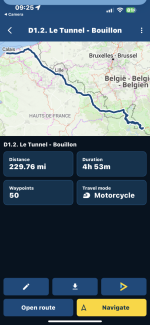
I’ve used my iPhone (camera) to scan it and it indeed open the route once I made it the QR share public.
View attachment 347544
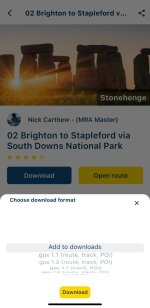
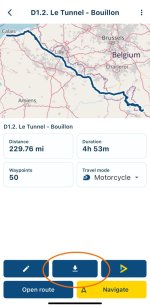
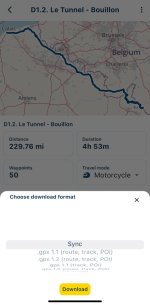
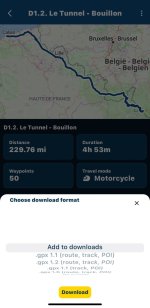
Once I’ve tapped onto the Download (downward pointing arrow) button, I was presented with the following menu. Please note since I’ve shared my own route from my own library, it does not show the Add to downloads option, instead I am presented with Sync and .gpx download options.
View attachment 347545
Feel free to scan the following QR code for the route above, and see for your self what happens…
View attachment 347546
Let us know if it worked as we both think it should do.
![]()


I can see the route
View attachment 347566
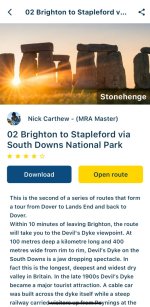
Then save it to Downloads
View attachment 347567
But then can’t find Downloads anywhere
I can see the route
View attachment 347566
Then save it to Downloads
View attachment 347567
But then can’t find Downloads anywhere
Click the 3 line menu (top left), profile icon (top right) and then you’ll find downloads
![]()
![]()
![]()

Ta . Looked all over . Bloody thingClick the 3 line menu (top left), profile icon (top right) and then you’ll find downloads
![]()
![]()
![]()
Works fine on my iPhone@Wapping
So I’ve played about with my iPhone and iPad.
I’ve opened a particular route from my library on my iPad and shared it via QR Code.
View attachment 347542
I’ve used my iPhone (camera) to scan it and it indeed open the route once I made it the QR share public.
View attachment 347544
Once I’ve tapped onto the Download (downward pointing arrow) button, I was presented with the following menu. Please note since I’ve shared my own route from my own library, it does not show the Add to downloads option, instead I am presented with Sync and .gpx download options.
View attachment 347545
Feel free to scan the following QR code for the route above, and see for your self what happens…
View attachment 347546
Let us know if it worked as we both think it should do.
![]()