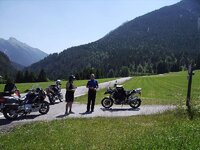
Route from "Jonny Black" Forest to Reutte Austria

Thinking of staying over at Bad Peterstal, a couple of days in Garmisch, down to John and Ros in Malta ( Austria) and back again :Motomartin

I'm doing the back again bit, heading down to the Dolomites via Switzerland, then on to Malta, then heading back from Malta with a stop in the Tyrol before heading back up into the Black Forest and stopping for two nights at Pension Williams to give a rest day (Train to Baden and relax in the spa's before a pub lunch and a couple of beers) before the boring slog home.

Decided to stop somewhere past Innsbruck and visit a couple of the Mad Kings Castles the following morning before heading past lake Luzern and up through the Black Forest.
 
This is a great route, as it starts off following the river in the Naturpark Obere Donau, lined with cliffs, great scenery and twisty roads. The last bit of road from Stanzach to Namlos / Brand is one of the best roads you will ride, trust me! And when based in Reutte for a couple of days there are great roads all around! :thumb Approx 6 hrs

http://maps.google.com/maps?f=d&sou...47.753175,8.940125&spn=0.722938,1.756439&z=10

The road into the "Namlos Tal" awesome and a must for every biker in that area.
 

Attachments

  • image.jpg
    image.jpg
    109.7 KB · Views: 226
How to trace

The same route converted into a Mapsource track, using Tyre.

It would be easy enough to convert the track to a route, simply by tracing over it. Or a 660 could convert it.

Wapping , looked at the track but have no idea how to trace over to convert to a route ,,, any chance of a clue :thumby:
 
Your lucky day... bare with as I am doing this from memory.

On opening Mapsource, you should see the Track as a grey line on the map. If it's not there, select Tracks, Show on map and it should appear.

If the line is very dark, it means you have it highlighted. Un-click it and it should fade.

Now select the Route Tool button.

Click on the road at the start of the Track and follow it along. The magenta line should appear, tracing over the route.

Take a bit of care. Tracks are not 100% accurate and may not follow the roads exactly or, if they go down some smaller roads, the scale might need to be zoomed in a bit. Similarly, if the track runs down say a dual carriageway or motorway it's sometimes possible to click onto the opposite carriageway. It's easy to spot that happening as:

(1) If you click off the road, you should see a Waypoint appear in the Waypoints column. Correct the mistake using the undo button and zoom in.

(2) if you hit the wrong carriageway, you should see the magenta line coming back on itself. Again, click undo and all should be well.

Take a bit of time and you should get the hang of it really quickly. Zoom in and out a bit to pick up any glitches that might have appeared and the job's done.

Tracing is also useful if you have any old routes created in earlier map versions. Tracing over them in the new maps will convert them to match. It saves the GPS device doing it, which is where errors creep in. It also lets you take advantage of any new roads that might have appeared over the years, by-passes around towns for example.

When finished, I always delete the track from the file. Why? Tracks are often full of Waypoints that then clog up your Favourites. The second reason? You don't need it any more. I also delete all the Waypoints to stop them clogging up my favourites. Deleting them also acts as a second check that you have clicked on a road, not into a field. If you have you will see a prompt asking you if you really want to delete it? Nine times out of ten it's safe to say yes, Mapsource will make the logical assumption that you really do not want to go into a field but would rather go down the road. On the one time it doesn't you can undo the change using the back button and sort yourself out. Practice makes perfect, as usual.

I am using the Tracing method to create the six routes that will make up the Diagonal Across France routes in another thread from last night, using the .gpx files downloaded from the Moto magazine's website. I could use Basecamp's ability to turn a track into a route (or use my Garmin device to do it) but I prefer the slightly slower but ultimately more accurate (and pleasing, at least to me) old fashioned method. Not least as it lets me see what the route does, where it goes and what else might be around.

In short, play around with it. You can't break it. If you think you will, make a copy first. Come back if you have any questions.

 
Thanks

Your lucky day... bare with as I am doing this from memory.

On opening Mapsource, you should see the Track as a grey line on the map. If it's not there, select Tracks, Show on map and it should appear.

If the line is very dark, it means you have it highlighted. Un-click it and it should fade.

Now select the Route Tool button.

Click on the road at the start of the Track and follow it along. The magenta line should appear, tracing over the route.

Take a bit of care. Tracks are not 100% accurate and may not follow the roads exactly or, if they go down some smaller roads, the scale might need to be zoomed in a bit. Similarly, if the track runs down say a dual carriageway or motorway it's sometimes possible to click onto the opposite carriageway. It's easy to spot that happening as:

(1) If you click off the road, you should see a Waypoint appear in the Waypoints column. Correct the mistake using the undo button and zoom in.

(2) if you hit the wrong carriageway, you should see the magenta line coming back on itself. Again, click undo and all should be well.

Take a bit of time and you should get the hang of it really quickly. Zoom in and out a bit to pick up any glitches that might have appeared and the job's done.

Tracing is also useful if you have any old routes created in earlier map versions. Tracing over them in the new maps will convert them to match. It saves the GPS device doing it, which is where errors creep in. It also lets you take advantage of any new roads that might have appeared over the years, by-passes around towns for example.

When finished, I always delete the track from the file. Why? Tracks are often full of Waypoints that then clog up your Favourites. The second reason? You don't need it any more. I also delete all the Waypoints to stop them clogging up my favourites. Deleting them also acts as a second check that you have clicked on a road, not into a field. If you have you will see a prompt asking you if you really want to delete it? Nine times out of ten it's safe to say yes, Mapsource will make the logical assumption that you really do not want to go into a field but would rather go down the road. On the one time it doesn't you can undo the change using the back button and sort yourself out. Practice makes perfect, as usual.

I am using the Tracing method to create the six routes that will make up the Diagonal Across France routes in another thread from last night, using the .gpx files downloaded from the Moto magazine's website. I could use Basecamp's ability to turn a track into a route (or use my Garmin device to do it) but I prefer the slightly slower but ultimately more accurate (and pleasing, at least to me) old fashioned method. Not least as it lets me see what the route does, where it goes and what else might be around.

In short, play around with it. You can't break it. If you think you will, make a copy first. Come back if you have any questions.

Wapping , many thanks , done it , bloody useful that is...again many thanks...

:clap:clap:clap:clap:clap:clap:clap
 
Splendid.

One more tip. If you trace over old magenta routes, the new magenta route laid on top will not show up.

Change the colour of either route in route properties.

I often create routes in different colours anyway as it makes them easier to spot in big files. For example, green for outwards, red for return.
 
Splendid.

One more tip. If you trace over old magenta routes, the new magenta route laid on top will not show up.

Change the colour of either route in route properties.

I often create routes in different colours anyway as it makes them easier to spot in big files. For example, green for outwards, red for return.

Clever barsteward :clap:clap:clap:clap:clap
 
Hot tip, no. 2

Sometimes when you trace, the overlay line does not appear too distinctly.

I am not exactly sure why. I think it's because (in a strange electrical world) you are tracing underneath the original line, not on top. If it happens, it often sorts itself out. If it doesn't then just watch the line going a bit darker. Changing colours often helps, too.

The next thing you need to get the hang of is cutting and clipping together chunks of routes :thumb2
 
I just did that route, it was great, small town, nice road in-between, small town, nice road in-between, pity i lost my mates and the hit the autobahn instead lol...............:D
 
Thx for the map - It's perfect for us - we will be staying in both Titisee and Stanzach

Can you recommend any attractions / places to stop on the way :)
 
Reckon I'll modify that one for my trip in a couple of weeks...

On Basecamp to stand by for the silly questions :blagblah
 
Thanks, very useful route.
I used this as the basis of part of my journey from B Forest to Austria earlier this year to stay with John and Ros in Malta.
(Only later did I realise that the Donau is the Danube!)


Back
Top Bottom