Running out of storage

Deleted account 211025001

Registered user
Joined
Feb 3, 2005
Messages
8
Reaction score
10
I've got a Mac Book Pro with a pitiful amount of Flash storage which is pretty much full now, mostly images and music


In an ideal world I'd like to have some remote storage, preferably wireless over the local network, that all this stuff is stashed on.

I don't want to have to switch between drives all the time, I just want stuff to save to and be retrieved seamlessly just as if it were the computers internal drive. I just want it to happen. When not at home I'd obviously still like to save stuff direct to the computer's drive if need be. The key thing here is that it just happens. I can't be arsed nor do I have the computer skills to be switching between drives, constantly moving stuff back and forth etc.

So, bearing in mind my lack of computer skills is there a nice easy way of achieving this please, in words of one syllable that I can understand?

Oh, and I don't want to use 'the cloud', I want the stuff here where I can always get hold of it :)

TIA

Andres
 
Does your router have a USB port you can add a hard drive to it can share?
Where are you backing upto now?

A USB disk off the router is the easiest, or a nas like a wd mycloud will work too. The main problem with doing this wirelessly is that it'll be relatively slow compared to having local flash storage. Browsing will be poop.

You still need a way to make backups too.
 
Does your router have a USB port you can add a hard drive to it can share?
Where are you backing upto now?

A USB disk off the router is the easiest, or a nas like a wd mycloud will work too. The main problem with doing this wirelessly is that it'll be relatively slow compared to having local flash storage. Browsing will be poop.

You still need a way to make backups too.

You've already lost me a bit :D

Yes, my router (standard BT one) has got a USB socket in it.

If it's better for speed to have the storage plugged directly in to the lap top that's not the end of the world so would go for that if is better and.......er.......how shall I put this.........I haven't got into the habit of doing back ups (yet) :hide

Andres
 
Have a look for 'wireless NAS drives'

Suggest multiple hard drives in one box (data saved if one HD fails), connected to your router and then to your Mac wirelessly. Data stored available remotely, log in from your Mac.

My lad could spec something up for you if that'd be any help
 
You've already lost me a bit :D

Yes, my router (standard BT one) has got a USB socket in it.


Andres

See http://bt.custhelp.com/app/answers/...sb-drive-to-the-usb-socket-on-my-bt-home-hub?

On the Mac you can 'connect to server' and use smb://router ip address/USB_drive to mount it.

See https://discussions.apple.com/thread/4900195?tstart=0 to automate the mount when you log in. It'll fail silently if not on your home network.

Borrow a drive and check it works before you splash out.

It won't be horribly slow, but wifi is better for loading webpages and loading lots of data, rather than the smb protocol which is lots of little requests that the latency adds up with.

Oh and back the stuff up. The cheapest NAS can offer this... Cable it directly to one of the yellow switch ports on the home hub. See

http://www.maplin.co.uk/p/wd-my-clo...-drive-a17lx?gclid=COy3kNrDhssCFTUz0wodn90PNg The mirror versions have a second drive keeping a copy of everything, you still ought to have a copy on a USB disk you take and leave with someone you trust.
 
OK, thanks for all the info guys and Nick for your offer..........I'll be doing a bit more research and have a good think, I may pop up back here again though :D
to
One question please, if I use one, any of the above is it really straight forward to for example move my iTunes library on to the remote device and then play music from there for a numpty like me. I can't and don't want to learn how to do some complicated stuff to move it all over and then tell my Macbook where to have to look for the music every time I want to play something. I just want open up iTunes and play a tune as if it were on the Macbook IYSWIM? I think I may be overthinking this :D

Andres
 
Using Nas is a good plan. If you want more local storage something Luke a low profile usb 3 drive will say give you an extra 128gig for 30 quid.

Would still recommend the nas for data you don't need to take with you and more importantly time machine or similar auto backups.
 
These are good, <a href="http://www.pcworld.co.uk/gbuk/computing-accessories/data-storage/data-storage/wd-my-cloud-personal-cloud-storage-2-tb-21736641-pdt.html?gclid=CM6Gv-CXjMsCFTUo0wodHjMPIw&srcid=198&cmpid=ppc~gg~~~Exact&mctag=gg_goog_7904&s_kwcid=AL!3391!3!68396505860!!!g!110895735860!&istCompanyId=9a35962d-802d-4e67-9721-0a3328ca1f02&istItemId=xpmplapix&istBid=tztx&ef_id=VstsOAAABHp5A@xX:20160222201448:s" target="_blank">Linky</a> you can acesss the data, including playing music anywhere you can get online.
 
I use an Apple Time Capsule with my macbook, its very easy to use, plug it into the mains, connect it to router, and make a couple of clicks on the macbook to activate its built in Time Machine software and its all set up. Everything on your macbook hard drive is automatically stored on the Time Capsule. I think I'm correct in saying that even when you've deleted stuff from your macbook its normally still stored on the Time Capsule incase you regret deleting it later. There are cheaper products that do the same, but I prefer to use Apple stuff where possible.

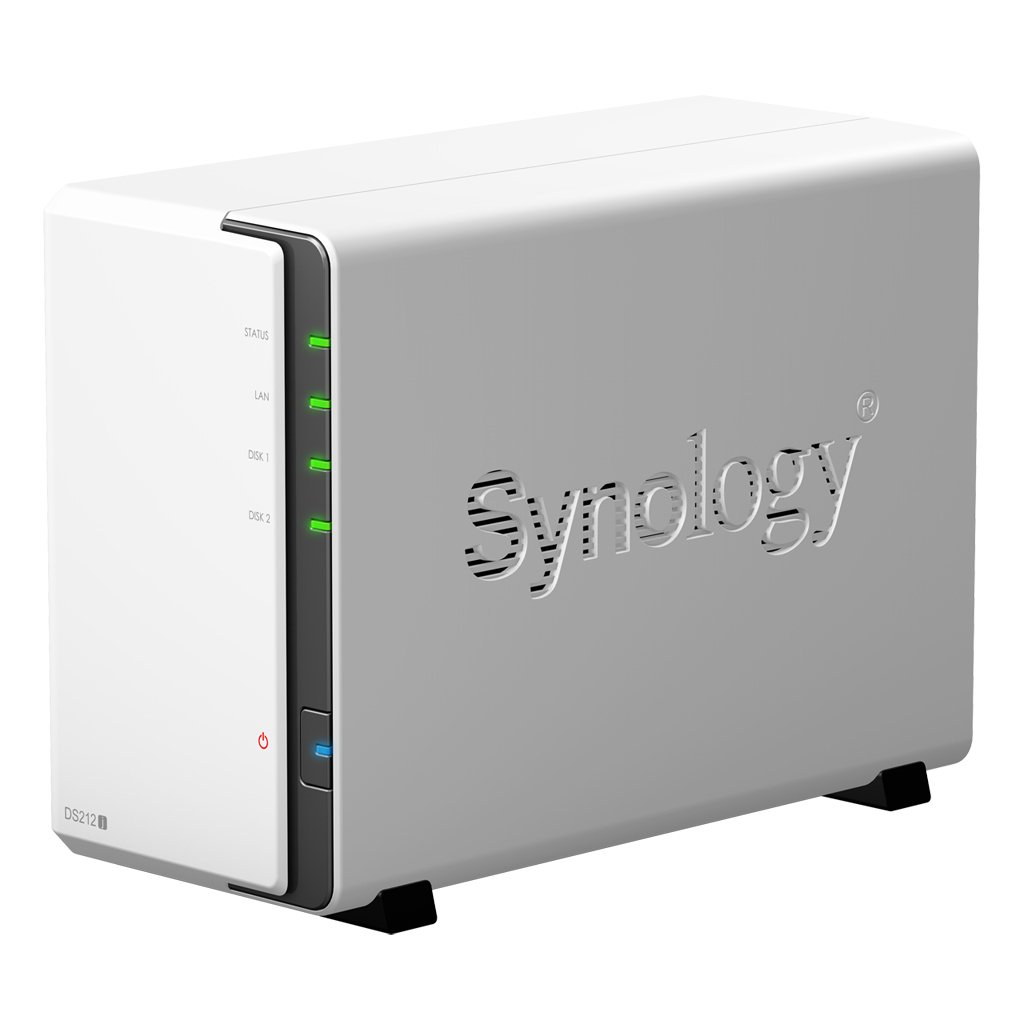
The downside is that unless you have a really long cable to hide it somewhere then it will be located close to your router and could be stolen if burgled, and then you've lost everything. Thats where a NAS (Network Assisted Storage) device is useful. This can be hidden in the loft, and stuff on your macbook can be automatically sent to your NAS, just like the Time Capsule. But a NAS can be specified with very large hard drives, you can even have say 4 hard drives that mirror each other, so if one fails then your data is still safely on the other drives. The only reason I haven't installed a NAS yet is that I don't really know how to set it up


Apple Time Capsule

apple-time-capsule-1.jpg


Synology NAS

51dRxx-k5TL._SL1024_.jpg


Back
Top Bottom