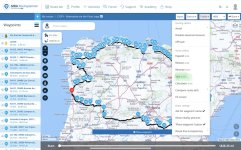
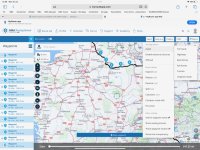
Jolly good.
Play around with it. You can’t break it.
It can also be useful for other things.
Imagine a journey from Calais to Rome. Start by asking MyRoute to give you the A to B route, ie. from Calais to Rome. This will have only two known points in it, the start and end, 1,000 miles apart. Let’s then pretend you wanted to make the journey over 10 reasonably equal mileage days of 100 miles.
Use the ‘expand’ function to insert say, 30 waypoints. You might need to play around with this number a little, just to get the spacing near enough correct. Maybe taking it up to say, 80. Why? Because MyRoute does not ’expand’ by placing waypoints equally. In other words, in this example, expanding this 1,000 mile route from two to 12, does not place an intermediate shaping point every 100 miles. Use the undo and redo buttons to change the number of ‘expanded’ points until you are happy. It follows that the more you ‘expand’ the number of waypoints, the more flexibility you’ll have when it comes to splitting.
Now use the ‘split’ tool to split the route into your ten days at 100 miles a day.
There are other ways to play around with it too. Say, for example, some kind fellow on UKGSer sent you a single A to B route from Calais to Rome, giving you a journey he’d made, This might be in response to a question like “Tell me how to get from Calais to Rome”. In his single route, let’s pretend the fellow took the motorway from Calais to Metz (that is more than 100 miles) in one day but then took twisty roads all the way to Rome thereafter. You could insert a waypoint at Metz and ask MyRoute to split the route there, giving you a standalone Calais to Metz route by motorway for day one and the balance of Metz to Rome on a separate standalone twisty basis, too. You can now expand the Metz to Rome route, to break it up Into chunks that suit you.