Strange Broadband/WiFI problem - this will make you scratch your head

Well, it's been suggested before (more than once) but I'll say it again...

Try changing your DNS settings

You only need to do it once and it will work anywhere in the world.

That link is for Windows 11, but if you're using something else then there are plenty of other 'how to' guides out there.
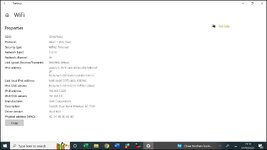
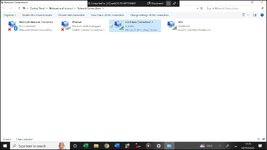
Tried that but when i display Hardware Properties all I get is this, no option to change anything. I am on Windows 10

1759321186821.jpg
 
Over the last week or so I started having problems accessing some websites on my laptop e.g. BBC, Telegraph, Royal Mail, Outlook to name a few. Thankfully not UKGSer. However I have no problem accessing other sites such as Amazon, YouTube etc and I am able to access those websites on my phone and iPad.

In an attempt to isolate the problem I have carried out a number of checks on the laptop and also took it to a local business that helps with IT/computer issues.

Ran virus scanner – all clear
Tried different browser - no change
Tried different laptop - same problem
Rebooted router, powered off/on - no change
Factory reset on router - no change
Powered off/on optical network - no change
Rebooted laptop - no change
Cleared cache, cookies etc - no change
Cleared DNS - no change
Tried via a wireless dongle - no change
Tried Ethernet cable - no change
However, when the the laptop was connected to a different network at the IT/Computer shop – it was all ok.

I spent nearly two hours with a Sky Techie last night (a Bulgarian lad called Chris working from home in Bulgaria) who was very helpful. He does not think it is a problem with the router or broadband but it may be a VPN issue from the Sophos anti-virus on the laptop so whilst on the phone I uninstalled it and rebooted - same problem; I then did the same with Malwarebytes - no change. Now I can't download them again because I cannot get onto their websites!

I am at a loss as to is causing this problem, what on earth is preventing me accessing those websites just on my laptop yet other websites are ok? The message I get is is unreachable. There is no logic to this and I welcome any other suggestions.

The first thing I'd do is go round to a mates and try on his wifi. If it works then you know the laptop's okay and its something to do with your provider.
 
The first thing I'd do is go round to a mates and try on his wifi. If it works then you know the laptop's okay and its something to do with your provider.
already done by a trip to Edinburgh detailed in post 37 where there were no problems
 
I don't have a Win10 that I can test it with, but have a look in both and see if you have the option to change it on both of them.

I know in Win11 there's a 'global DNS' setting that does it for all connections but I'm a bit out of touch with Windows now so not too familiar with this level of detail.

Make a note of what the current settings are in case you need to go back to them though :D
 
I don't have a Win10 that I can test it with, but have a look in both and see if you have the option to change it on both of them.

I know in Win11 there's a 'global DNS' setting that does it for all connections but I'm a bit out of touch with Windows now so not too familiar with this level of detail.

Make a note of what the current settings are in case you need to go back to them though :D
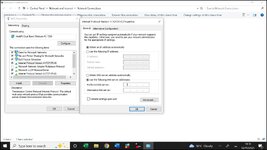
I've opened up IPv4 on the router and there are no numbers in the DNS fields, so what should I enter in the preferred and alternate fields?

1759426810076.jpg
 
Why are you still using IPv4, get your router to get you on IPv6 and get cloudflare DNS settings in there


Edit - just seen - Sky router (i'm out)
 
Well, I've made the DNS changes yesterday and so far things seem pretty stable so fingers crossed.

Thanks to all you IT gurus for your advice and assistance.
 
Good question sir, it is still having moments of failure to connect. I went to Edinburgh for the weekend, took the laptop and it was fine connected to the Premier Inn WiFi. Got home Sunday evening, connected to home WiFi and accessed websites without issue. Yesterday morning I arise and overnight the laptop had lost the WiFi connection, I reconnected and the problem was back, sites such as BBC, Daily Telegraph "unreachable"! I tried a few new websites, I've decided to research my grandfather's military service in WW1 and every website I tried to access was "unreachable". Then a few hours later, they all connected, go figure and have been connected since.

Some websites such as UKGSer and YouTube are not affected so it is rather selective with regards to the websites it cannot reach.
Sounds like you’re being nobbled by external forces
 
I didn't know that. Never had Sky.

I'm guessing they at least let you put them in bridge mode and stick your own router in?

they don't allow that either

"You cannot put a Sky router into true Bridge Mode because Sky uses a special MAC Encapsulation Routing (MER) system to authenticate their hardware, which prevents the router from being used solely as a modem. To avoid the "double NAT" issue that arises from using Sky's router with another router, you should activate Access Point (AP) Mode on your third-party router, which disables its routing functions and allows it to extend your network without causing conflicts. "


Back
Top Bottom