


Okay, I admit it, I was bored, so actually started to read the on-line manual.
I promise I won't do it again
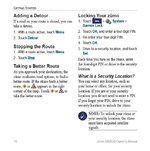
Anyway, page 10 500/550 owners manual says this (pic below) about "taking a better route". Anyone ever seen this icon? Doesn't say anything about being linked to the traffic thing.............
I ask as I drive the same route home form work and if I re-calculate the route it takes me a quicker way (which I'd worked out myself anyway). If I don't recalculate, it stays on the longer route.
I promise I won't do it again
Anyway, page 10 500/550 owners manual says this (pic below) about "taking a better route". Anyone ever seen this icon? Doesn't say anything about being linked to the traffic thing.............
I ask as I drive the same route home form work and if I re-calculate the route it takes me a quicker way (which I'd worked out myself anyway). If I don't recalculate, it stays on the longer route.


 Latest Zumo and Traffic Receiver software using the webupdater:




