


Fanum
Toubab
It's not a serious problem, more of an irritation TBH, but I can't seem to drag an open window between two screens 
I'm using two for a load of web design stuff I'm doing.......if I open a second browser in its own window, then try and drag it to the other screen, it stops where the mouse cursor 'hits' the first screen's border.......As long as I have more than half of the second window across, I can maximise it and it maximises onto the second screen, so I'm having to click/drag the window initially from the right hand end of its top bar.
I can drag an icon backwards and forwards with no problems though.
I have a feeling it may be because the second screen is at a different res than the primary and the pc/graphics card is having problems somehow, but as above, icons can be dragged straight across and are 'dealt with' in terms of resizing automatically no problem.
Maybe linked but not sure is the fact that if I have an open video running on secondary screen (BBC iPplayer for example) set to full screen, a click on the right screen, even though totally unnassociated with the activity in the secondary one, will drop the 'full screen' video back to its original size....a PITA 'cos I want to leave it running maximised while I work on the primary.
Actually, though I'd better try it before hitting the post button so I've just set both screens to same res (1152x864 is the only one they'll both do) but I still can't drag an open window across from one to t'other in one movement.
As I said, more of an irritation than a problem, but any thoughts would be appreciated to help solve it
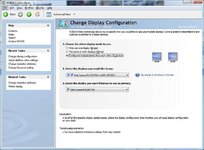
PS Both running off same Grphx card (geforce 8400GS) with primary one using SVGA output to a Belinea flat screen monitor running at 1680x1050 and the other CRT unit running through SVGA adaptor on DVI output to bog standard CRT at 1152x864. Win xp SP3
I'm using two for a load of web design stuff I'm doing.......if I open a second browser in its own window, then try and drag it to the other screen, it stops where the mouse cursor 'hits' the first screen's border.......As long as I have more than half of the second window across, I can maximise it and it maximises onto the second screen, so I'm having to click/drag the window initially from the right hand end of its top bar.
I can drag an icon backwards and forwards with no problems though.
I have a feeling it may be because the second screen is at a different res than the primary and the pc/graphics card is having problems somehow, but as above, icons can be dragged straight across and are 'dealt with' in terms of resizing automatically no problem.
Maybe linked but not sure is the fact that if I have an open video running on secondary screen (BBC iPplayer for example) set to full screen, a click on the right screen, even though totally unnassociated with the activity in the secondary one, will drop the 'full screen' video back to its original size....a PITA 'cos I want to leave it running maximised while I work on the primary.
Actually, though I'd better try it before hitting the post button so I've just set both screens to same res (1152x864 is the only one they'll both do) but I still can't drag an open window across from one to t'other in one movement.
As I said, more of an irritation than a problem, but any thoughts would be appreciated to help solve it
PS Both running off same Grphx card (geforce 8400GS) with primary one using SVGA output to a Belinea flat screen monitor running at 1680x1050 and the other CRT unit running through SVGA adaptor on DVI output to bog standard CRT at 1152x864. Win xp SP3



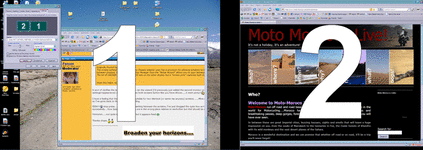
 stop press......after all that re-setting between the screens, I've just dragged the open box across successfully....how bizarre!! (the screens are in the wrong place relative to eachother but that should be easily solved)




 (console ports really annoy me


