BMW satnav connection help please

Big-G

Well-known member
UKGSer Subscriber
Joined
Apr 5, 2005
Messages
1,555
Reaction score
555
Location
North Wales
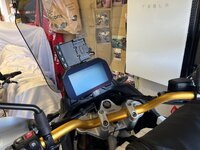
I’m looking to fit my old NAV6 and cradle to the bike and I’m just wondering where the BMW nav connector is located. The dealer seems to think it’s 2.5 hours of headlight out which I’m absolutely convinced isn’t true. I also bumped into a 450 rider the other week who told me he done his in 30 minutes but didn’t ask him where his was mounted as I wasn’t buying one at that point. Anybody else located theirs yet? Cheers
 
I guess you didn't think of using google

"I bought the same and fitted it. You only need to remove the back plastic cover behind the wind screen. There’s a black plug cable tied behind the screen facing down. It has a cover over it, if you remove this the BMW harness will plug straight in. No need to remove the headlight or fairings. Only the 4 bolts, screen and black cover."
 
I guess you didn't think of using google
"I bought the same and fitted it. You only need to remove the back plastic cover behind the wind screen. There’s a black plug cable tied behind the screen facing down. It has a cover over it, if you remove this the BMW harness will plug straight in. No need to remove the headlight or fairings. Only the 4 bolts, screen and black cover."
I read that on Facebook but I’ve taken the cover off and I can’t see anything that resembles the connector so I’m not quite sure how that works. That’s in itself is not very descriptive so I’m hoping someone else is located but thanks for the input
 
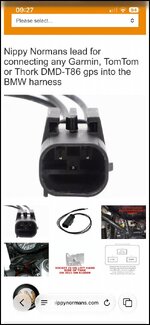
has any other accessory been fitted that might have taken the that connection as Nippy Norman sells a cable with the correct plug for this purpose?
 
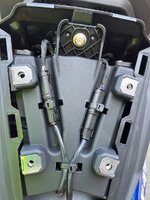
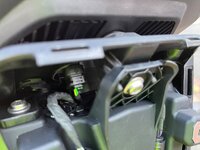
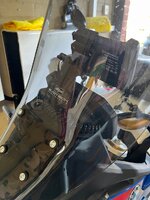
No other accessories and no factory NAV preparation so the connection is there somewhere. This is what it looks like with the screen cover takeoff.
 

Attachments

  • IMG_2976.jpeg
    IMG_2976.jpeg
    314.2 KB · Views: 73
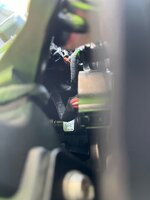
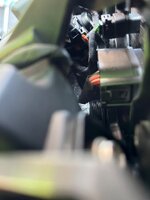
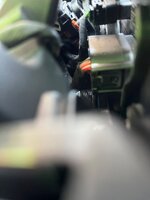
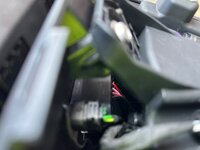
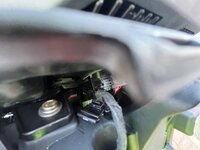
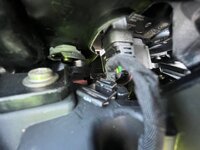
The first three are looking at the back from the left between the cover and the TFT and the rest are either looking directly at the back or from the right -hand side
The likelihood is it will be on the right hand side as it is with the other BMW models as that’s the same side that the cabling exits from the BMW cradle
 

Attachments

  • IMG_2982.jpeg
    IMG_2982.jpeg
    197.8 KB · Views: 61
  • IMG_2980.jpeg
    IMG_2980.jpeg
    208.5 KB · Views: 50
  • IMG_2979.jpeg
    IMG_2979.jpeg
    212.4 KB · Views: 53
  • IMG_2977.jpeg
    IMG_2977.jpeg
    352 KB · Views: 55
  • IMG_2985.jpeg
    IMG_2985.jpeg
    258.2 KB · Views: 51
  • IMG_2988.jpeg
    IMG_2988.jpeg
    311.3 KB · Views: 53
  • IMG_2989.jpeg
    IMG_2989.jpeg
    340.3 KB · Views: 60
Hi there! I'm thinking of doing the same an I see exactly the same as the attached picture
No other accessories and no factory NAV preparation so the connection is there somewhere. This is what it looks like with the screen cover takeoff.
Is there any other success story? Is the connector actually behind the dash?
 
It’s slightly more difficult than some people have made out as it’s definitely in there and I wish I’d taken some photographs as I did it before. If you are going to do the same, I’ll take a couple of photographs of where and how to get to it. Realistically, it should take around 30 minutes max
 
I'm planning to wire up a Compuride at the top of the stock TFT; it would be really appreciated if you could provide some the pictures.

-S
 
I’m not going to take it apart again because it was a real faff, but I’ll send you some photographs of where it is and what I took off and I’ll leave it to you to fiddle around with your fingers is that okay LOL?
 
I took some of the pictures with the back plastic cover removed, behind the wind screen but don't see a way to attach the pictures. How do you do it?

-S
 
I took some of the pictures with the back plastic cover removed, behind the wind screen but don't see a way to attach the pictures. How do you do it?

-S
If it’s an apple phone just click attach files (below left) and it should ask you if you will allow it to view your photographs and then just take the ones you want to attach and press the tick button. If it’s android you need to ask somebody else.
 
sure, of course!! Every little helps.... :)

Did you use this harness?

-S
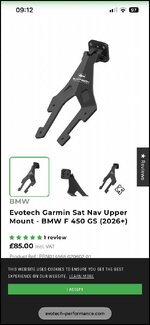
Looking at this again, this looks like something that would go along with the official BMW NAV cradle kit, I used an Evo tech bracket for the hardware to connect a BMW NAV cradle I already had.
I ordered the Garmin, which is the same as the BMW, but they do one for the carpuride

Are you fitting the carpuride via the BMW power source cradle or are you wiring it in direct on its own power source?
 

Attachments

  • IMG_3093.jpg
    IMG_3093.jpg
    53.8 KB · Views: 14
  • IMG_3092.jpg
    IMG_3092.jpg
    57.8 KB · Views: 17
Last edited:
If it’s an apple phone just click attach files (below left) and it should ask you if you will allow it to view your photographs and then just take the ones you want to attach and press the tick button. If it’s android you need to ask somebody else.
looks like, you have to be a subscriber to be able to attach photos and from your status, it seems you are.

Looking at this again, this looks like something that would go along with the official BMW NAV cradle kit, I used an Evo tech bracket for the hardware to connect a BMW NAV cradle I already had.
I ordered the Garmin, which is the same as the BMW, but they do one for the carpuride

Are you fitting the carpuride via the BMW power source cradle or are you wiring it in direct on its own power source?
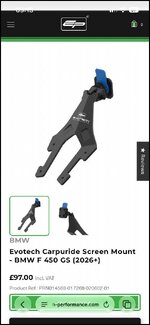
Yeah, I found that Evotech mount too but the one for Carpuride, seems out of stock.

now, re. wiring, assuming the F450GS nav/accessory circuit has sufficient capacity, the plan is:

F450GS's factory switched 12 V navigation output (behind TFT)
→ BMW-compatible plug/adapter
→ split the switched 12 V supply:
  1. Carpuride → directly from 12 V using its supplied hardwire power lead/regulator
  2. 12 V → 5 V USB-C converter for charging a secondary device on-the-go
hopefully achievable.
I was originally looking for a simple 7" android tablet just to run WAZE (that's the main purpose) but the waterproof rugged ones are too expensive.
 
So you’d need the BMW connecter to attached to your power source on the carpuride
 

Attachments

  • IMG_3094.jpg
    IMG_3094.jpg
    78 KB · Views: 21
Have you already got the unit as some mount directly to the BMW cradles I think.

On mine the connection is here behind this cover. It faces down and is cable tied (red band) with the lead at the top then as per dotted line, goes down to loom.
To loosen this enough i removed the TFT bolt (centre) and the 2 top bolts but others need out to to release enough to get long cutters in to clip cable tie and fish the connection up and out.
I removed the LHS indicator panel with inner bolts to get to screws on the side of the inner front panel above. I also removed the TFT by unclipping 3 clips left, centre and right and unplugging to get the connecting bmw plug to the bike side to cover all behind same screen.
 

Attachments

  • IMG_3090.JPG
    IMG_3090.JPG
    170.8 KB · Views: 24
Last edited:
This is the side panel that needed to come off to get to the side screws on the inner panel just to pull it forward a slightly to be able to see you down from the top. Now you know it’s there you should be able to identify at least the wire running to the top of it and don’t be frightened of slicing the cable tie around it.
 

Attachments

  • IMG_3098.jpeg
    IMG_3098.jpeg
    438.7 KB · Views: 20
  • IMG_3100.jpeg
    IMG_3100.jpeg
    287 KB · Views: 17
  • IMG_3101.jpeg
    IMG_3101.jpeg
    436.1 KB · Views: 24
thank you sir!!
Let me digest those info report here back. I'm a subscriber now, so hopefully should be able to post pics as well


Back
Top Bottom