cannot delete files - help !

gasman

Registered user
Joined
Nov 1, 2002
Messages
658
Reaction score
0
Location
Watford
Hello..

my sony walkman has dumped about 200 files, each within its own folder, on my C: drive.
I can't delete them or change name in the normal way (I can move them) because it says:

Cannot delete file: cannot read from the source file or disk

I can delete the files individually but not the folders. I can't delete the files en masse in the search window.

I have tried doing it via dos (cmd), I have rebooted, I have uninstalled the sony software, I have tried deleting in Safe Mode. No joy.
Any ideas ?
TIA
Peter
 
Are the files named oddly. and what is the extension?

Perhaps if you post a couple of sample names....

There are issues if file names start with certain characters, where Windows and DOS (command prompt) cannot delete the file because as far they are concerned they can't "see" it. Can't remember what these so called "reserved" characters are off hand, but a quick Google should point you in the right direction. Sounds like the Sony programme is bypasssing the usual Windows file handling routines!!

Chris
 
thanks for suggestions.
The files are oddly named eg
4 - H_M_S_ Pinafore - Act II Pt 2_Trial by Jury.oma
but I can delete the files themselves manually (about 400 of them now), but not the folders. And I can't rename them to make the names compliant 8.3 names.
Will look at Dr Delete, cheers
 
Alas no luck.
Can't delete the folders with Dr Delete, only files. Oh well. Now where's my hammer ?
 
Craete a new folder and call it "Crap" then put all the empty folders in it.

Then ignore it for ever :thumb
 
Whatton said:
Craete a new folder and call it "Crap" then put all the empty folders in it.

Then ignore it for ever :thumb

brilliant :clap

i expect you can delete the folders from a DOS prompt. i never bothered to learn how though.
 
Craete a new folder and call it "Crap" then put all the empty folders in it.

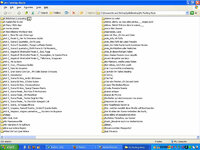
yeh that's what I'll end up doing... ! The folder is called 'My F**king Music' at the moment, but it's got about 400 individual folders in it, each with one music file inside, all taking up about 1.5GB on my hard disk :(
 
gasman said:
yeh that's what I'll end up doing... ! The folder is called 'My F**king Music' at the moment,

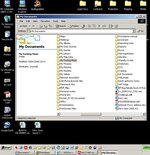
You too?
 

Attachments

  • ScreenShot013.jpg
    ScreenShot013.jpg
    106.4 KB · Views: 121
gasman said:
yeh that's what I'll end up doing... ! The folder is called 'My F**king Music' at the moment, but it's got about 400 individual folders in it, each with one music file inside, all taking up about 1.5GB on my hard disk :(


Just a thought, its not the backup of the walkmans playlist is it? The one that if the walkman is accidentaly formated then Connect replaces the missing data. :nenau
 
I think it might be, cos it appeared to be files being transferred from the walkman to the PC..
 
Hey, what about a new thread "Show us your (computer) desktop" !!
 

Attachments

  • Untitled-2-copy.jpg
    Untitled-2-copy.jpg
    111 KB · Views: 102


Back
Top Bottom