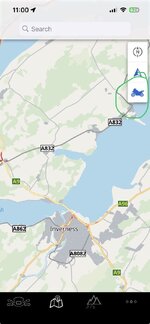
The motorcycle icon you’ve circled is the “Center on motorcycle” (or Locate My Motorcycle) button.
When you tap it, the map recenters on the current location of your paired BMW motorcycle, rather than your phone’s location.
Depending on the bike and what data is available:
- If the bike is connected and reporting its position, the map jumps to the motorcycle.
- If the bike isn’t currently connected, it usually shows the last known location that was synced with the app.
- If your phone is already centered on the bike, tapping it may simply recenter or zoom appropriately.
The icon can also change appearance slightly depending on whether:
- the bike is connected via Bluetooth,
- the app has a recent location for the bike,
- or you’re currently following your own location instead.
In your screenshot, the button is floating beneath the compass on the right-hand side, which is exactly where the “center on motorcycle” control is normally located.
If you were expecting it to start navigation or recording, it doesn’t do that—it’s purely a quick way to find and focus the map on your BMW motorcycle.



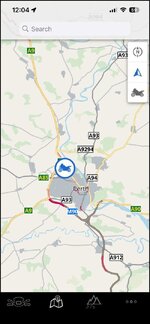

 )….not sure why it lost connection though as I (and phone) was on the bike for another 5hrs - bloody Bluetooth.



