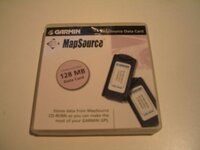
HMR makes a good point - there is nothing at all wrong (illegal, contrary to software licence, etc.) with installing your unlock codes on someone else's computer. In fact, it's a great idea to copy (back up) your unlock codes onto a floppy disk - 100 different unlock codes will fit on one floppy, with room to spare - and take the disk with you when you make long trips. That way, if you want to reload a new mapset on your chip using someone else's computer, you will have your unlock codes with you, and you can just load them and use your friend's computer.
This assumes, of course, that your friend is using the same product (CN, CS, MG, etc.) and the same version number of the product as you are.
To back up your unlock codes to a floppy, open the MapSource application, then go to the UTILITIES menu, and select "unlock maps". In the next dialog that appears, choose "export codes." The wording might be slightly different, depending on the version of the MapSource application you are running, but the idea is the same for all versions.
PanEuropean
PS to Elvin: On my computer, the words "forum sponser" show up under your name, so your registration did go through. You might need to clear your browser cache in order to get a fresh view on your computer.