Following a GPS route... in the car.

er-minio

Well-known member
UKGSer Subscriber
Joined
Mar 10, 2008
Messages
10,432
Reaction score
3,441
Location
London/Rome
4 wheeler question. I just realised I don't know how to proceed with this. :D
While I (I think) I know my way around using my Garmins on the bikes/on foot for slightly more complex travel routes, while traveling by car I almost always use the GPS for A to B navigation.
In my previous cars I used a mix of my Garmins and later iPhone with Google Maps.
On my current car I'm using onboard navigation software or Google Maps via Carplay on the multimedia unit (big screen stuck in the dashboard). And still... A to B navigation with maybe a midway POI stuck in the middle to force it to take a specific route/motorway, etc.

Now... I'm getting a new car and gonna drive it immediately to Italy, then proceed to have a roadtrip-vacation in the following weeks.
I have to run it in on the way south, so my plan is to follow a (fairly long) set of B-routes through France that I generally do with the GS when traveling to Italy, avoiding sitting on the motorway all day as I would do with a car. I do have those as routes/tracks on basecamp... but then I realised that, unless I want to stick the XT on the car's windscreen (I don't want) I never really looked on how to navigate those routes via my iPhone/Carplay.

I do have OSMand, and it works on Carplay, but seems a bit crappy and buggy when on the car's screen generally.

Is there a way for me to export a few routes from Basecamp and feed them into Google Maps or Apple Maps? Are there other navigation apps that I should look into (looked into MRA previously, not really liking it)? My preference would be to stick to Google Maps, I use Waze as well from time to time. I know, stupid question, but I actually never tried or looked into it.
For the time being I'm excluding the car's own navi system (I don't know it yet) and counting on using Carplay integration.

Or, another way to put the question would: how do I convert a Basecamp route (or a track) into a set of Google Maps destinations, so it would "sort of" follow it?

Thanks
 
Last edited:
I think I found a way to import the KML file into Google Maps via the "MyMaps" function (insomnia is a bad thing).

How to get the Google Maps app to follow it, another story though...
 
I guess most people use their car’s navigation ability for simple A to B routes, generated by the car itself?

The BMW 135M I owned would import GPX routes via a memory stick. Does your new car have this feature? That being said, that was about eight years ago, so well before Apple’s Car Play came about.

As I understand it, Apple Car Play has the ability to talk to lots of app’s. I know that Arsey uses it on his Goldwing, in conjunction with MyRoute, apparently really well. Whilst it is out of Beta testing, the new MyRoute app is still being developed in relation to Car Play. I assume other ‘navigation’ app’s have the same ability?

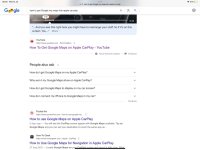
I was going to suggest Google My Maps, but you have already discovered it. I think I’d use that. How you get the My Maps app to display on Car Play. I don’t know, simply because I do not have a car which has Apple Car Play. I Googled: how to get Google my maps into apple car play which gave some ideas, as does similarly phrased searches

IMG_4169.jpg

I’d play around with it, I’m sure you can’t break it.
 
Does your new car have this feature?
No idea. The multimedia system is based on iDrive (BMW) so, maybe.

I don’t know, simply because I do not have a car which has Apple Car Play.
As above, my current is Carplay compatible (new one is as well).
Mapping-wise, apart from the usual Apple Maps and Google Maps, in CarPlay I can also see use OSMand and Waze.

I'll try a bit more with Google maps to see if there is a way to display the custom map linked above on iPhone (it doesn't work currently).
 
Let us know how you get on, please.

I think I’d try to get My Maps displayed and working and / or try to do the same with MyRoute, not least as the latter should work. You can export Garmin routes into both My Maps and MyRoute quite safely and accurately, so that is a good start.

What I’d do is take my Garmin along as a back up, as at least you’d know that works.
 
Last edited:
This is the way to do it with Google Mymaps and google maps under Android Auto or Apple Carplay.


You effectively segment your route and have to re-start it at each waypoint. Why google don't integrate Google mymaps and Google maps is one of lifes mysteries. It would do away with the need for third party apps like tom tom OSMand and my route app navigation overnight. (Spoiler its a faff)

Or you can plot a route with up to 10 stops (as google calls them) and on apple carplay (I think) I'm an Android Auto user and thats how it works on AA. This is live routing as you go along. What is good is Google maps ability to navigate round delays in the road and these options are presented in real time as you drive along.

I agree OSMand on Android Auto and presumably Apple Carplay is clunky at best. Myroute app is great and will take your GPX files I tried the new app on two week trial. The caveat being you will need a subscription to use the app and the HERE maps. I'm debating if I would use My Route app and the MRA route planner enough to use it on the Android Auto Screen on my Africa Twin bearing in mind I'm happy enough to use Basecamp and my Zumo XT.
 
Thanks!
Ye, I looked at recovering the MyMaps info from the gmaps app on my iphone, but gives me an error and doesn't load any data.
 
Ok. I can now see MyMaps in my Google Maps app on the iPhone, and the tracks I created/imported.
But these are not available via the app's CarPlay adaptation.


gmaps-carplay.jpg


The route I'll follow is not that complex, so it can be achieved by multiple destinations in Google Maps, but it seems a faff and I cannot see how to add points to a destination directly with gmaps on carplay.

As a test, I invested a whopping 5 quid for a 1 year subscription to OSMand.
Unsurprisingly, it loads a .gpx track (haven't tested routes yet, but should work the same) and sets to follow it.

The UI is slightly better than what I remembered, but still somewhat clunky. Also, pinch zoom doesn't work for some reason.

osmand.gif


The "touring" map theme is not that bad:
osmand-touring.jpg
 
Have you tried sending the route directly from the new MyRoute app to the car’s display? It should work.
 
Haven't touched MyRoute. :)

Osmand would work in this scenario. Will give it a go.
I'll try to set up a multi stop Google Map itinerary as well, as that would be easier to manage during trips.
 
Had another go at MyRoute.

I know a lot of people like it, but I find using it irksome (more than OSMand). The website editor is a mess, the app is not great either (starting from the non skippable tooltip bonanza on first launch).
I don't doubt it can be a valid replacement for BC (the web app) for many, but not my cup of tea.

I created a simple route, that goes towards Reims on the motorway, then some nice flowing French B roads through central towards Chalons/Lyon and then jump back on the motorway to steer towards Gap to proceed to Route Napoleon all the way to the sea, and then through the border with Italy.

Both OSMand and MRA have digested the GPX file very well and they should be able to navigate (MRA asks me money or trial – didn't bother yet). It seems they do ignore waypoints (announced shaping points) set in BC.
I had a few as I expect to go through this route in a couple of days and needed some mid-way entry points as I have no idea how I could rejoin an existing route in both softwares. Time will tell :D

We'll discover in next week episode when I'm with the car, traveling.
 
As promised, little update.

I'm in France right now and just went through the first leg of my route. Had some issues, but sort of managed and learnt along the route.
If people curse Garmin/Basecamp... wait until they start using OSMand. :D
I understand it has a lot of functionality and, like Basecamp, the learning curve is steep, but it is also buggy as hell.

Anyway, to recap:

You can import a track from any planner (Basecamp in my case) and then get OSMand to follow (and navigate said track). It will indicate turns: like Garmin's cycling sat navs, any bend over 45 degrees gets a turn notification. It will recalculate it if you go off-route, but it is not super flexible when that happens.
What it does better than any Garmin device is that it can resume the navigation of the track (and I assume a route, when provided) from the closest point to you geographically. ANY closest point. ANY. That is good.

Now, the bad things, with some pictures.

1. The UI sucks balls. You cannot zoom from the car multimedia (using the zoom buttons) as it will reset the magnification within a second or two. If you get lost you cannot zoom out to get your bearings.

2. You cannot pinch zoom - again.

3. A lot of the options are available via the phone, and not mirrored on the car multimedia screen. So you'd have to faff on the phone to do some operation or, safer, stop and do them from the phone.

4. Starting the navigation of a track is fiddly as hell. You also get double requests to start the navigation: both from the car multimedia (screen) and the phone's screen.
Selecting a track from the car multimedia via "navigation" > "tracks" (see video above in the previous vehicle) doesn't do anything. No idea.

5. At least in my case, there is a fuckton of UI bugs.

No map, black screen.
Had to reboot both car and phone to solve this one.
You get a similar issue where you see a grid only, on white.
osm-black.jpg


Map/navigation is offset to right after riconnecting the phone.
Happens, in my case, every time I step out of the car and then back in without restarting OSMand on the phone.
Restarting OSMand (no phone reboot necessary for this one) requires restarting navigation/reloading track. Annoying.
osm-offset.jpg


For some reasons it creates some detours while following its own navi instructions, like Garmin. No idea why. Just ignored.
I have to double check if the map for that section was downloaded though.
I downloaded it all in the afternoon. At some point I did some miles via "base map" and, understandably, doesn't work well.
osm-detour.jpg


This is part of the track with navigation (blue overlay) on top:
osm-track.jpg


At the end of the day I had to find an Hotel. Don't understand how search work on OSMand yet, so defaulted to Google Maps for the last 60 miles and pointed towards a couple of hotels.
Looks like Gmamps will be my thing tomorrow (direct) till Lake de Serre Poncon, then back on OSMand following the Napoleon (that I know by hearth to be fair now).
One thing I dislike in Gmaps is that 2D view can only be "north up" and not direction of travel.

Let's see if I learn something more tomorrow.

So far I'm 60% sold. Could be better. But, hey, 5 quid.
 
Last edited:
Little update... about a month and 6800km later... I'm using Waze for A/B navigation.
It has the 2D view direction of travel, being alerted about police/cameras is nice :)
It doesn't show route preview when selecting a new destination, that is a pain.

OSMAnd keeps crashing most of the times I try to search for a destination...


Back
Top Bottom