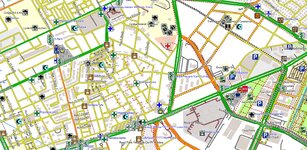
I have UK topo on my XT.
Transferred the file using a specific software (on Mac).
Let me see if I can find the thread.
Update, old threads with random content in:
I'm currently the (happy) owner of a Zumo XT.
I used for green laning on the GS and does the job perfectly.
It is a bit big (and exposed) on my thumper though.
Haven't wired it in yet.
I'm looking at alternative positioning so it would be a bit more protected from any random hits (putting it directly over the steering plate), but I started considering if it makes sense to buy a cheapo older Garmin GPS (no mobile phones) given that:
– it will be mostly for trail riding following tracks on top of OSM non routable maps (I use TalkyToaster maps with BOATs marked on)
– road navigation would...
Ok.
I really like the "fast switching" option for layers on the map view of the Zumo XT (apologies for the crappy mobile phone photos, I was too lazy to take actual screenshots):
This is effectively showing and hiding extra maps on top of the City Navigator cartography.
Now, what I'm thinking is:
I use a local topo map (from the-thorns.org.uk). Is there any way to make the zumo recognise it a the topographic layer in that menu?
I explain: when I select...
Essentially, if you have the maps in the correct format, you can add them to the XT via USB.
On Mac I use a software called Commander One. On Windows/PC it should be simpler (XT is an Android device) and should work just connecting the device.
After copying the map in the correct location on the Zumo, you'll see them available in the preferences where you can select what map files are available.
I strongly suggest to have only the topo map activated when using that or going offroad and only have the CN maps active when going on the road and be sure to deactivate the topo, as having the topo active alongside with the CN when on the road (and using standard routing) can create problems.
One thing to keep an eye is: if speed limits are not shown while routing with standard CN maps, it means that the topo map is still active.



 that's how it has always been done but FWIW a step is missing for windows users-