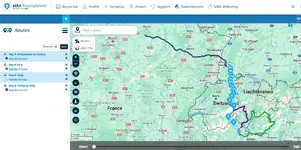
Is it possible? I've got a few routes I'm viewing on the screen, but they are all black - is it possible to change the colour?



If you use the 'add routes' feature to see them on screen at the same time, it makes all the routes a different colour.


It has! Weird, I did that on my Mac in route planner and the 2 key routes came up black
I think it picks the colours randomly. I guess it chose black?
You can change the colour, choosing from quite an extensive colour palette.
Where’s that option, Wapping? Is it only available in the “add routes” view?I think it picks the colours randomly. I guess it chose black?
You can change the colour, choosing from quite an extensive colour palette.
Found it - click the little coloured squareWhere’s that option, Wapping? Is it only available in the “add routes” view?
It would be helpful to be able to change the colour of a route but I think there’s not an option at the moment
Found it - click the little coloured square


That's the one!Got it now - located in the Add Route menu
Good learning day today
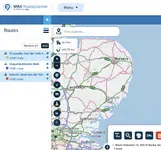

Me too! Its a pain in the bum......I need a responsible adult beside me if I'm trying to wire something like an RJ45 connector to tell me the colours otherwise it would be chaos.Thanks Wapping - didn’t know that.
I’m a bit red/green deficient so that will help.
Thanks Wapping - didn’t know that.
I’m a bit red/green deficient so that will help.

Only just seen this thread Wapping. Not able to try it yet but can you tell me if the colour is a lot lighter, will you be able to see the road numbers and names of towns/villages etc as when Ive tried it the black just covers any details. Thanks.Welcome.
I usually change the route coloured offered up, to something which doesn’t match too with the underlying map but still stands out. Magenta is good, as is purple.
Only just seen this thread Wapping. Not able to try it yet but can you tell me if the colour is a lot lighter, will you be able to see the road numbers and names of towns/villages etc as when Ive tried it the black just covers any details. Thanks.
Ok. I'll have to find someone that does.I don’t much care about being able to see the road numbers / town names, when creating routes.

Ok. I'll have to find someone that does.
Thanks Wilbjr21. I'll try thatYou can change the transparency of the colour in the same control panel.
You can also adjust the transparencyOnly just seen this thread Wapping. Not able to try it yet but can you tell me if the colour is a lot lighter, will you be able to see the road numbers and names of towns/villages etc as when Ive tried it the black just covers any details. Thanks.