Ok tried a few times to put pics into a post from both dropbox and flickr by clicking share and copying the links. Neither time has worked as seen in my attempt to post in the ride reports under "a day trip to the lakes". Please help!!


You are using an out of date browser. It may not display this or other websites correctly.
You should upgrade or use an alternative browser.
You should upgrade or use an alternative browser.
Im Stumped!
- Thread starter Simian73
- Start date
so 87 people have viewed but nobody knows how to put pics on the forum?

Tayls
Registered user
Hello, I've never done it here but have done before on other forums, let me take a look and see if I can help
Ian
Ian
Tayls
Registered user
so, do you have a URL from your image(s)? Apologies if I'm talking like you know nothing.
If so, when you post or reply, there is a selection of images above the writing area - in the section with a globe with a pair of glasses (actually how you add a link) there is a button 3 more along that looks like a picture of a tree, click that then paste the whole URL in what pops up, then 'OK' then 'post quick reply' at the bottom
Does that work?
Ian
If so, when you post or reply, there is a selection of images above the writing area - in the section with a globe with a pair of glasses (actually how you add a link) there is a button 3 more along that looks like a picture of a tree, click that then paste the whole URL in what pops up, then 'OK' then 'post quick reply' at the bottom
Does that work?
Ian

Perhaps you could provide a little more detail?
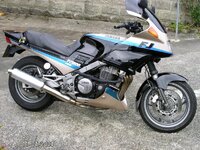
Whilst having Dropbox I never use it for attachments , in saying that, I have just attached the following image from DB with no issue whatsoever.
Currently using MacAir - select 'advanced' for responding , attachments, add file (locate your file), choose file, upload, then preview your post.
When using PC I don't do anything different to that of above, except where I locate the file from.
Whilst having Dropbox I never use it for attachments , in saying that, I have just attached the following image from DB with no issue whatsoever.
Currently using MacAir - select 'advanced' for responding , attachments, add file (locate your file), choose file, upload, then preview your post.
When using PC I don't do anything different to that of above, except where I locate the file from.
Attachments

AberdeenAngus
Registered user
so 87 people have viewed but nobody knows how to put pics on the forum?
87 people couldn't be arsed.

Found the easiest way is using Tapatalk App on smart phone.
Type words, then tap + to left of the words, select gallery, select photo/s. Tap + again to add extra photo's. Tap arrow top right posts your blurb and photo.
On my Android phone, you can select the phone's gallery or Google backup gallery that also has all pc photos backed up as well.

Type words, then tap + to left of the words, select gallery, select photo/s. Tap + again to add extra photo's. Tap arrow top right posts your blurb and photo.
On my Android phone, you can select the phone's gallery or Google backup gallery that also has all pc photos backed up as well.
test pic

just get a very small blue square as above?????

I've never had much luck sharing direct from Dropbox but never have a problem with Flickr.
Post one of your Flickr pics.
Post one of your Flickr pics.
Ok, sussed it.
Take the link from dropbox and replace the www with dl.
Also make sure there is nothing after the .jpg
So your link goes from https://www.dropbox.com/s/6mu48db6udivmht/20141005_151801.jpg to https://dl.dropbox.com/s/6mu48db6udivmht/20141005_151801.jpg
Wrap that in the image tags and you're sorted!

Take the link from dropbox and replace the www with dl.
Also make sure there is nothing after the .jpg
So your link goes from https://www.dropbox.com/s/6mu48db6udivmht/20141005_151801.jpg to https://dl.dropbox.com/s/6mu48db6udivmht/20141005_151801.jpg
Wrap that in the image tags and you're sorted!
Excellent, thanks for the help, I will give it another go
Deleted account 200123001
Registered user
- Joined
- Mar 4, 2014
- Messages
- 2,372
- Reaction score
- 0
I use photo bucket. You do need to use the insert image Button and then paste the hyper link into that. Just copying and pasting the hyperlink in the text box doesnt work i find.

Similar threads


- Replies
- 15
- Views
- 3,475


