
Is it possible to do an off road route?

Noel

Registered user
Joined
Oct 23, 2003
Messages
622
Reaction score
0
Location
Barwell, Leicestershire
I'm planning to do thye local green lanes on saturday, I have all the lanes saved as waypoints, can I do one route joining them up, so were the lane starts turn off auto route and when it ends turn it on again (other wise it routes you to the end waypoint via roads not on the lane), I have and you can do it by going into preferences at every waypoint and selecting direct route then at the end of the lane turning it off again (a very slow procedure) is there an easier way?
Garmin City Navigator 7, Mapsource 6.8.0
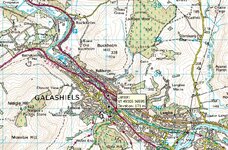
 
You can't really do what Noel wants in Memory Map, as it doesn't do auto routing.

Noel - I've wondered the same thing as you, and I haven't found an easier way of doing it :( If there was a keyboard shortcut to change routing method that would make it a lot easier.
 
Noel said:
(other wise it routes you to the end waypoint via roads not on the lane)

With Auto-Recalc switched off on the GPSR...

You just have to ignore the "route" you didn't really want between the start/end of a lane. It will route you to the start of the lane and when you ride out the end of the lane it "catches up" and continues routing you the start of the next lane. This is how my Nav II behaves anyway :)
 
Personally...

Clive said:
With Auto-Recalc switched off on the GPSR...

You just have to ignore the "route" you didn't really want between the start/end of a lane. It will route you to the start of the lane and when you ride out the end of the lane it "catches up" and continues routing you the start of the next lane. This is how my Nav II behaves anyway :)

I use Anquet maps http://www.anquet.co.uk , which doesn't autoroute , but by plotting the route can be exported to most Garmin's as a route or track.
 
Noel said:
I'm planning to do thye local green lanes on saturday, I have all the lanes saved as waypoints, can I do one route joining them up, so were the lane starts turn off auto route and when it ends turn it on again (other wise it routes you to the end waypoint via roads not on the lane),

Yes, you can do this.

First - switch OFF all "automatic off-route recalculation" bullshit in your GPS unit. Keep it OFF forever!

Second, create the route in MapSource the following way:

1. Set "Route Style" to Use Auto-Routing.

2. Create your full route. Ignore the fact that the created rote will not follow your waypoint lanes.

3. Set "Route Style" to Use Direct Routes

4. Adjust the local route segment that should follow the green lane waypoints. You will notice that Mapsource leaves the rest of your route intact.

5. Upload the route to the GPS unit.

One alternative solution is to chop up your route into three separate routes. One auto-routed before the green lanes, one direct-routed at the green lanes, and one auto-routed after.
 
Thanks for all reply's, I will try HMR way this afternnon (did not get chance yesterday). But never the less still had a cracking ride this mornig for 5 hrs.
Thanks Again
Noel


Back
Top Bottom
