just got a mac book air, questions

jonny5859

Registered user
Joined
Feb 26, 2011
Messages
493
Reaction score
0
Location
The hills of Dromore, c.o Down
Hello, just got myself a new mac book air and have never used a mac before :eek::eek::eek:

I've got the general idea on using it for browsing extra and I will be setting up a NAS system at home for my back ups from this air and my pc and will also use the NAS as my iTunes hub.

I've got a question (probably more to come) is there anyway I can transfer my firefox bookmarks from my pc to this air?

I have firefox and safari on the pc, i ran the migration assist between the pc and air but there was no option to transfer firefox info, the only browser info I had an option to transfer was safari. Is there a way to transfer my bookmarks from firefox to safari on the pc then from it to the air? would that be a solution?

thanks for looking...
 
I seem to remember that Firefox has a feature to keep bookmarks in synch between multiple PCs/Macs. I'd use that if you are going to be using both machines. If it's a one off transfer then export your bookmarks to a file, copy the file across and then import to the browser on the new machine.

I've done the export / import thing a few times and it always worked. Firefox to Safari, PC to Mac, makes no difference.

TBH with iCloud keeping all the bookmarks in synch across multiple devices I tend to use Safari most of the time now.

Paul

PS
If you are stuck just send me the MacBook Air . . .
Nice bit of kit. Not cheap but nice rarely is.
 
Thanks for the reply paul, I got it sorted using the export/restore thing on the browser as it should be a one off transfer. I was thinking of doing what you said and using safari due to iCloud because i have an iPhone and the wife has an iPad so it would be handy.

Have you or anyone else got any tips for a noob using a mac? or any programs/apps you would recommend?

Thanks again :thumb2
 
Safari with the new operating system is very good. I have dumped using word, excel and now use pages and numbers from the app store. Enjoy.
 
First suggestion would be -
Don't put a load of crap software on it you don't need that just slows things down and spoils the "Apple" experience that they have worked hard to create and control. For 98% of bods a Mac with iLife (comes free) and iWorks (cheap from the app store) does everything you need.
IT professionals will be along soon to tell you that you can't live without Office, you know that's BS because you bought a Mac :-)

Second suggestion would be -
Spend some time on the Apple web site. They have loads of short videos showing how to use all the Apple software, do common tasks and point you in the right direction. Once you stop thinking like Microsoft have told you to and start thinking like Apple want you to then things will become obvious. If something is hard you are doing it wrong, err, that didn't come out right, umm, neither did that.

Oh, and enjoy the best laptop money can buy ;-)

Others will be along soon to say you could have saved a few quid by buying something else.

Paul
 
I think i will look into the iWorks as from this point onwards the only office based documents I will be looking at is a spreadsheet every week to send in my work timesheet in an email and thats about it.

I'l check out more of those videos on the site seen a couple already.

Thanks again!
 
Safari with the new operating system is very good. I have dumped using word, excel and now use pages and numbers from the app store. Enjoy.

FYI jonny5859
iWorks = Pages (Apple equivalent of Word), Numbers (Apple equivalent of Excel) and Keynote (Apple equivalent of PowerPoint).

TBH for me the best app has been iPhoto and that's one of the free ones.
Great for managing your photos and keeping the right ones in synch with each of your other Apple devices.


Paul
 
. . . is a spreadsheet every week to send in my work timesheet in an email and thats about it.


Thanks again!

Numbers lets you open xls documents and save as xls documents too.
Fancy formatting and some of the advanced features will be lost but simple stuff seems to convert back and forth ok for me.

Paul
 
as said

I-photo/ vuze to steal music ../ and and a few short cuts like

- cmd and space = brings spotlight ....and you type what you want to find ..... will speed u up

- cmd and + = zoom in

- cmd and shift and 3 = screen snapshopt stored on desktop

- cmd and shift and 4 = same as above but use cursor to define area to snapshot

and millions more ............you bought a brilliant machine :thumb
 
I have iWork but don't particularly find Numbers great. I do like Pages and love Keynote. For spreadsheet bits and pieces I tend to use openoffice.org office suite spreadsheet. Its free from http://www.openoffice.org/porting/mac/
I can just seem to work out things quicker in it, especially formatting and printing.

Still getting to grips with some minor glitches in iCloud. I had MobileMe before and glad I didn't loose all my .MAC and .ME email addresses in the switchover to iCloud.
 
Great thanks for the info, got pages and numbers off the app store last night, cheap enough. As you said numbers opens up and saves spreadsheets no problem even my timesheet template I had made up.

I have one last question, how do I then save that document that is open in numbers as a PDF?

When I used excel you had the option to "save file as PDF" then I would email my timesheet as a PDF to the wages girl.

Do i have to download a separate program now to do this on the mac?:nenau
 
you can create a pdf in any app using the print command (command and P) then click the pdf button at the bottom left, it gives a lot of options...
 
Enjoy the macair

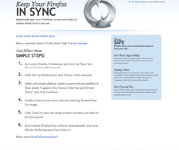
I use firefox sync across platforms and devices - works great

Happy New Year All
 

Attachments

  • Firefox-sync-screen-shot-.jpg
    Firefox-sync-screen-shot-.jpg
    109.8 KB · Views: 108
"Once you've had Mac, you ain't goin back"

Enjoy it Jonny, I've had mine for 2 yrs now, have to agree with all the other comments re software. Don't put Windows on it!!!!!

Download Pages and Numbers from the app store. (cheapest way, about 13 quid each), don't bother with keynote (powerpoint) unless you really need it.

Don't bother with virus software. I have not used any for 2 years and no problems at all. I know someone who put anti virus software on his Mac and it slowed it up drastically.

Do a 'REPAIR DISC PERMISSIONS' in Disc Utility once a month. Its Apple's answer to defragmentation but takes half the time. It really speeds things up (although you dont need it any faster!)

I love it so much ive bought a Mac Mini for the kids, and an iPad for the missus!

No doubt there will be a flock of Bill Gates 'Harpies' along to tell you what a wast of time Apple is :blagblah:blagblah:blagblah:blagblah

Read the same post after a month on the Mac, I guarantee you'll laugh at them.....:augie

Good luck with it & happy new year fella...
 
you can create a pdf in any app using the print command (command and P) then click the pdf button at the bottom left, it gives a lot of options...


and also in Pages, Keynote and Numbers you can use the PDF option in File-Menu EXPORT. It gives options for varying the quality of the PDF file. I then use iBook on iPhone or iPad to view the PDFs. They also work fine in a Kindle.


Back
Top Bottom