
New Zumo XT user - loading a track?

rustychain

Active member
UKGSer Subscriber
Joined
Nov 25, 2022
Messages
185
Reaction score
61
Location
York, North Yorkshire
Hi all

I've used a spare phone as a sat nav for a few years. I've decided to try a dedicated sat nav - a Zumo XT.

I want follow a pre-determined specific route on the device, so think I need to load the routes as a track. Is that right?

I've created a ride I want to do in MyRoute-app. Do I need to save this in a particular GPX format so I can load it as a route onto the XT?

Thanks
 
Hi all

I've used a spare phone as a sat nav for a few years. I've decided to try a dedicated sat nav - a Zumo XT.

I want follow a pre-determined specific route on the device, so think I need to load the routes as a track. Is that right?

I've created a ride I want to do in MyRoute-app. Do I need to save this in a particular GPX format so I can load it as a route onto the XT?

Thanks
Depending on what you want to load, pic the gpx format, I normally use gpx 1.2 and load, route, track and poi. The way I do it is, make route on MRA web interface. Then open the route on my phone MRA app and then save as whatever gpx you want, 1.0, 1.1 or 1.2 and then export to Garmin Drive and it will be uploaded to your XT (assuming you have a phone connected). That is the process I use on a Mac with an iphone
 
Hi all

I've used a spare phone as a sat nav for a few years. I've decided to try a dedicated sat nav - a Zumo XT.

I want follow a pre-determined specific route on the device, so think I need to load the routes as a track. Is that right?

I've created a ride I want to do in MyRoute-app. Do I need to save this in a particular GPX format so I can load it as a route onto the XT?

Thanks
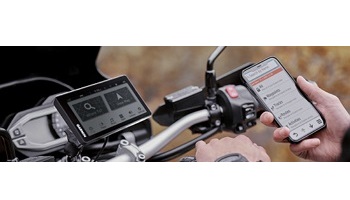
Create your route in whatever app you please (MyRoute, Basecamp etc). Save it as a GPX file. Load the Garmin Drive app on your phone and connect it to the ZumoXT. Send the GPX file to your phone (I WhatsApp it to my self). Open the GPX file in Garmin Drive and send it to the ZumoXT. Job Done.

Note that for more complex or large files you may want to increase the sleep timeout on your XT so that it has time to calculate the route.
 
You can load it as a track, then convert it to a route.

Note; i would switch off the re-calculation function on the XT (unless you have a lot of waypoints fixing your route choice) to ensure it sticks to the routing you have created.
 
It’s very simple

1. Create a route in MRA using the HERE maps
2. Save it as a gpx1.1
3. Export it to Garmin Drive (the app on your phone)
4. Open your XT and the route will be loaded provided that you have it appropriately connected
5. Choice of route (magenta line on the map) or track
 
Thanks for all the responses, you make it sound quite easy..

@DJ123 - appreciate that bit of advice. If I go off route I don't want it recalculating anything
 
Well worth the time and effort to read this.


and this.


Remember you can simulate the routes on the Zumo XT unit. It will give you an Idea how it operates in different scenarios'. I tend to run a route with the track of the route running with it so that I can see if the route deviates from my intended path. There is a learning curve with all navigation devices and software but putting the time into it can make life a lot easier especially if you lead groups from time to time.
 
Oh and if you can avoid it do not link your XT to Garmin Explore. Those of us with XT's have all tried it (me being stupid more than once :rolleyes:) but its pants and makes life difficult. It brings nothing to the device in terms of added value unless someone knows any different. :)
 
You can load it as a track, then convert it to a route.

Note; i would switch off the re-calculation function on the XT (unless you have a lot of waypoints fixing your route choice) to ensure it sticks to the routing you have created.
Show the track on the XT as well as the route though, as the route calculation often differs and by showing the track you can see what’s going on, while following the turn-by-turn route directions.

Also, when creating the route in MRA use plenty of shaping points and use the expand points function.


Back
Top Bottom
