


steveC
Registered user
As the title says, I have had issues with wi-fi connection since the update. When booted up my mac fails connect to my router
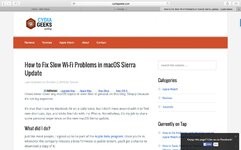
I have found a recommended fix, see attached link below. Its not a problem to manually select my router and connecting.
However when I follow the steps on the fix link my screen differs. Not wanting to delete any items suggested by the link I abandoned the home fix.
I have an genius bar appointment next week to resolve the issue. But in the mean time is there any suggestions for a fix that is geared at my IT level ( not the greatest but I can post photos on the forum )
)
Having done a bit searching this is not a problem unique to myself. So you apple users be aware.
Thanks
I have found a recommended fix, see attached link below. Its not a problem to manually select my router and connecting.
However when I follow the steps on the fix link my screen differs. Not wanting to delete any items suggested by the link I abandoned the home fix.
I have an genius bar appointment next week to resolve the issue. But in the mean time is there any suggestions for a fix that is geared at my IT level ( not the greatest but I can post photos on the forum
)Having done a bit searching this is not a problem unique to myself. So you apple users be aware.
Thanks





