Testing MRA Next and Android Auto

Mzokk

Well-known member
UKGSer Subscriber
Joined
Jun 17, 2004
Messages
5,121
Reaction score
3,266
Location
Belfast NI
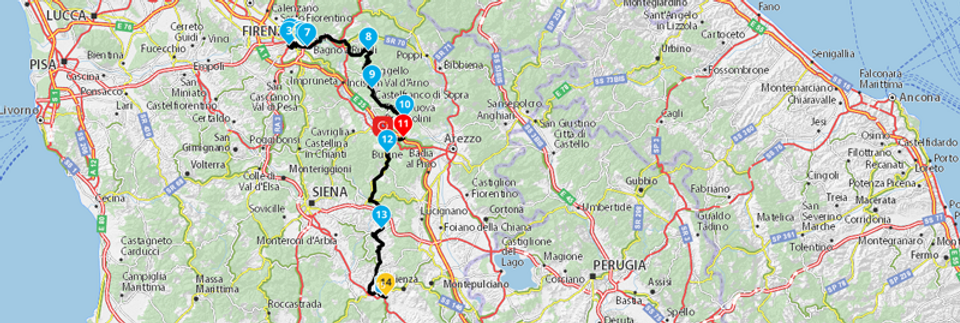
Ok so I signed up to a two week free trial of MyRoute App and Navigation next. Weather was good today so I thought I'd give it a workout in comparison with my Zumo XT. I prepared a route using Here maps in my route app and came up with this mostly minor roads with loads of junctions.
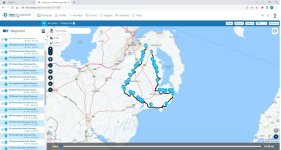
My route.jpg

Imported it as a track into Basecamp Did the Direct route conversion thing using 33 points (same number as required by My route app to complete the Journey) The underlying track is visible and a small amount of variation but highly acceptable. (grey bits)
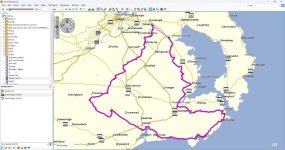
Basecamp.jpg

Both heading in the same direction for the start (good!)
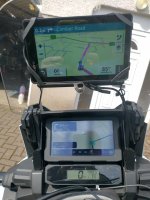
IMG_20230621_102631626_HDR.jpg

I had the bike set up as the hub so phone and headset connected to the bike and connections to the Zumo XT deleted.

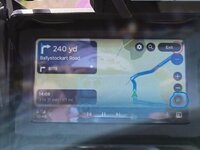
First thing I noticed was that the Zumo gives more of a heads up as to what the next junction looks like from further out.
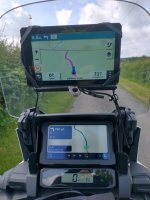
IMG_20230621_111224383_HDR.jpg

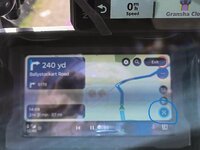
Wee bit of work required in relation to imperial units. Miles are yards and so are yards.......easy to fix and both navigating the routes as designed.
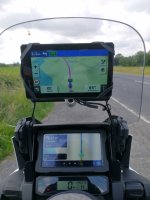
IMG_20230621_112547610_HDR.jpg

Another example of the heads up advantage of the Zumo XT also there must be some way on the app of turning off shaping points?
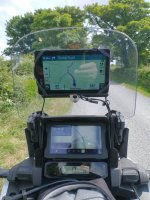
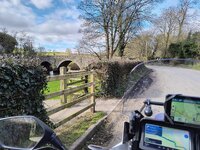
IMG_20230621_114741636.jpg

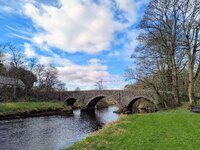
Lucky to live in such a senic part of the world (not smug at all :) )

IMG_20230621_132549963.jpg

Purposefully missed point 30 on the route and rejoined just before point 31. Garmin headed straight for point 31 and My Route app next tried to get me back once then trundle off properly for the remainder of the route
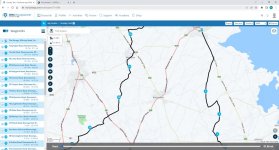
My Route2.jpg

General observations

1. Both methods of navigation operated flawlessly. A few bits to be tidied on the AA app regarding units
2. I tried spotify along with the app. Its difficult to hear verbal directions because the app does not mute the music when providing directions. The XT does do this.
3. Phone worked fine with the app in operation. Not sure if it mutes or not as I always stop to make/take calls. I think the XT does but again I stop to take make calls, so not sure.
4. Directions work fine over bluetooth AA not necessary if you unplug the phone and stick it in your pocket (very wet weather for example)

5. Seems to be very resource hungry. Took ages for photo app on phone to work when it was running.
6. App seems want to be running before connection to AA (this might be because the CPU on my old motorola G8 power was struggling)
7. Related to above phone got very hot much more so than when running Google maps or Waze. Started with 50% battery when I started the route and the phone ws plugged into the bike. Only 57% after returning home. The route was 3 hours 82 miles ish.

Conclusions

Q would I be happy to swop my Zumo XT or other dedicated GPS to use this app exclusively?
A No the Zumo is more polished does everything AA does and it means my phone has less to do and I already own it.

Q Would I stump up 19 euros PA to use the app as a backup to the Zumo for trips in case the Zumo got broken/went on the Fritz?
A Yes seems to route well and behave as expected. Predicated on having access to Here maps on the App so the Garmin routes would largely match.

Q If I didn't have Garmin GPS devices would I bother purchasing one now that this app is avaliable?
A. Probably not. This would work fine either with AA or with your phone mounted.

The only other question I have with the APP is if the company will be around in X number of years (that said the way garmin are going......) Also hopefully at some stage Google might make it possible to navigate routes created in google MyMaps using google maps if that was the case its likely to wipe out apps like this, OSMand, Calimoto and Kurviger.

Hope this is useful!
 
That’s a very good summary, thank you.

I will drop you a PM, sometime over the next couple of days.

Richard
 
I can’t remember now, why I was going to send you a PM.

I can, if you like, make MyRoute aware of the miles displayed as yards problem, using your photograph.

You are right, the app is pretty power hungry. This is something the developers worked on improving. That being said, there were reports that power usage did vary between makes and models. I certainly wouldn’t run the app without having the phone powered by the vehicle or (at a push) connected to a good quality power brick thing.

Can you turn off the waypoint markers in the app? I don’t think so. I am not sure why you’d need to?

Will they be around in a few years? I think so, yes. They seem better set up than other app makers, I’d trust them over say, BMW with their Connect app. As you say, the way Garmin seem to be heading. Setting Garmin’s crazy developments aside, MyRoute was born out of the old and very popular Tyre software, so they have been around a while.

 
You are right, the app is pretty power hungry. This is something the developers worked on improving. That being said, there were reports that power usage did vary between makes and models. I certainly wouldn’t run the app without having the phone powered by the vehicle or (at a push) connected to a good quality power brick thing.
When you say ‘power hungry’ is this translating into high/overheating of smartphones?
 
As part of the new version they changed over to using a new version of the Here maps and routing APIs before Here turn the old ones off. I suspect this is mainly responsible for the extra power usage as I’m on the Beta for the new version of Scenic, which has also moved from the old Here maps API to the new one and also suffers excessive battery drain.

Both the MyRoute-App and Scenic developers are working with Here to try and solve the problem.

With the Scenic beta we’ve found that the Quadlock wireless charger is insufficient to keep up with the battery drain the app is using. After 9 hours of riding with the phone on the Quadlock the battery will be down from 100% to 20%. With their previous version which, uses the old Here API, the battery would remain at 100% on the same trip.

I guess that once Here identify the issue the problem will be solved for both MRA and Scenic.
 
As part of the new version they changed over to using a new version of the Here maps and routing APIs before Here turn the old ones off. I suspect this is mainly responsible for the extra power usage as I’m on the Beta for the new version of Scenic, which has also moved from the old Here maps API to the new one and also suffers excessive battery drain.

Both the MyRoute-App and Scenic developers are working with Here to try and solve the problem.

With the Scenic beta we’ve found that the Quadlock wireless charger is insufficient to keep up with the battery drain the app is using. After 9 hours of riding with the phone on the Quadlock the battery will be down from 100% to 20%. With their previous version which, uses the old Here API, the battery would remain at 100% on the same trip.

I guess that once Here identify the issue the problem will be solved for both MRA and Scenic.
Do you know if the battery charging/drain issue is also affected with the OSM map overlay?
 
Unfortunately not. I’m using Scenic in preference to MRA as it has great WunderLINQ functionality.

I would guess it does though, as OSM is just an overlay but MRA still uses Here for routing and navigation instructions
 
I can, if you like, make MyRoute aware of the miles displayed as yards problem, using your photograph.

Can you turn off the waypoint markers in the app? I don’t think so. I am not sure why you’d need to?

Hi Richard yes I'm happy if you share the photos re the imperial measurements oddities.

Regarding the waypoint markers there were 31 of them in my admittededly complicated route and the distance to these is displayed before the distance to the turn. Not really a problem per se but you don't need to see them.

The Honda USB connector for Android Auto supplies up to 2.5 amps and the Motorola G8 power phone which I was using can handle a 3amp charge. As I said battery charge level had only risen 7% in about 3 hrs use and the phone was very warm to the touch. So I'd say that the phone was consuming close to the 2.5amp (15W) output of the Honda USB connector. Other better phones with more powerful/efficent chipsets and ram may consume less?? Also I was using spotify for testing purposes. No doubt not using that would reduce the load on the phone. Never noticed Google maps or Waze being as resource hungry? That said I've only used those apps for short point to point journeys not 3hr stints.

Still nice to have the option of using AA on the Honda screen for "proper" navigation......whatever that is :D
 
Correction the USB port on the AT only puts out 1.5amps so around 7.5 watts being consumed. Thats what happens when you rely on your memory and not the spec sheet!!
 
I have posted a comment / question on the MRA forum, referencing the miles to yards mix-up.
 
I was intouch with them a few days ago about the same problem.
Thay implied this is going to be fixed in there next update 4.0.1 but delayed at the moment dont know how long for though.
 
Having had a preliminary go with MRA Routeplanner and MyRoute app last June I took a lifetime subscription on both as I was sufficiently impressed (particularly by the route planner) and they were doing one of their bundle deals.

I’ve had a go with the navigation app a few times over the last year but didn’t think it was a serious alternative to my Garmin XT the main reasons were
  • Excessive power consumption causing excessive heat to the phone
  • Poor implementation of the Android Auto capabilities of the application creating the need to access the phone to start routes and change some settings.
  • A few bugs regarding navigation.
However, MyRoute app version 4.1.3-311 was released last week which promised better Android Auto integration so I though I would update my review 11 months on.
My Honda Africa Twin Adventure Sports has Android Auto built into the speedo/rider information screen. I Defaulted AA to start MyRoute app when the phone (Spare old Motorola G7 with no data sim) was connected to the USB port on the bike.

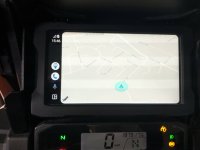
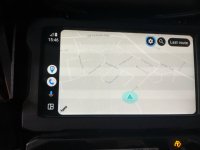
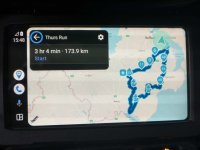
When you select AA you get thisIMG_20240517_154609141_HDR.jpg

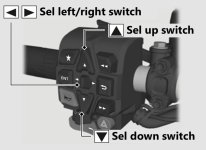
Hit enter on the Honda's (simple :D) switch gear and you get the on screen menus.


D9D73F18-CDE4-403E-BA74-331C510A058B.jpg
IMG_20240517_154620600_HDR.jpg

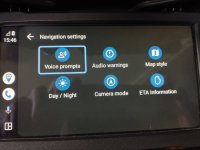
The settings button gives you these options

IMG_20240517_154646172_HDR.jpg

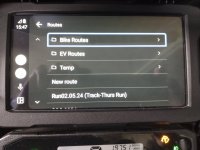
The search button these options which are your myroute app folders.

IMG_20240517_154732842.jpg

Oddly the selected route is displayed in KM even though imperial measurements are selected in my profile.

IMG_20240517_154803133_HDR.jpg

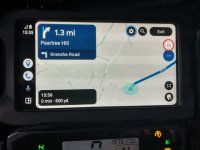
When the route starts it reverts to Imperial

IMG_20240517_155557477_HDR.jpg

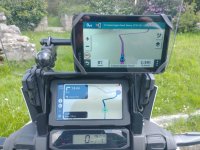
I ran this MRA created route on the phone via AA and on my Zumo XT.


IMG_20240516_115541199.jpg
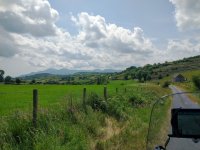
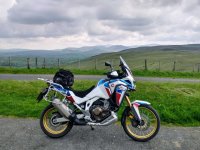
With some good scenery

IMG_20240516_123951884_HDR.jpg

Observations.

1. Its way more convenient to connect the phone to the bike via AA and put it away and be able to select a route via the AA interface.

2.. The Zumo XT using routes saved (from being imported) using the John Armstrong method is rock solid and reliable, I set it to auto recalculation to match the MRA app and it acted as expected. I missed out some shaping points at the start of the route the Zumo quickly re-calculated to the next shaping point in the direction of travel. The MRA app tried to bring you back to the missed shaping point until you passed through the next one on the route then it settled down.

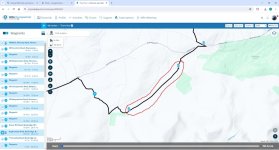
3. Later in the route I purposely missed two Waypoints/Via Points placed on the Trassey Road and ran along the Slievenaman Road just north of it. The XT stopped recalculating to go back to the Via/Waypoints at 32 and 33 when I re-joined the planned route at Via/waypoint 34. The MRA app continued to want to go back until the two waypoints were manually skipped using the AA skip waypoint button at the bottom right of the AA screen as seen above. Handily this could be done from the Honda switch gear. ENT bringing up the screen buttons and scroll to the via\waypoint button and select the via\waypoint to delete. Then normal routing was resumed.

Trassey.jpg

4. Near the end of the route at Dundrum Castle I stopped the route completely and attempted to install it again and go from were I was to finish the route. For some reason AA could not find the downloaded route until I took the phone off AA and found it myself and restarted the app. Further testing required on this one.

Overall this is becoming a serious alternative to a dedicated Sat Nav. It didn't toast the phone and the phone when from 65% charge to full when I got back home. The sound through my Cardo headset was good and the phone only disconnected from AA once on a particularly bumpy piece of road. Overall a much better experience than any of the previous iterations of the app and one I wouldn't hesitate to use now if I didn't have access to my Garmin GPS units.
 
Having had a preliminary go with MRA Routeplanner and MyRoute app last June I took a lifetime subscription on both as I was sufficiently impressed (particularly by the route planner) and they were doing one of their bundle deals.

I’ve had a go with the navigation app a few times over the last year but didn’t think it was a serious alternative to my Garmin XT the main reasons were
  • Excessive power consumption causing excessive heat to the phone
  • Poor implementation of the Android Auto capabilities of the application creating the need to access the phone to start routes and change some settings.
  • A few bugs regarding navigation.
However, MyRoute app version 4.1.3-311 was released last week which promised better Android Auto integration so I though I would update my review 11 months on.
My Honda Africa Twin Adventure Sports has Android Auto built into the speedo/rider information screen. I Defaulted AA to start MyRoute app when the phone (Spare old Motorola G7 with no data sim) was connected to the USB port on the bike.

When you select AA you get thisView attachment 323347

Hit enter on the Honda's (simple :D) switch gear and you get the on screen menus.


View attachment 323348
View attachment 323349

The settings button gives you these options

View attachment 323352

The search button these options which are your myroute app folders.

View attachment 323355

Oddly the selected route is displayed in KM even though imperial measurements are selected in my profile.

View attachment 323356

When the route starts it reverts to Imperial

View attachment 323357

I ran this MRA created route on the phone via AA and on my Zumo XT.


View attachment 323358
With some good scenery

View attachment 323359

Observations.

1. Its way more convenient to connect the phone to the bike via AA and put it away and be able to select a route via the AA interface.

2.. The Zumo XT using routes saved (from being imported) using the John Armstrong method is rock solid and reliable, I set it to auto recalculation to match the MRA app and it acted as expected. I missed out some shaping points at the start of the route the Zumo quickly re-calculated to the next shaping point in the direction of travel. The MRA app tried to bring you back to the missed shaping point until you passed through the next one on the route then it settled down.

3. Later in the route I purposely missed two Waypoints/Via Points placed on the Trassey Road and ran along the Slievenaman Road just north of it. The XT stopped recalculating to go back to the Via/Waypoints at 32 and 33 when I re-joined the planned route at Via/waypoint 34. The MRA app continued to want to go back until the two waypoints were manually skipped using the AA skip waypoint button at the bottom right of the AA screen as seen above. Handily this could be done from the Honda switch gear. ENT bringing up the screen buttons and scroll to the via\waypoint button and select the via\waypoint to delete. Then normal routing was resumed.

View attachment 323363

4. Near the end of the route at Dundrum Castle I stopped the route completely and attempted to install it again and go from were I was to finish the route. For some reason AA could not find the downloaded route until I took the phone off AA and found it myself and restarted the app. Further testing required on this one.

Overall this is becoming a serious alternative to a dedicated Sat Nav. It didn't toast the phone and the phone when from 65% charge to full when I got back home. The sound through my Cardo headset was good and the phone only disconnected from AA once on a particularly bumpy piece of road. Overall a much better experience than any of the previous iterations of the app and one I wouldn't hesitate to use now if I didn't have access to my Garmin GPS units.
Thanks for your review, which I came across this morning whilst trying to solve the issue of getting the list of routes up from MRA on the Chigee screen. I haven't done any ride outs yet but I see your point about the convenience or otherwise of using your Honda switchgear to use MRA. I am hoping it might be a bit easier with the wonder wheel.
 
Yes the wonder wheel is a much more ergonomic way of navigating screens. I had a 2014 R1200RT with the wheel and can confirm it's much better than the honda system. On the plus side after using the Honda for nearly 3 years I can now play a button accordion :D
 
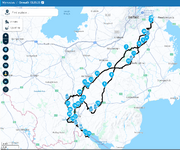
I did a test of 4.3.7 Yesterday. A route of 120 ish miles that crossed itself in several places to give the new iteration a good test.

1741962061953.png

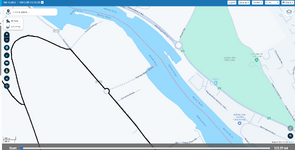
I was very impressed that MRA here mapping had the new roundabout for the upcoming Narrow Water bridge between Co. Louth and Co Down. The last time I was in Omeath was November and the roundabout did not exist then.

1741962269926.png

I was using Android Auto on the Honda screen (sorry for the out of focus photos) and getting to the zoom buttons is a two step process.

First press the zoom button

IMG_20250313_104648364_HDR_AEd.jpg

Then the + and - buttons come up.

IMG_20250313_104659653_HDR_AEd.jpg

I played with these for a bit at the side of the road then ignored them for the rest of the run. Nice feature to have but not one I can see myself using a lot when autozoom works fine.

Had my 11's is at the little picnic spot on the Upper Ban that featured in Flintlock's wanders.

IMG_20250313_113900901_HDR_AE.jpg

Its been a very dry winter and early spring here so not much flow......only 6 centigrade too.

IMG_20250313_114059392_AE.jpg

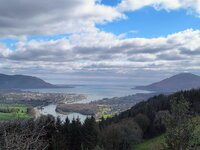
Had a stop at Flagstaff viewpoint. NI on the Left ROI on the right!!

IMG_20250313_124652374_AE.jpg


IMG_20250313_133655029_HDR_AE.jpg

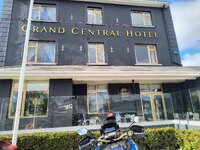
Had my lunch in the optimistically named "Grand Central" hotel in Omeath as the owner of my normal haunt "Cafe Rosa" was at one of her kids confirmation. Vegetable soup and Wheaten bread....very nice it was too!

Not much to report on the app to be honest.

1. Phone started at 30% and was up to 82% by omeath and 100% by the time I got home. Navigation on and Spotify playing in the background. No noticeable warmth in the phone but it was a cold day.
2. Shaping points could be skipped automatically as expected and Via points with the screen button no issues. The Fact that MRA numbers the waypoints seem to me to be an easier way (compared to Garmin) of working out what you are deleting.
3. The criss cross nature of the route didn't seem to throw any errors
4. The app works well in Android Auto with the Honda Buttons
5. I stopped a few times and switched off AA (but let the app run in the background on the phone) and it prompted to resume navigation on restart and did with no issues.
6. While I was having lunch I stopped the app completely and restarted the app and route from my location in Omeath. This caused no issues.

You read about a lot of issues on the MRA forum but most must be user error as it works fine for me. The is one oddity about the Honda implementation of Android Auto(made by Garmin) on initial connection the phone screen must be unlocked for some reason it does not auto unlock on connection which my VW car does either wired or wirelessly. But that is a Honda issue.
 
Another update!! I went on a bit of a tour of Scotland last week and made the decision to use Myroute app. Version 4.3.9 as my means of navigation. I had the track of the route running on the Zumo XT but didn't bother loading the route as I was confident that the app running Android Auto on the bike would be fine.


The route had plenty of junctions in it as it ran parallel to the A77 and threaded a route between Irvine and Kilmarnock. The route ran faultlessly using AA including stopping for Lunch at the Erskine bridge and restarting the route. The app seems to have come some way since its introduction two years ago. A new version came out this week 4.4.0 and I did about 60 miles running it and had no issues.

I use a wired connection for AA as it keeps the phone charged and can navigate the MRA screen with the Honda Africa twin left hand switch gear. I have been using my main phone a Motorola Neo edge 40 running Android 14. My Zumo XT is now relegated to running proximity warnings for some POI's recording tracks and acting as a backup should MRA go on the fritz.

I also ran OSMand+ for a couple of routes. This has some advantages and disadvantages compared to MyRoute app. I'll discuss these in the update for that app.


Back
Top Bottom