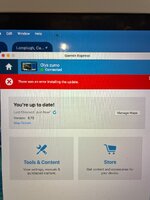
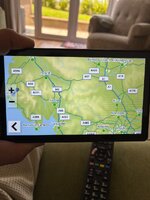
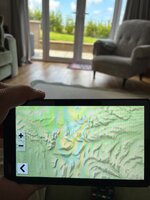
Update and now nothing

Hopefully that option is available on the XT2 on a Mac.
 
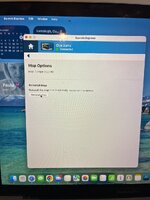
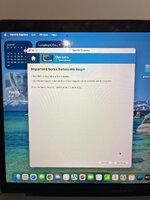
If I click reinstall I get the t&cs and then this
 

Attachments

  • image.jpg
    image.jpg
    254.4 KB · Views: 11
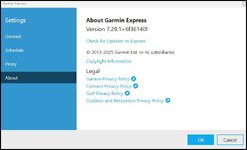
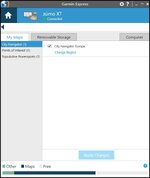
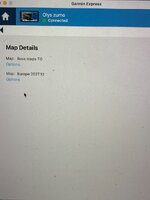
It appears that you have the last map set still recognised by your device cn2027.10 the latest version is 2027.20. That's probably why the reinstall is not working. What version of Express are you using? The latest version is this for Windows.

1785587150645.jpg

Version 7.29.0 was causing issues with loading maps on XT devices (it was fine with my 390 and 340) but I had three failures on the XT. Garmin released 7.29.1 to fix this. If express has prompted an update load it and try again.
 
Quite possible that it was only the Windows version of Express that was fubared at the last map update :D
 
If its continuing to reinstall don't update Express in the meantime. Hopefully it will complete the upload and delete the remnants of 2027.10
 
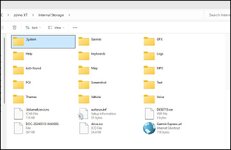
OK so looking at your storage use above you seem to have a lot of stuff in "other" and less space for maps. Questions Do you have a load of music on the device or might "other" contain non deleted maps. The XT and XT2 both have 32gb of internal memory and mine looks like this.

1785594967839.jpg

With Only the OS and a few screenshots in Other and the maps which amount to 13.1 gb in the .System file. So you might have to manually delete the maps and try again. First thing to establish is can you see the .System file when the Zumo is connected to the Computer??
 
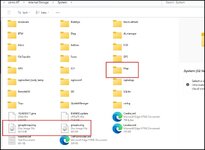
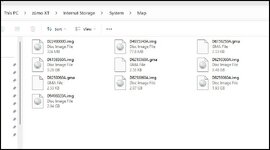
Inside the .System file are the maps and the two highlighted .img files that tell the system how to handle the map file

1785595371531.jpg

1785595446996.jpg

In the map file are the bulk of the maps Downloaded by Garmin Express.
 
In my XT these maps amount to 13.1 GB. So can you access the .System file? You might not be able to as access has to be granted via the developer screen on the unit. This is because you can bugger up your .System file and make your Zumo inoperable if you mess something up.


Back
Top Bottom