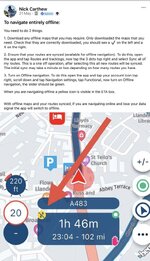
I like Richard use the app completely offline but use AA on my Honda screen. I differ from Richard in that I sync my entire library. Because
1. The routes do not take up memory on my Phone
2. It saves me having to remember how to Sync individual folders

So my phone looks like this.
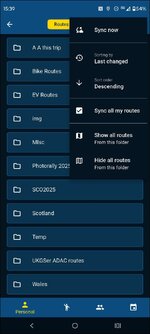
Like Richard I copy my routes for a trip into the AA this trip folder. The naming is chosen to put the folder at the top of the menu/list when using the phone or Android Auto/CP
I've been using MyRoute app Navigation Next almost exclusively for navigation over the past year and a half and it has not let me down during that time despite the added complication of using it in Android Auto. This is in contrast to many users on the MRA forum who have difficulties. Many of these issues seem not to originate from the app itself, but the phone being used, how its configured, and how its is interfaced with AA/CP mirroring devices and a bluetooth headset.
I had a couple of issues initially. I had my Android phone connected via USB lead to the Honda's AA/CP screen and when the phone battery was full the app would glitch and ask for navigation to be restarted. This was caused by an android notification that the phone battery was full and was solved by turning the notification off within the Android operating system. I had a second issue in October, while touring Scotland during storm Amy. Water got into the USB (C) port on the phone (which was in a bar bag) and it refused to communicate with the AA screen. I reverted to the Zumo XT on this occasion and now, instead of connecting the phone directly to the bike via a USB lead, I have a very small wireless dongle in the covered USB port on the bike and the phone in my pocket attached to a 20,000Mah power bank.
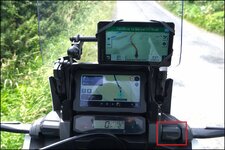
Running a couple of tests!!
MRA has added a couple of very nice features to the app for the convenience of CP/AA screen users in Version 5.2.
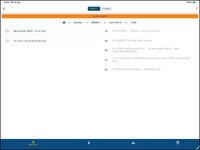
When you open the app on AA/CP and hit search you get this screen (sorry for the out of focus shots!!)
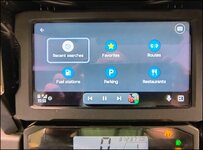
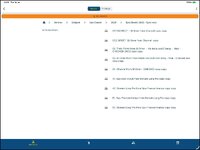
When you select the routes Icon (which I can use the Honda bar buttons for or the touch screen (when at a standstill) You get your synced route list.
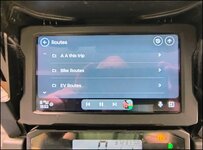
Now you can invert the list.
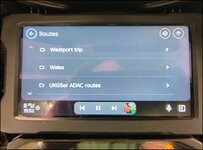
When you select a route you can now select if you want a tracklog and you can select the starting point from the waypoints list (before version 5.2 this had to be done from the phone).
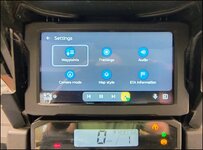
Which means from AA/CP you can make any of your waypoints the first point on your route.
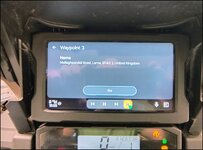
This is very useful. I tend to design my routes for group rides with optional loops which may or may not be executed depending on time constraints. These days I like to be on the road not much earlier than 10am and have the days ride finished between 4pm and 5pm. If you are say running with 8 riders and tea/lunch/fuel/pee/photo stops take longer than anticipated, then lumps of the intended route can be bypassed.
Previously in Navigation next you had to plan the route so that you could skip waypoints points bypassing the loop and remember the numbers, or restart the route when stopped and select the desired new start waypoint on your phone. Now all of this can be achieved within the AA/CP environment without disturbing your phone. To be honest it's just easier to use now rather than dealing with the routing foibles of the Zumo XT