Using pre-existing favourites in the route planner app - how?

Berin

Well-known member
UKGSer Subscriber
Joined
May 29, 2006
Messages
7,679
Reaction score
3,470
Location
South Oxfordshire
Anyone found a way of using pre-existing favourites in the route planner app?

 
Open a route or a new route > go to favourites > click on the favourite you want click the + sign on the right hand side of the dialog box that opens. The favourite is added to the route.
 
Open a route or a new route > go to favourites > click on the favourite you want click the + sign on the right hand side of the dialog box that opens. The favourite is added to the route.

that's on the website, OP is asking about the app, presumably on a phone or tablet
 
In the app >hamberger on left hand side> Favourites >click on favorite add to route or route to favourite.
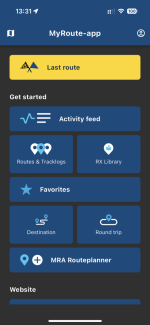
 
In the app >hamberger on left hand side> Favourites >click on favorite add to route or route to favourite.

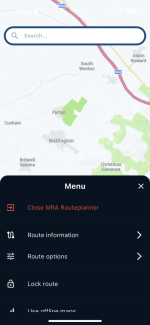
Does that (which does work) require you to start the route’s creation in the main web based RoutePlanner (website) first?
 
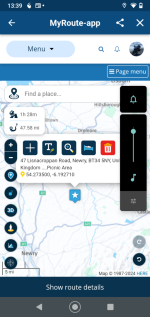
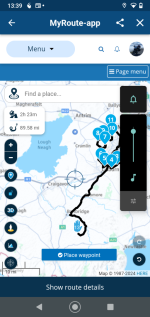
The app lets you route to the favourite.....not further input required. To add it to the existing route you open the route lab in the app. Open the show route details at the bottom of the map screen> click on favourites > click on hide route details and add the favourite to the route if you want to.
 
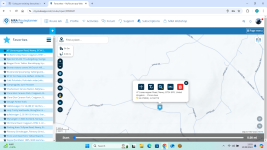
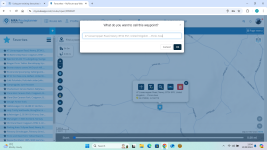
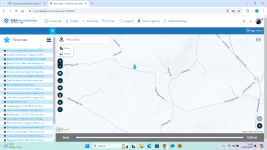
What I'm talking about is using favourites in the MRA Routeplanner from the app - the button at the bottom

IMG_5203.png
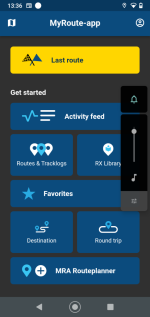
This takes you into the new routplanner app


IMG_5204.png
The 3 line hamburger brings up this menu. What I’d like to do is use this app, which is quite good, to create a route using favourites I already have in MRA
 
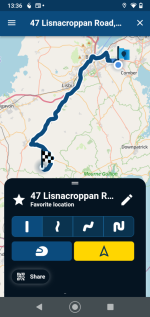
To use a favourite as a destination on your phone
1726404483667.png

Click on your favourites and off you go.

1726404569292.png

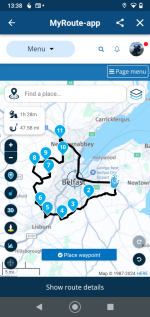
To alter a route

Open the route and open up route lab at the bottom of the page.

1726404774227.png

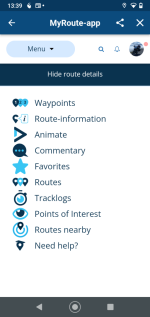
Click show route details.

1726404821148.png

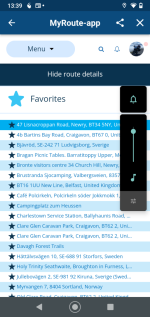
Pick your favourite
1726404876519.png

Click hide route details

1726404924998.png

Click your favourite as before and add it to your route

1726404990092.png

So it can all be done from the app but its a bit clunky.
 
Except not really. Opening up favourites on your phone only navigates you from where you are now to that favourite - which could be useful I suppose. It won't, as far as I can see, navigate from one favourite to another - that needs route lab.

I was hoping in the navigation app you could select waypoints from a favourites list


Back
Top Bottom