

You are using an out of date browser. It may not display this or other websites correctly.
You should upgrade or use an alternative browser.
You should upgrade or use an alternative browser.
Base camp !!!! How frustrating.
- Thread starter blues n twos
- Start date


BaseCamp does find you, John, very quickly. As confirmed in the posts above, along with the screen prints.
As regards the house numbers, that is a problem for NavTec who build the map data. If your local council don't tell NavTec where house number 123 or 124 is, how is a bod in NZ meant to know? It's rather like bods moaning that a garage is shown on the map but every fool in Rhyl knows it's been closed for years. Instead of whining on UKGSer they should complain to Texaco; you could do the same for house numbers, as there is a useful function to report errors. The really good news is that the numbering system works really well in civilised parts if the world, as does the post code function in the UK.
BMW's own database of garages (free with the branded devices) is also far from up to date. That isn't Garmin's fault, nor NavTec's; a spotty IT monkey in BMW is to blame or the rather attractive secretary who was meant to send the data but was busy polishing her nails.
As regards the house numbers, that is a problem for NavTec who build the map data. If your local council don't tell NavTec where house number 123 or 124 is, how is a bod in NZ meant to know? It's rather like bods moaning that a garage is shown on the map but every fool in Rhyl knows it's been closed for years. Instead of whining on UKGSer they should complain to Texaco; you could do the same for house numbers, as there is a useful function to report errors. The really good news is that the numbering system works really well in civilised parts if the world, as does the post code function in the UK.
BMW's own database of garages (free with the branded devices) is also far from up to date. That isn't Garmin's fault, nor NavTec's; a spotty IT monkey in BMW is to blame or the rather attractive secretary who was meant to send the data but was busy polishing her nails.

iand46
Registered user
It's the projection angle that's the issue Richard, no amount of pulling and pushing on my PC seems to correct this one
Oh, and what happened to red and blue roads
Use the slide bar for more detail.

The slide bar (top left) on my PC zooms the display in and out, it doesn't correct the viewing angle, it doesn't correct the lack of road colors as you zoom in etherUse the slide bar for more detail.
Bear
Registered user
It's the projection angle that's the issue Richard, no amount of pulling and pushing on my PC seems to correct this one
Oh, and what happened to red and blue roads
Take a look at GMTK from http://www.javawa.nl/anderstalig.html It includes the facility to change projection angles, which at least means that all your maps loo kthe same in Basecamp.
iand46
Registered user
The slide bar (top left) on my PC zooms the display in and out, it doesn't correct the viewing angle, it doesn't correct the lack of road colors as you zoom in ether
Not sure if this still applies to the current version
Tilting the Map
You must view the map in 3D view to adjust the viewing angle. Use any of the following options to adjust the pitch, or viewing angle, of the map:
Slide the pitch slider in the map controls, or click or on the pitch slider.
Press End (increase viewing angle) or Page Down (decrease viewing angle) on the keyboard.
Click the Pan tool. Right-click and drag to tilt the map.
http://garminbasecamp.wikispaces.com/Function
The road colours I suspect are not used anymore.
The slide bar (top left) on my PC zooms the display in and out, it doesn't correct the viewing angle, it doesn't correct the lack of road colors as you zoom in ether
Perhaps a stupid question but, in the "View" pull-down menu, what have you selected? There are 3 options on mine, about a third of the way down the list that opens:
* View 2D map only
* View 3D map only
* View 2D and 3D maps
I only ever use the 2D view option

The Grey One
Registered user
BaseCamp does find you, John, very quickly. As confirmed in the posts above, along with the screen prints.
As regards the house numbers, that is a problem for NavTec who build the map data. If your local council don't tell NavTec where house number 123 or 124 is, how is a bod in NZ meant to know? It's rather like bods moaning that a garage is shown on the map but every fool in Rhyl knows it's been closed for years. Instead of whining on UKGSer they should complain to Texaco; you could do the same for house numbers, as there is a useful function to report errors. The really good news is that the numbering system works really well in civilised parts if the world, as does the post code function in the UK.
BMW's own database of garages (free with the branded devices) is also far from up to date. That isn't Garmin's fault, nor NavTec's; a spotty IT monkey in BMW is to blame or the rather attractive secretary who was meant to send the data but was busy polishing her nails.
But you miss the point, several in fact! Basecamp did not find my house number despite it being on the maps. Mapsource does find it using the same maps. So it's not a case of it not being on the mapping, NavTec has the info, it is Basecamp not showing it. At least on this machine the search is almost useless. The fact is an overwhelming majority of users don't like Basecamp for a very good reason. I can only assume it is a different beast on a Mac.
John

But you miss the point, several in fact! Basecamp did not find my house number despite it being on the maps. Mapsource does find it using the same maps. So it's not a case of it not being on the mapping, NavTec has the info, it is Basecamp not showing it. At least on this machine the search is almost useless. The fact is an overwhelming majority of users don't like Basecamp for a very good reason. I can only assume it is a different beast on a Mac.
John
As i have said before Basecamp is not perfect but as it all i have ever used i had no choice but to work with it, get used to it and make it work for me. I have no real issues with it, actually i quite like it.
dare i suggest that many dont like Basecamp for the same reasons as 11XX owners deride the WC !!
This discussion needs to be seasoned with the knowledge that almost everything garmin do is a bunch of crap. If you can't find a place on BaseCamp, try finding it on a Zumo!
In my GPS life I've only bought 2 units a 2610 and a 550. The 2610 was replaced three times for various faults and my 550 is the fourth replacement.
Fortunatly, each time they are replaced I get a map update. Currently got two 550s, because they never bothered to take the dodgy one back (no audio system installed) so i've got a backup (a good situation with Garmin kit)
In my GPS life I've only bought 2 units a 2610 and a 550. The 2610 was replaced three times for various faults and my 550 is the fourth replacement.
Fortunatly, each time they are replaced I get a map update. Currently got two 550s, because they never bothered to take the dodgy one back (no audio system installed) so i've got a backup (a good situation with Garmin kit)
John,
If bods really are struggling to find your hotel, it's very easy to solve.
Stand outside your front door.
Tap the vehicle icon on your GPS device to save the location as a favourite.
Download the favourite to your PC.
Send biker punters the favourite by email, post it here on UKGSer and / or as a link from your website.
Repeat operation in Tyre / Googlemaps, too.
Send the same file to Garmin and ask them to write for you a step-by-step guide as to how to find your hotel in both Mapsource and BaseCamp. Circulate this guide with your publicity.
Fade to close....
If bods really are struggling to find your hotel, it's very easy to solve.
Stand outside your front door.
Tap the vehicle icon on your GPS device to save the location as a favourite.
Download the favourite to your PC.
Send biker punters the favourite by email, post it here on UKGSer and / or as a link from your website.
Repeat operation in Tyre / Googlemaps, too.
Send the same file to Garmin and ask them to write for you a step-by-step guide as to how to find your hotel in both Mapsource and BaseCamp. Circulate this guide with your publicity.
Fade to close....

The projection angle of Basecamp displayed maps can easily be changed with this tool http://www.javawa.nl/gmtk_en.html - Just set it to your preferred latitude.
The Grey One
Registered user
As i have said before Basecamp is not perfect but as it all i have ever used i had no choice but to work with it, get used to it and make it work for me. I have no real issues with it, actually i quite like it.
dare i suggest that many dont like Basecamp for the same reasons as 11XX owners deride the WC !!
I think there has been more deriding of the attitude of some WC owners than the bike. I liked the only WC I have ridden and were I in the market for a new bike I would be considering one as a serious option. If however the WC required me to totally re learn how I do almost everything about riding a motorcycle then I don't think I would bother. Of course it does no such thing. There are several features that I don't have on my 1150 but the basic machine still works in the same way. The new features build on what was there rather than totally changing the way the bike is ridden.
Basecamp does not build on what Mapsource did, there is no sense of continuous development, just a totally new system that was launched in a very raw state. Certainly it has improved but as a mass market routing tool it requires far too much effort from the user to be able to do anything useful with it. I don't doubt it can be made to work but I think that the overwhelming reaction of dislike is because of the issue of the amount of adjusting and learning that Basecamp requires. The dedicated user will persevere but a common mistake made by enthusiasts of all kinds is to assume everyone share their passion. The majority of Garmin users will only want to plan a route occasionally and won't want to spend hours finding out how basecamp works.
John

good grief!
speaking as someone all too ready to have a pop at garmin's software, i'd say it's only really the search function that's hopeless.
"The majority of Garmin users will only want to plan a route occasionally" - that bit is actually pretty easy.
speaking as someone all too ready to have a pop at garmin's software, i'd say it's only really the search function that's hopeless.
"The majority of Garmin users will only want to plan a route occasionally" - that bit is actually pretty easy.
Well, I don't believe it! That's pretty much fixed it Chris, thanks very much!!!The projection angle of Basecamp displayed maps can easily be changed with this tool http://www.javawa.nl/gmtk_en.html - Just set it to your preferred latitude.
Play time!
PS Garmin, fix the road colors please
Attachments
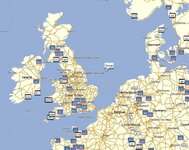

I had another play today with better results 
Originally I had a 10 trip set up and each day was a separate route. Setting the start point the same as yesterday's finish point was a bit hit and miss. I got around it eventually but it was not as simple as copying and pasting the previous days end point. You had to find it all over again
Plotted a day trip today to Malta Austria and it found it instantly. More playing required but it's starting to sink in.
Just got to plot my return trip. I've got 3 days to cover Malta Austria to Calais. I want to go through the Black Forest region. Any other "must see must ride" you can recommend
Jon
Originally I had a 10 trip set up and each day was a separate route. Setting the start point the same as yesterday's finish point was a bit hit and miss. I got around it eventually but it was not as simple as copying and pasting the previous days end point. You had to find it all over again
Plotted a day trip today to Malta Austria and it found it instantly. More playing required but it's starting to sink in.
Just got to plot my return trip. I've got 3 days to cover Malta Austria to Calais. I want to go through the Black Forest region. Any other "must see must ride" you can recommend
Jon

I had another play today with better results
Originally I had a 10 trip set up and each day was a separate route. Setting the start point the same as yesterday's finish point was a bit hit and miss. I got around it eventually but it was not as simple as copying and pasting the previous days end point. You had to find it all over again
Plotted a day trip today to Malta Austria and it found it instantly. More playing required but it's starting to sink in.
Just got to plot my return trip. I've got 3 days to cover Malta Austria to Calais. I want to go through the Black Forest region. Any other "must see must ride" you can recommend
Jon
I think you can store all the relevant search results for your start and end points in a folder (easiest to use the same folder your putting all your routes into).
Then you can simply drag the day before's finish out of the folder and into your start box on the route planner for the next day. This saves having to run the searches over again.
Hope that makes sense?
Excellent. You are learning to use it the good way.... By planning routs that you'll ride and enjoy.
Toddmeister has it spot on vis-a-vis reloading start and end points. A Mac does it slightly differently but in essence the same.
Toddmeister has it spot on vis-a-vis reloading start and end points. A Mac does it slightly differently but in essence the same.

Similar threads
- Replies
- 14
- Views
- 3,870


- Replies
- 6
- Views
- 4,400


- Replies
- 0
- Views
- 2,698