I have got it to work. Or at least sort of on my iPad, using the free version of the Beeline app.
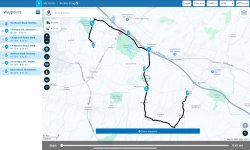
A. I first created a route in MyRoute, To make them standout, I made every other point either a viapoint (hand) or a shaping point (inverted teardrop thing).
View attachment 330255
B. I then saved the route to my iPad in version 1.1
C. I then imported the route into the Beeline app.
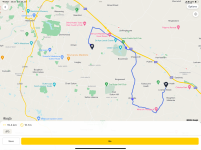
In the first import, I used Beeline’s ‘Route mode’. This brought the route across perfectly, but without the intermediate points:
View attachment 330256
This would seem to match with the OP’s experience.
I then changed the Beeline mode to ‘Compass mode’ and imported the route again,
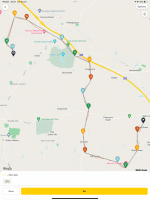
This brought the intermediate points across, but connected by straight lines:
View attachment 330257
The straight line route would be near enough navigable, I guess.
I also guess it might be because we are using the free version of the Beeline app? Or maybe there is some other setting or mode to use? There again, I have tried fiddling around in the Beeline app and in MyRoute, without any success.