Thanks Fanum,tried removing the front decided not to continue , ports not shown on device manager so looks like its going to a pc bod then.thanks for your reply.
The front isn't the way in.....every PC I've built or worked on, you access through the sides....the front WILL come off eventually, but you nearly always have to strip it right down to the carcass to get that panel off, and they normally pop out with some (often brittle) plastic clips into the main carcass frame. (but it's only when breaking a PC for spares that I've ever taken that front panel off)
HPs tend to be fairly well built, so try taking the side off (two screws on the rear edge of that side and it's done, just push/slide it and it'll pop off)
The great law of SOD says that you'll always take off the wrong side, but again, that's just another two screws to deal with.
There may be a PCB on the back of the two USB ports, or the ports may just go straight to the MOBO or a USB PCB card attached to it.....I reckon (still) that there's a physical problem in there, a short, a not quite fully pushed home plug or similar.
If it still has a warranty, go down the shop route, but otherwise, speak to your buddies and one of them will most likely turn out to be a bit of a geek who will look at it for a beer

HP also have their own user forums, so before you lash any cash out, try looking there as well



 or is it a case of taking to a shop.
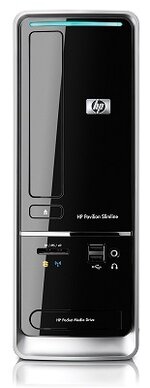


 I shall try Fanums side entry over the weekend when i can get the PC off my kids


