Google Maps route to Garmin Drive

Berin

Well-known member
UKGSer Subscriber
Joined
May 29, 2006
Messages
7,679
Reaction score
3,470
Location
South Oxfordshire
I'm sure this has been answered before (maybe even by me!) but if so I've forgotten. How do I get a Google Maps location in to Garmin Drive
 
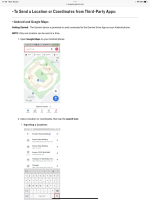
If you just want to send one location. On your phone on google maps. Click on the place you want to go . On the header in google it will give you first a Lat and Long then the address. Copy the address on this header open the drive app and copy into the drive app. This will send the destination to the XT and the route to the address will open the next time you start the XT.
 
For Info,

If you are doing routing in google maps and want to convert the KMZ format of google (my maps) to GPX. You can use basecamp to do this. In google maps export the mymaps route as a KMZ/KML this can be opened directly by basecamp as a track. If you convert the track directly to a route using the M/Cycle profile it will route you directly to the end of the route if you go off piste unless you turn off auto recalc and just navigate yourself back to the magenta line. You can circumvent this by converting the track to a route using the Direct profile selecting the number of shaping points that you want calculating the route and then recalculating the direct route using the M/C profile. If you then want specific waypoints included at the correct points in the route insert them into the route at the correct point (least likely to alter the route) or include them and optimize the route (can have unintended consequences).

 
For Info,

If you are doing routing in google maps and want to convert the KMZ format of google (my maps) to GPX. You can use basecamp to do this. In google maps export the mymaps route as a KMZ/KML this can be opened directly by basecamp as a track. If you convert the track directly to a route using the M/Cycle profile it will route you directly to the end of the route if you go off piste unless you turn off auto recalc and just navigate yourself back to the magenta line. You can circumvent this by converting the track to a route using the Direct profile selecting the number of shaping points that you want calculating the route and then recalculating the direct route using the M/C profile. If you then want specific waypoints included at the correct points in the route insert them into the route at the correct point (least likely to alter the route) or include them and optimize the route (can have unintended consequences).
Thanks - that was it. Actually, I copied the lat/long and pasted that into Drive and it worked like a charm.
 
For Info,

If you are doing routing in google maps and want to convert the KMZ format of google (my maps) to GPX. You can use basecamp to do this. In google maps export the mymaps route as a KMZ/KML this can be opened directly by basecamp as a track. If you convert the track directly to a route using the M/Cycle profile it will route you directly to the end of the route if you go off piste unless you turn off auto recalc and just navigate yourself back to the magenta line. You can circumvent this by converting the track to a route using the Direct profile selecting the number of shaping points that you want calculating the route and then recalculating the direct route using the M/C profile. If you then want specific waypoints included at the correct points in the route insert them into the route at the correct point (least likely to alter the route) or include them and optimize the route (can have unintended consequences).

I only do that rarely, normally if some has sent me a Google Maps route. I've found the easiest way to transfer a Google maps route is via https://mapstogpx.com/ which delivers a gpx file of the route.


Back
Top Bottom