GPX track - e.g. TET - editing

I am on my iPad, so cannot open up the individual sections. That said, might it not be possible to trace over the parts you want to use and join them together that way?
 
You can open them up in GPX Studio. That opens the single file into a track per day. I think I have managed it, when splitting there’s an option to split into files, tracker or segments. Segments seem to be created in the same file, within each day track. Since I only want to join 2 of the 3 segments, I did a bit of cut and paste to leave only segments 1 and 3 and I could then join them.
 
Kind of, but the only option is to select all, not select some. If you have a minute, could you have a look at this ACT file?

Day 1 has a loop that goes up to Col de Puig. What I want to do is create a separate track for that loop, to make it optional. This would mean splitting the day 1 track into 3 tracks -
Day 1 part 1, up to the the loop start
Day 1 part 2, the loop,
Day 1 part 3, continuation after the loop

And then join Part 1 and Part 3
Will do (y)
 
Hi Berin, i had a little play with the file and would make a few observations. It's all doable but a little fiddly using the Ipad Screen. I didn't try it using Safari but was using my wifes Ipad Air which I think is 8-10 years old and a little sluggish.

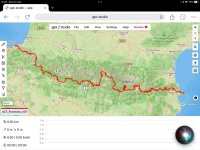
Opening the full track took a while on the older hardware.

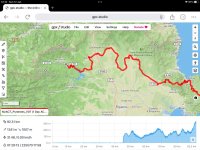
IMG_0278.jpg

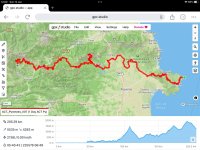
I ended up splitting the track into the days and sub days you defined as segments and saved them as individual files this made them easier and faster to work on.

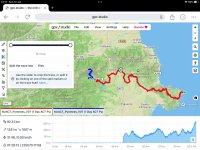
IMG_0279.jpg

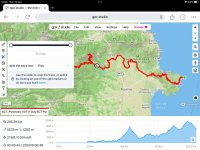
IMG_0280.jpg

Using the slider was a bit fiddly

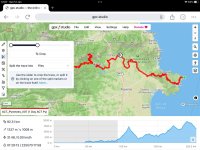
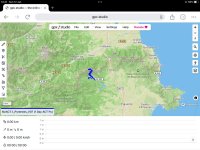
IMG_0281.jpg

IMG_0282.jpg

But the part of the route pre Col could be isolated and I saved this as a new file.

IMG_0283.jpg

Which could be rejoined if required. as above

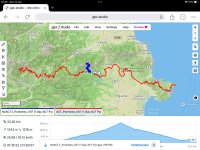
IMG_0284.jpg
IMG_0285.jpg

Or stuck back in to make up the complete day one route. The time stamps above show how long this took I'd say with a mouse and keyboard you could easily half this time. On the Ipad it was fiddly. Not least as on the old Ipad I was using it took the controls a little time to react. i think if I was preparing for this I would keep separate days and add-ons for the days as these would be relatively easily added as required. Checked and you can also keep the tracks online in MRA if required and they go back and forward fine. I free MRA account stores up to 25 tracks or routes.
 
Oh and if you save all the little segments and addons you want to use its only a matter of opening the ones that you might want to join and saving them as separate files as you go along. (y)
 
Thanks for checking it out. Did you get an understanding of heirarchy?

Eg, that file is ACT7 pyr, 1 gpx file split into 5 daily tracks.
Did you then create 5 gpx files from those tracks?

i think the day tracks that ACT use are too long- they did that route in 5 days but often didn’t get in till 10pm, by which time I wish to be in bed after a nice dinner and a glass or two of wine.

I plan, therefore, to take 6-7 days, which means shortening their daily mileages. This also mean different hotels, which is fine since there are a couple of nice Paradors in that region and they stayed in bigger hotels as their group was about 15.

I think I will do this in Basecamp, download the tracks to my Montana 700 and back up Android running Locus maps, and store the gpx files on Dropbox.

If I then need to make any edits, hopefully minor, I can do that in the evening on the iPad, using GPX studio.

MRA, as far as I’m aware, is still not very good with tracks and is hopeless with POI’s. I do have an MRA subscription but I’m not sure it will be much help.

 
Thanks for checking it out. Did you get an understanding of heirarchy?

Eg, that file is ACT7 pyr, 1 gpx file split into 5 daily tracks.
Did you then create 5 gpx files from those tracks?

i think the day tracks that ACT use are too long- they did that route in 5 days but often didn’t get in till 10pm, by which time I wish to be in bed after a nice dinner and a glass or two of wine.

I plan, therefore, to take 6-7 days, which means shortening their daily mileages. This also mean different hotels, which is fine since there are a couple of nice Paradors in that region and they stayed in bigger hotels as their group was about 15.

I think I will do this in Basecamp, download the tracks to my Montana 700 and back up Android running Locus maps, and store the gpx files on Dropbox.

If I then need to make any edits, hopefully minor, I can do that in the evening on the iPad, using GPX studio.

MRA, as far as I’m aware, is still not very good with tracks and is hopeless with POI’s. I do have an MRA subscription but I’m not sure it will be much help.
Yes I split the daily tracks into 5 separate GPX files as the old Ipad was having problems manipulating it all at once. 120-130 miles off road is a lot 1/2 to 2/3rds of that would be more enjoyable I suspect. MRA is not good with Tracks or POI's but it will hold tracks fine for storage, but as you say dropbox etc would work as easily (except you could not preview them before launching in GPX studio). Online backup would be good in case someone swipes your Ipad. The GPX studio is a good tool, certainly easier than carrying a device capable of running Basecamp. Exporting joined/split routes to storage on the Ipad or online is easy as well.
 
I will create the new modified ACT track in BC, save each day as a separate track with go-arounds, and then just have another fiddle with GPX studio so I know what's I'm doing.

I did have hopes for GPX Hero but I don't think the functionality is all there yet - things like changing track colour, at least if it does I have't found it yet.


Back
Top Bottom