How do you display tracks under routes?

JoeBiff

Well-known member
UKGSer Subscriber
Joined
Dec 21, 2012
Messages
5,183
Reaction score
3,177
Location
With a hooker
I use a custom theme for my Tracks so that I can see the track under the route and only turn on the one associated with the current route….
It lets you see route deviations fairly easily.
That sounds interesting. How do you manage that?

Apologies for the topic drift…

======

To avoid the topic drift, I’ve started you a fresh thread.

Richard
 
Last edited by a moderator:
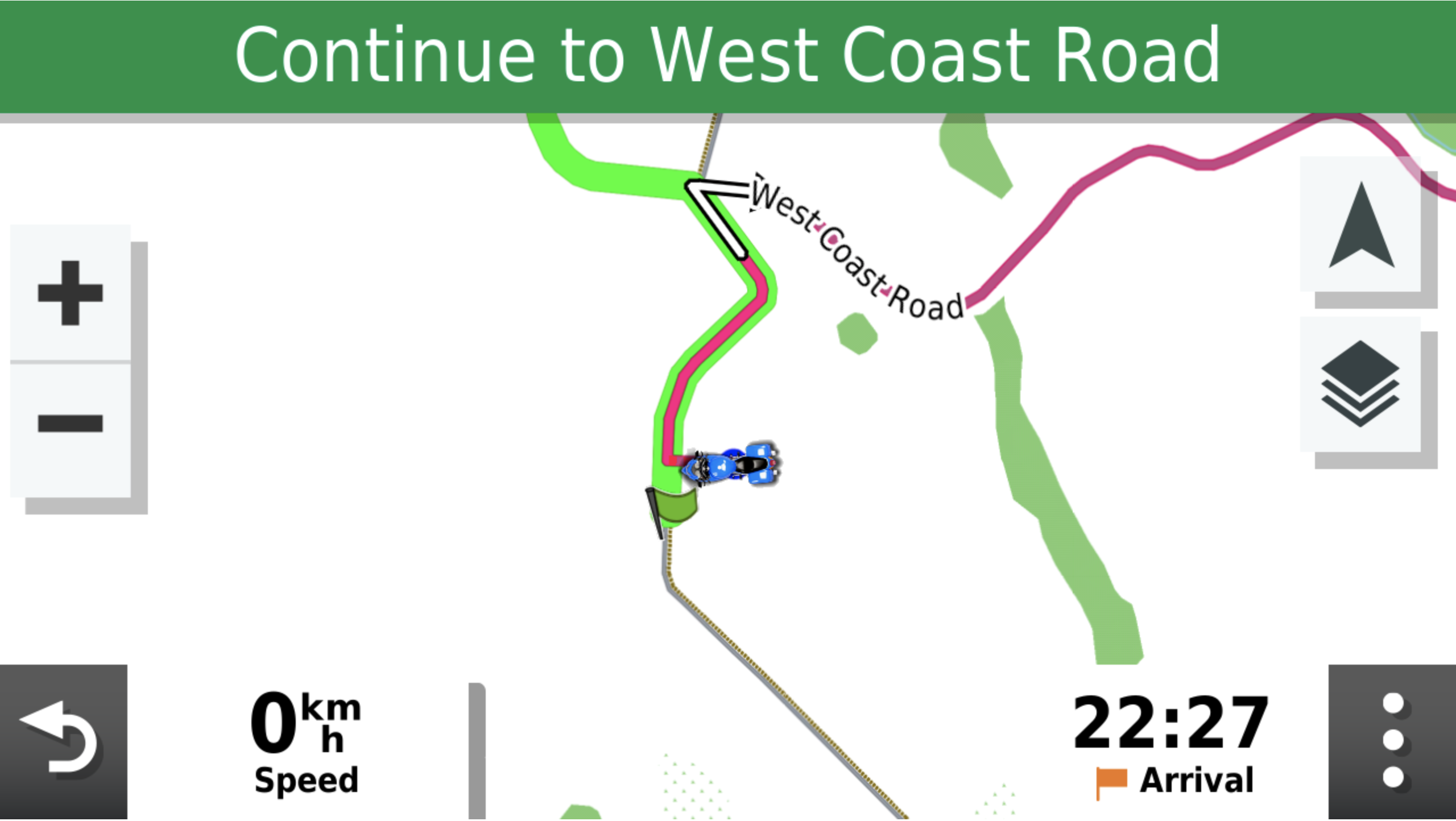
I display my tracks under my routes like this. Give me 10mins so that I can figure out how I did it again :D I also keep the skip waypoint via point Icon on the screen as sometimes I create routes with optional loops in them which I skip depending on how times going.

46495[1].png
 
That sounds interesting. How do you manage that?

Apologies for the topic drift…

======

To avoid the topic drift, I’ve started you a fresh thread.

Richard
Use contrasting colours between routes and tracks
For example for the route choose blue and the track yellow
Or dark blue and cyan etc
As you zoom in, depending on your mapping, you'll see them superimposed as the route will have been calculated using a track (probably) and seldom do they match- actually, thinking about it, I've never seen one which does match!
Ridden tracks are recorded by the satnag and are the best- and you can set up your device to record less., more etc
In high risk areas, I always suggest using the maxing possible-
If you think about it, when on a narrow trail, in the mountains with steep drop offs and in bad visibility, would
you prefer a track point say every meter or one every 20meters? :duno

The purple colour is the new track being laid down as you ride/drive - or you can select others
 
Last edited:
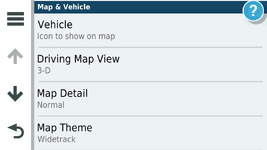
To change the displayed track width you need to edit a Theme file. These files are stored on the XT and can be accessed and changed here on the unit. I created a theme called Widetrack which means that the track is always wider than the magenta route line and easily seen. By default this is not the case.

1745577157791.png


There are several themes available on the unit and the default for UK units is unsurprisingly United Kingdom.

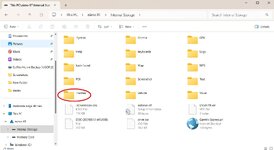
To change the Default width of the track I copied the United Kingdom theme on the unit these are .kmtf files and can be read and edited by a text editor such as Notepad.

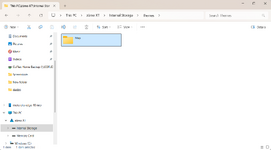
They are accessed by connecting your unit to a computer

1745577591970.jpeg

1745577633618.png

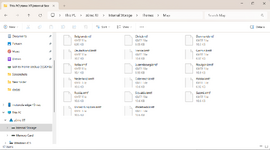
This is the list of themes available on the unit so you can give them a go and there might be a layout you like more than UK. I copied the uk theme and changed the name to Widetrack.kmtf.

1745577699021.png
to Edit the >kmtf files open in notepad

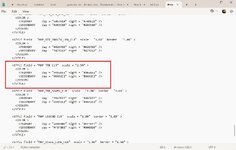
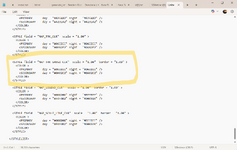
And scroll down to the track width parameter in the text file. The default for the parameter of track width is "1.00" by default I changed this by trial and error to "2.50" you can fiddle with this yourself to devise a width tha suits.

1745577899812.jpeg

For comparison this is the same parameter in the original file. You can mess with all of the parameters and as long as its with a named file of your own making you can't break anything.

1745578235556.png
 
@Treb and @Mzokk

Thanks both.
I fear I might be confusing your “tracks” with the blue (breadcrumb) trail laid by the XT device?

Edit: looking at post #4 maybe I’m not confusing it at all. Lot more to it than I thought. Cheers for the explanation. 👍
 
Last edited:
I display my tracks under my routes like this. Give me 10mins so that I can figure out how I did it again :D I also keep the skip waypoint via point Icon on the screen as sometimes I create routes with optional loops in them which I skip depending on how times going.

View attachment 403920

You probably used something like this to adjust the map "theme", or the javawa tool


You probably used something like this to adjust the map "theme", or the javawa tool


Interesting to hear about the JaVaWa tool uses. I’ve only ever used it only to adjust the map projection angle to be more representative of the Mercator projection were used to seeing. I must have a look at its other attributes. Ta 👍
 
You probably used something like this to adjust the map "theme", or the javawa tool


After having used older Garmin devices using tracks under the route became imperative until I got used to the new Garmin routing logic. Mostly I use MRA for routing now on my Africa twin with Android Auto but keep the XT for POI's and proximity warnings which it does very well....i.e. much better than MRA.
 
After having used older Garmin devices using tracks under the route became imperative until I got used to the new Garmin routing logic. Mostly I use MRA for routing now on my Africa twin with Android Auto but keep the XT for POI's and proximity warnings which it does very well....i.e. much better than MRA.
Because of the faster roads problem I'm using many more waypoints with my XT2. For the XT they could be shaping points, but as Tread messes with them then I chose not to use them with the XT2. Because of the higher number of waypoints I'm currently not feeling such a need for the track to show what I planned.

Also, for newer users, the faster roads problem afflicts when you route plan on the XT / XT2 even if it's only a "go to". The higher amount of waypoints makes inserting a waypoint into the route so much easier to force it to go where I'd like it to.
If you want to get really into it, then the zumo users forum is full of useful information

 
Because of the faster roads problem I'm using many more waypoints with my XT2. For the XT they could be shaping points, but as Tread messes with them then I chose not to use them with the XT2. Because of the higher number of waypoints I'm currently not feeling such a need for the track to show what I planned.

Also, for newer users, the faster roads problem afflicts when you route plan on the XT / XT2 even if it's only a "go to". The higher amount of waypoints makes inserting a waypoint into the route so much easier to force it to go where I'd like it to.
If you want to get really into it, then the zumo users forum is full of useful information

I can get the XT to route as planned with lots of shaping points so no issues there. Alas I think the XT will be my last garmin as there has been far more messing around getting used to it than my 2610, Nav IV or zumo 340 and 390 that came before it. Shame really as the hardware is good. I still have all of the previous units and they all still work. I only stopped using the 2610 on my R1150GS in 2018 having used it with Garminised Open Street maps for years. :D
 
To change the displayed track width you need to edit a Theme file. These files are stored on the XT and can be accessed and changed here on the unit. I created a theme called Widetrack which means that the track is always wider than the magenta route line and easily seen. By default this is not the case.

.

That was really helpful, and definitely worth doing. Thanks.

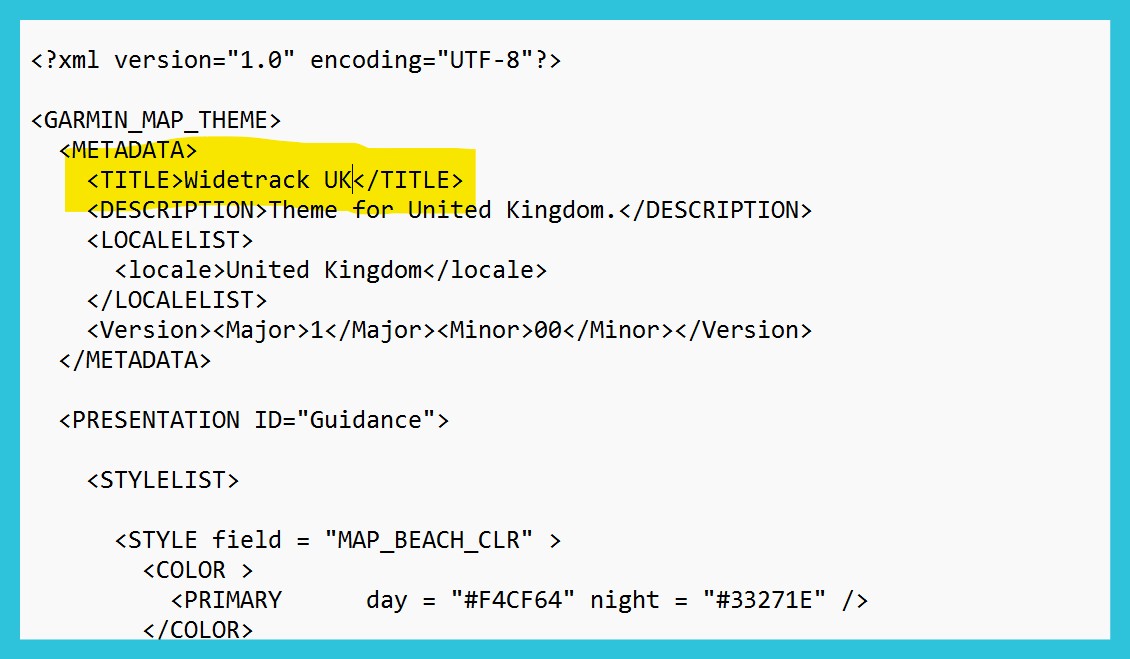
If I can add one thing... It is worth changing the title/name of the theme - to make it clearly different when selecting a theme in the XT settings menu.

This is in the same file - near the top:


Back
Top Bottom