MyRoute Navigation app updates

Wapping

Well-known member
Moderator
Joined
Oct 21, 2005
Messages
91,143
Reaction score
16,338
Location
Wapping, London
This expands the usefulness of the app 10 fold, allowing you to do many more things that were previously only possible in MyRoute’s separate RoutePlanner.

In brief:

  • Create new routes from scratch
  • Edit any route
  • Access to our unique MRA Routeplanner features in-app
  • Modify waypoints
  • Change route information / details / options

There is more to come in future updates, including better syncing between RoutePlanner and the Navigation app.
 
Last edited:
Indeed!

I am glad to have become a subscriber.
As you will know, I have had a go with the new updated app in this thread yesterday. It has been a complete doddle to use to, very intuitive and clear too.

Anyone who is still on the fence about joining in, do not hesitate and go for it. Alternately subscribe to their newsletter and perhaps wait for that Christmas offer at a discounted rate.
 
Last edited:
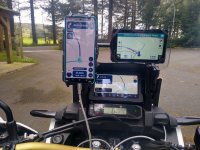
Another little update to 4.2.1-322. This is now a very, very good route planning and navigation tool. Plotted and executed a 91 mile back roads run this morning with 41 waypoints and one Via point and almost the same number of turns and junctions. First time I've tried it on Android Auto on the Africa twin without replicating the route on the Zumo XT and it was faultless. Phone charged and did not overheat (though I haven't had this problem for some time) and behaved as expected when I deliberately missed a few waypoints. Could I use this now as my primary navigation device........absolutely. Particularly as the button arrangement on the Honda allows control of the map through Android Auto.
 
Thank you.

It is a pity that BMW opted to develop their own app (backed by TomTom) for the K1600 / 1250 RT’s big TFT screens, rather than at least offering the option of displaying third party app’s.

The earlier 1600’s use of the very good BMW Navigators was excellent. Since then, they have lost their way, seemingly applying something better suited to a car, to a motorcycle.

I am half tempted to rekindle my love of Honda and replicate Mzokk’s experience.
 
But if you have a BMW with sat nav prep you can now get a Chigee AIO Play the slots right in , giving you CarPlay and therefore MRA.
 
Thank you.

It is a pity that BMW opted to develop their own app (backed by TomTom) for the K1600 / 1250 RT’s big TFT screens, rather than at least offering the option of displaying third party app’s.

The earlier 1600’s use of the very good BMW Navigators was excellent. Since then, they have lost their way, seemingly applying something better suited to a car, to a motorcycle.

I am half tempted to rekindle my love of Honda and replicate Mzokk’s experience.
And as a side benefit you'll be able to play the button accordion in no time :D
 
But if you have a BMW with sat nav prep you can now get a Chigee AIO Play the slots right in , giving you CarPlay and therefore MRA.
I do not think that the latest generation of K1600, RT Does support or indeed have a dedicated space for stand alone navigator, relying purely on a BMW connected ride app.
 
But if you have a BMW with sat nav prep you can now get a Chigee AIO Play the slots right in , giving you CarPlay and therefore MRA.

Not an option, I’m afraid. The new 1600 does not have ‘sat nav prep’ per-se. Instead, it relies on the bike’s wi-fi system for the maps and Bluetooth for the routes, all streamed from a phone. These are then displayed on the bike’s very good TFT screen and controllable (after a fashion) via the wonderwheel thing.

I could of course remove my XT from its mount on the steering stem, replacing it with the Chinese device. I do though still like the independent reliability of a Garmin GPS device, which the XT does very well.

If someone produced a gizmo, to allow the 1600’s TFT screen to mirror the Chigee and control the Chigee via the wonderwheel, I’d buy the gizmo. Then it would just be a matter of stuffing the Chigee somewhere.
 
Last edited:
I'm pretty sure that the BMW screen would be capable of smartphone mirroring if some tech wiz put their mind to it. The Honda screen set up is actually a Garmin unit (which is a bit of a worry) and it runs a version of Android. There have been a few units that have failed and Honda have lengthened the warranty on the screen to 10 years.........I would imagine at Garmin's expense.
 
Another little update to 4.2.1-322. This is now a very, very good route planning and navigation tool.

I have just had a small play around with the latest update, using the large screen on my iPhone 15.

It does indeed seem to be very easy to create bespoke routes, straight into the app. It is certainly easier than using the map screen of, say, my Garmin XT to do it. It really does show BMW and Garmin, what can be done by an independent (small scale) set of developers, working in a very transparent and public way. Hats off to them.
 
One of the advantages of the enhanced app is that, with a large screened smart phone, you might well not need (or want) to bring an iPad or similar with you, just for route creation. Just make sure not to lose or smash your phone!
 
One of the advantages of the enhanced app is that, with a large screened smart phone, you might well not need (or want) to bring an iPad or similar with you, just for route creation. Just make sure not to lose or smash your phone!
My thoughts exactly.
 
I must get with the times and download MRA, I could never get on well with Garmins own mapping software.

Hopefully this is better…..
 
Last edited by a moderator:
I must get with the times and download MRA, I could never get on well with Garmins own mapping software.

Hopefully this is better…..

Adam,

There are two separate parts to MyRoute. Very basically:

1. ‘Routeplanner’. This is a web based route creation tool, broadly speaking, serving a similar purpose to BaseCamp / MapSource from Garmin and / or similar software from TomTom or others.

This comes in two versions. One, a basic free version, good enough I guess for just mucking about in. Two, a paid for version, which offers some pretty useful additional tools.

If you just want to create bespoke routes or have MyRoute create a ‘Take me from here to here’ and then export them to a GPS device (or a phone, capable of running a GPS app) then either version may well suit you.

2. ‘MyRoute app’. This is a separate (paid for) phone based app to navigate by. By this I mean, that you have created or downloaded a route in ‘Routeplanner’ and want to use MyRoutes’ own app to navigate by on your phone. This app is, slowly becoming more and more integrated into or aligned with ‘Routeplanner’ but, for now at least, remains separate.

Similarly, we have divided UKGSer’s ‘MyRoute’ sub-section into two parts, too. One for ‘Routeplanner’ and one for the app.

Will you get on with either or both? That is up to you, I guess.

Some people find BaseCamp hard; I didn’t. Some people find ‘MyRoute’ hard; I didn’t. Some people want to create their own bespoke routes. Some people want nothing more than: “Take me from A to B, down twisty roads or down straightforward roads” and don’t want to create anything themselves, having the software or device do it all for them. Out there, there is software and / or devices which can and will cater for everyone. Everyone will have their favourites and / or their way of doing things, which is fine.

PS If you do go down the MyRoute channel, I do recommend joining their forum, which is free. It is of pretty good quality. I have asked questions of it and received good answers, very quickly. Similarly, I have picked up some pretty good hints and tips, just by dipping into some of the threads. For everything else, UKGSer’s GPS section is pretty good, as well.

 
Last edited:
@Pukmeister I echo what Richard said above.

I could not get on with Basecamp, it was very laggy (the main issue) and at times not very clear how to get things done on it. Eventually it become so unstable that I just ditched it when Garmin (MK1) XT came out and used Kurviger to create routes, then export them. I then have been introduced to MyRoute App, I haven’t looked back since. I still use Kurviger (free version) to download various routes with their supported Tour Codes. Then export them into MyRoute Library.

It is really an excellent bit of software. Yes there are other options out there like Calimoto, Rever, etc, but none come close to MyRoute in my experience.
 
Thought I’d have another go at planning and executing a route on MyRoute app app. 170 miles ish to have a look at the Sperrin Sculpture trail.

https://discovernorthernireland.com...perrin-sculpture-trail-a-giant-adventure-b302

The route had 23 waypoints in total 5 of which were via points. It took about 15mins to plan and check the route on my phone (which was in offline mode for the app) including checking the waypoints were on the road by zooming in to each. I then transfered the route and track via the Garmin Drive app to my XT (GPX1.1). To test the app and my Garmin I deliberately put waypoint 21 (about 10 miles from home) on a road I knew to be closed.

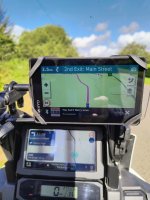
Mostly both methods of navigation behaved well. The only fly in the ointment for MyRoute app was that I went off route to take an earlier turn onto a minor road between waypoints (shaping points in Basecamp speak) and while MyRoute app behaved correctly in terms of directions, the direction indicator on the top left of the Android Auto screen froze until the next correct left hand turn was encountered about 10 miles away (this was after correctly announcing and indicating on the map a right turn and two roundabouts!!). After this it behaved normally.

IMG_20240814_105811030_HDR_AE.jpg
Sorry about the crap photo!!
On the return leg I switched the phone app to online mode (so that I could check closed road behaviour and the phone was connected to the Zumo XT for the same reason) and also ensured the phone screen was active. It may have been my Imagination but it seemed to make the app a bit more responsive and when I took a different turn to that indicated between waypoints the AA direction dialogue did not hang as previously. I don’t know if this is because online mode was being used or because the phone screen was on so further testing required.

What do you mean I may have been distracted officer!
IMG_20240814_123645288_HDR.jpg

During the route I turned into Gortin Glen Forrest park and did the Scenic drive which is about 4 miles and was not included in the route. It also meant that I would pass through the same via point twice. Both methods of navigation handled this fine and continued with the route.

When it came to handling the closed road both methods of navigation handled it quite differently.
There were signs at the roundabout where the closed road commenced.

About 5 miles from the closed road I had to leave a motorway via a roundabout to enter the closed road. MyRoute-App wanted to re-route me at the roundabout and picked a route I would have picked as “Fastest time” route home.

I followed the XT down the closed road. I had no warning from the XT until about 2 miles down towards the closed junction when the XT wanted me to do a U Turn to return to the roundabout. MRA wanted me to turn right up some minor roads and henceforth indicated a reasonable route home. About 3 miles down the road there was a turn to the right as I approached it, Both the XT and MRA indicated to take it to continue the route. Once onto a more main road MRA indicated a decent route which I followed. The XT continued to re route towards Belfast outer ring which would have been much farther and slower than the route indicated by MRA.

So for me MyRoute app handles route deviations much better than the Garmin XT because of its Faster Roads Faster time behaviour.
 
Just as an addendum to the report above I did a bit of digging about the closed road behaviour of the XT and found this in one of jfheath's posts on the Zumo forums.

"There is another consideration that I have noticed - it only ever picks up road works or closures in the segment that you are currently riding. A 'segment' seems to be the word that Garmin now uses to refer to the section of route that is bounded by two Via Points. So it doesn't seem to be able to look beyond the next Via Point. That means that if the road works are just after a Via Point, you will get very little notice of it."

On the route I had a shaping point at about the point the XT notified of the closed road. The re-routes the XT suggested were inefficient and illogical. So from now on as well as keeping recalculation off or prompted, I think I will turn off notifications and navigate myself back to the route via diversion signs :D

MyRoute App behaved quite differently and picked a point for the re-route which was much more logical. I don't know how it does this or what the reroute parameters are but it was impressive.
 
I have never been very convinced by any Garmin device’s road closed diversion stuff. That though is because I have never really tried to understand it.

Likewise, I have always much preferred navigating myself back on course, answering “No” to the off-route prompt. Yes, sometimes you get the odd “Aha, I’ll rejoin the magenta line there…. Ah bugger…. It’s a bridge and I need to be up (or down) there!”.

I agree, MyRoute makes a pretty fair fist of it, which I am by and large comfortable with.

It’s one of the reasons I now like running my XT, alongside MyRoute Navigation. I can then see the fixed magenta line of my unaltered bespoke route and compare it with MyRoute’s redirection.

The most common problem though does not revolve around GPS navigation at all. Many diversions just flag up: ‘Town XYZ is not accessible, follow the diversion’ which is fine if you know that you are due to go through town XYZ. In the good old days, you had the towns and villages (along with the road numbers) written down on a sheet of paper, so you knew near enough that you would (or would not) be passing through town XYZ. GPS devices are tricky to read via-a-vis place names on the move, especially if you have to zoom in or out to pick up the detail.

Hey-ho, it’s only time and a bit of petrol you use up, whilst sort of getting lost but it’s never really life threatening. Sometimes, the little excursion has paid dividends. I make a note of these in my little black book and update the route for future use…. But I am one sad son of a bitch.

PS I long ago gave up worrying too much about anyone following me, not least as several of them have no idea where we are going anyway. That said, I do try to make rides I have invited people on, run smoothly, as it saves everyone time in the end.

I liked the old pre-XT screens, with their data showing ‘Distance to final destination’ and ‘Estimated arrival time at final destination’ permanently displayed. Watching these change, with every halt for bikermate banter, was always amusing (at least to me) as the time drifted away. Why Garmin, when making screens bigger, took a lot of these away, I have no idea; all part of their dumbing down, in favour of telling you it’s raining or that there’s a text from your dog…..
 
It’s one of the reasons I now like running my XT, alongside MyRoute Navigation. I can then see the fixed magenta line of my unaltered bespoke route and compare it with MyRoute’s redirection.

This is one of the features I love about Scenic - if you deviate from the route it shows both the original and the newly-calculated route (the original is made pale so no confusion). This allows you to see where the new calculation will intersect the original route and make an informed decision to follow or overrule.

It’s an automated way of what I used to do with the Nav and Basecamp. I used to plot the route and also convert it to a track. Both would get sent to the Nav, and then when navigating I’d have the Nav show the corresponding track. Scenic is basically just doing this for me.
 
MyRoute does something very similar.

The bespoke (original) route displays in blue.

The ridden route (roads you have ridden down) in yellow. This assumes you have track record enabled.

The pieces of route you have missed out by deviating from the original route, change from blue to white.

I find it easier to zoom in and out on the Garmin by hand, not least as the phone is sometimes a little unresponsive to my gloved hand. Easier still, if the Garmin device is in a four button cradle or, better still, managed via the wonder wheel.


Back
Top Bottom