Deleted account 250722001
Registered user
- Joined
- Aug 2, 2019
- Messages
- 1,052
- Reaction score
- 416
Update-
Despite not following why the Gmaprom files are missing, it seems we have been shot down by the manufacturer.
no you cannot get a partial install either- Grrrrr - well, you can but the map doesn't work as cannot be activated.
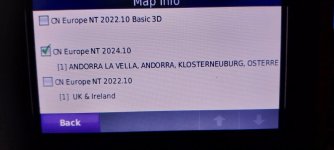
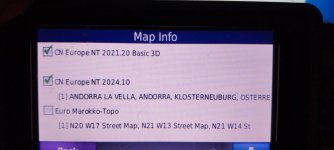
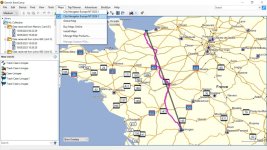
If licenced, we have been able to download the map update to CN2024 and the maps will be installed on BC on your PC. However, although you can transfer the mapping after having selected map tiles so that the resulting map is less than 4GB, the Zumo still shows then greyed out. That leads me to believe that there seems to still be a licence conflict; so useless.
So, the solutions are:
1- Keep the City Navigator maps which once and still work
I'm still not 100% sure about this as the OP appeared to have some files missing from his Zumo so I stand to be corrected but I am not hopeful.
2- A simple solution is to use OSM maps
To date, Mike and I have got the Zumo to recognize and use an OSM map when placed in the Garmin folder in the Zumo as a gmapsupp.img file.
Mike will next remove this file from the Zumo and place it on a micro SD to double check it still can be read and thereby free up the small Zumo OE memory.
3- To date, we have not been able to get the Zumo to recognize a second and different mapset named gmapsupp1 when an existing gmappsupp file exists etc and I wonder if the Zumo 660 satnav is actually capable of handling more than one gmapsupp type when different ones have been renamed gmapsupp1.img, gmapsupp2.img files. etc ???
If anyone has successfully done so I'd appreciate a heads up. Its hard to test satnavs without having an identical model at hand! and I thank Mike for hos patience.
So, for now, the solution for Mike is to just have one gmapsupp.img per micro SD per country. 4GB is more than enough but 8GB are almost just as cheap so I'd pick those.
Off to bed now ...
...
Despite not following why the Gmaprom files are missing, it seems we have been shot down by the manufacturer.
no you cannot get a partial install either- Grrrrr - well, you can but the map doesn't work as cannot be activated.
If licenced, we have been able to download the map update to CN2024 and the maps will be installed on BC on your PC. However, although you can transfer the mapping after having selected map tiles so that the resulting map is less than 4GB, the Zumo still shows then greyed out. That leads me to believe that there seems to still be a licence conflict; so useless.
So, the solutions are:
1- Keep the City Navigator maps which once and still work
I'm still not 100% sure about this as the OP appeared to have some files missing from his Zumo so I stand to be corrected but I am not hopeful.
2- A simple solution is to use OSM maps
To date, Mike and I have got the Zumo to recognize and use an OSM map when placed in the Garmin folder in the Zumo as a gmapsupp.img file.
Mike will next remove this file from the Zumo and place it on a micro SD to double check it still can be read and thereby free up the small Zumo OE memory.
3- To date, we have not been able to get the Zumo to recognize a second and different mapset named gmapsupp1 when an existing gmappsupp file exists etc and I wonder if the Zumo 660 satnav is actually capable of handling more than one gmapsupp type when different ones have been renamed gmapsupp1.img, gmapsupp2.img files. etc ???
If anyone has successfully done so I'd appreciate a heads up. Its hard to test satnavs without having an identical model at hand! and I thank Mike for hos patience.
So, for now, the solution for Mike is to just have one gmapsupp.img per micro SD per country. 4GB is more than enough but 8GB are almost just as cheap so I'd pick those.
Off to bed now
...
Last edited: