
Basecamp map resolution

Status
Not open for further replies.

vRSG60

Well-known member
UKGSer Subscriber
Joined
Aug 19, 2014
Messages
1,910
Reaction score
383
Location
Barrowford Lancastershire
I open my Garmin map in Basecamp and the detail is awful, hardly any roads are shown.
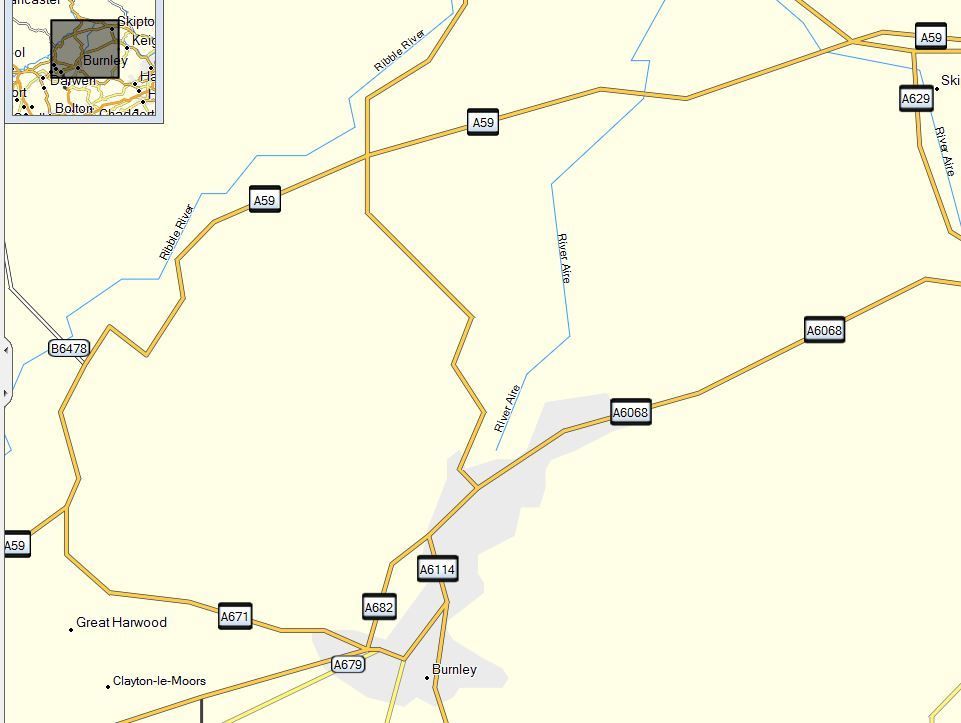
Capture_zpsn1nsq3il.jpg


Surely this can't be right.
I have detail level set to higher and rendering quality set to high.

Can someone give me an idea as to what is wrong.
 
Have you just undertaken a map upgrade? Can you tell us what map version you have, and did you upgrade both device and PC?
Do you have the correct map ticked if you have multiple maps which BaseCamp can display?

It looks as though you have only the global map showing.

Edit: a screenshot including the status bar of your screen would be helpful. :thumb2
 
Thanks Joe a lot of messing showed I had 3D map ticked, changing it to just "CN Europe NT 2016.10" changed the resolution.
I can see I'll be on here often tying to use Basecamp. Looks hard work to me.
 
:thumb
Women are far harder to understand than BaseCamp. Good luck.
 
Thanks Joe a lot of messing showed I had 3D map ticked, changing it to just "CN Europe NT 2016.10" changed the resolution.
I can see I'll be on here often tying to use Basecamp. Looks hard work to me.

I think he means ticked on the PC not on the device. You really need to download the maps to your PC if you have not already done so. You can then plan routes without having to have the device plugged in.

John
 
open Basecamp
Go into preferences
click on your display icon (2nd one along)
3d view and all views comes up.
Have a play with the sliders on the 'all views' side and see how much map detail come up.

It could be this.

Just re-read your post, looks like youv'e already done this.
Certainly works for me when adjusting the sliders.:nenau
 
Mine only showed basic global map but then connect your garmin via usb and if this has a more detailed map ie NT, then this is loaded into basecamp with all POI's etc.
 
Mine only showed basic global map but then connect your garmin via usb and if this has a more detailed map ie NT, then this is loaded into basecamp with all POI's etc.

problem is that the map then does not appear unless the device is connected so it is better to download the map to your PC.

John
 
Mine only showed basic global map but then connect your garmin via usb and if this has a more detailed map ie NT, then this is loaded into basecamp with all POI's etc.

See post #6, assuming that is you want to see the fully detailed maps on your computer WITHOUT having to attach your device each time.
 
The OP's question has been answered and the thread is heading towards LaLa Land.
 
Status
Not open for further replies.


Back
Top Bottom
