
If so how do I find it please.?


For when you come against things like road closuresDetour what?
Possibly, but there used to be a dedicated detour button on the 660 which was very usefulI just zoom out on the map and manually navigate back to the magenta worm after the blockage. This is on a Zumo 390 but would apply to any device.
Possibly, but there used to be a dedicated detour button on the 660 which was very useful
How do I mark a closed road then please.You can mark a closed road junction. Or if on a route skip next waypoint (if you have them set up)

Garmin XT, is there a detour button?
If so how do I find it please.?
You can access and use the detour feature on your Garmin zūmo XT by opening the active route menu on the map screen and selecting your preferred distance or road bypass. [1, 2]
How to Enable Advanced Detours
How to Use the Detour Button
- While navigating an active route, tap the menu button (three lines) in the bottom-right corner of the View Map screen. [1, 2]
- Choose Edit Route or select your detour criteria. [1, 2]
- Pick from the available options:
- Distance-based detours: Choose 1/2 Mile, 2 Miles, or 5 Miles to route around a problem area and rejoin your path.
- Road-specific detours: Select Detour By Road(s) in Route to pick specific upcoming roads you want to avoid. [1]
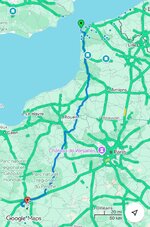
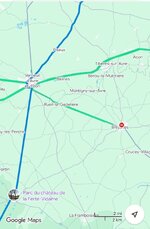
How do I mark a closed road then please.

I thought the unit was already linked to my phone so it would get road closures.
The Garmin zūmo XT connects to your smartphone via Bluetooth and the Garmin Drive app to receive real-time live traffic updates, including road closures and construction zones. [1, 2, 3]
How It Works
- Data Connection: The device pulls live data over your phone's cellular connection and pushes it to the GPS unit. [1]
- Automatic Rerouting: When a road closure is detected ahead, the unit will attempt to recalculate a detour, though users on UKGSer note that opinions are mixed regarding how clearly the device communicates or displays the exact closure point on pre-planned or BaseCamp-imported routes. [1, 2]
- Quick Disappearances: The notification or visual indicator of the specific closure on the map can sometimes vanish quickly after recalculation. [1]
Setup Steps
It won’t re-route you if there is a diversion and it ‘thinks’ it will still be quicker than an alternative route. As I found out last month trying to get north on the M1 after 21:00. Massive traffic jam near Nottingham, road closures further north, nice diversion through Durham. Didn’t help the A19 was also closed.Thank you all for the info.
I thought the unit was already linked to my phone so it would get road closures.
However, I’ll check all this out this weekend.
Thanks Wapping , I’ve just done all that and I’ll try it out soon. But not today. After doing 1102 miles in a day I’m leaving it alone for a few daysAI’s answer, which (somewhat worryingly, perhaps) draws part of its knowledge from UKGSer:

All these devices can only work on updates given to them and then fed into the system. I went to a hotel in deepest Dorset in the week. The road to the hotel was closed and the hotel sent out an alternative route. I plotted the route and used my route app to follow the route.The "Live Traffic" is useful but far from 100% accurate, a local road closure that lasted ~2 days was still being showed on my device ~ 18 later. Not sure the data sourc(es) Garmin get the closures from or who is responsible for adding and removing such closures - my guess (for the UK at least) is local authorities, judging by how innacurate it is.
Same goes for heavy traffic, often it will show a red line for slow / stopped traffic where there is none, probably due to the blockage being quite short lived and it updating too slowly.
On a heavily congested road I used to commute on it would suggest a huge detour, instead of going ~2 miles in stop-start traffic which maybe takes 15-20 minutes, it came up with a 5-6 miles detour on roads I know would be pretty heavily congested and quite slow and almost certainly add 5-10 minutes to the journey, unless it shows a suggestion that saves me a LOT of time I ignore it.
The situation on the ground (road) can change quickly and too many times I have taken it's advice just to end up in a queue I was fairly certain was as bad, or worse, than the one it avoided.
But you will want to thank it the day it stops you driving past the last Motorway junction before a total closure due to an accident or similar.
If the road is closed, turn round and find another way.




