NumptyQuestion - Mapsource & New region map

Maxxx

Active member
UKGSer Subscriber
Joined
Jul 20, 2008
Messages
153
Reaction score
0
Location
Cheam, Surrey
I've looked around but I don't appear to have the same options that people describe.

I have a Zumo 660 with City Navigator Europe NT2010 installed on the device and Mapsource.

I am going to South Africa on holiday and bought CityNavigator South Africa today in download form.

TO download and install, I plugged in my Zumo and THE ONLY OPTION was to download to my device OR the memory card of my device.

The maps are there on my device, no problem - but I can't find a way to get the new South African maps into Mapsource - when I go back to the web site it refuses to let me download unless I plug in my Zumo and then I have the same options.

I downloaded (again) onto my memory card so that I can see the files - there are 3 - a "gma" a "img" and a "unl" file.

SO how are you supposed to install the maps into Mapsource?

Everyone else seems to have "download to computer" as an option .........

Any help greatly appreciated!!
 
SA Maps

Have you tried downloading a copy of Basecamp (windows version) off the Garmin site? I have been told that this will let you see mapping off the GPS, on the PC. I've not tried it yet myself - so let us know how you get on.
 
Garmin Maps Website Info.
Mapping for Garmin GPS devices is sold in a variety of formats. Please see below for the benefits of each format

Downloadable Content: Maps purchased in this format can be downloaded directly from the Garmin website. This is the quickest method of getting mapping for your next trip. Downloaded maps can be sent to either your GPS unit or a blank data-card. All maps in this format are unlocked to a specific device and they can only be used on the device that they were unlocked to. Similar to the pre-programmed datacards, this mapping is not immediately available on your computer for use in planning routes without additional software. City Navigator maps in this format are not eligible for map updates. If you wish to obtain updated content, a new download will need to be purchased.

Option below is what you should have purchased:

DVD/CD:
Maps purchased in this format will require a computer to use but they will allow you to plan trips on your computer and transfer way-points, routes and tracks to your GPS device. The installation process will install the mapping and the MapSource or BaseCamp application to your computer. MapSource or BaseCamp can then be used to send maps to either your device or a blank datacard. Please note that most mapping products in this format are unlocked to a single device and they are non-transferable. City Navigator maps in this format can be updated by purchasing a map update, when available.
 
Downloadable maps

Hi Jaws - yes, I read that - but I took the comment of "without additional software" to mean "Map source" which I already have and have been using successfully for the last year.

I can't believe that I have to buy the DVD and then install map source EACH TIME I add a region?

The has to be an easier way ...............

I've not tried basecamp as I didn't really want to have 2 sets of mapping software on the PC but if that's what it takes, that's what i will do.
 
Isn't the option to install to Mapsource rather hidden, as an advanced option, in the download dialogue boxes. i.e. it can be relatively easily overlooked.
 
New intaller

Hi Bumpkin - it used to be but when I clicked on the download I got a message "this product requires you to update your software to the latest installer".

I duly did so and the new one has "advanced" - which I clicked on - which only let's me download to the Zumo or the memory card of the Zumo. At first I thought it was because I didn't have Mapsource running, so I closed down everything, opened up Mapsource, reconnected the Zumo, made sure Mapsource could see the Zumo (because then I know the Garmin software can see it) and THEN I opened up my web browser and went back to the download page ..........where it still only gave me 2 options under the "advanced" option.

Pulling my hair out!

Gamin closed their office on Thursday at 2pm due to snow and remained closed on Friday so will have to see if I can get hold of them by phone on Monday :-(
 
I can't believe that I have to buy the DVD and then install map source EACH TIME I add a region?

The has to be an easier way ...............

Afraid so :augie if you want a region on the PC, least-ways I have not found an easier way.

All the options to purchase the map regions are the same cost, but with the download option you are sure of getting the latest mapping.

The Micro/SD map card purchase option will work in any Garmin GPS unit with a slot, this option can be handy if its a once off trip meaning you can sell it on after your trip to re-coup cost. You could plan your trip with a paper map and input the waypoint's & routes direct to your GPS unit. Tedious...I know :blast

You have to buy the DVD if you want the maps on your PC..but you can update these maps by downloading with this option ie "lifetime or a once only option" for a fee of course :rolleyes:.

The download option (without the DVD) will only load them to your GPS unit or SD card and for one GPS unit only.

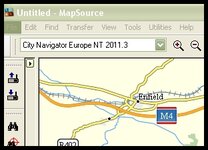
Remember Mapsource is the operating software for all the Garmin region map products and any regions added will work within the one mapsource programme as such as a drop-down menu in the top left-hand corner for whatever regions that are added and unlocked.

Mapsource1.jpg
 
Basecamp is the answer

So I got hold of support today and was told that the solution is for me to download Basecamp - which I did, and it works.

I don't like Mapsource very much but I am used to it - I like Basecamp even less right now as the screen is very cluttered and I normally use a little net book PC on the road so time will tell if I can live with this.

At least I can view maps and plot routes on my computer with the new map now.


Back
Top Bottom