I've looked around but I don't appear to have the same options that people describe.
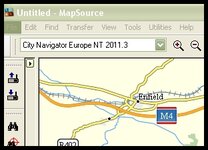
I have a Zumo 660 with City Navigator Europe NT2010 installed on the device and Mapsource.
I am going to South Africa on holiday and bought CityNavigator South Africa today in download form.
TO download and install, I plugged in my Zumo and THE ONLY OPTION was to download to my device OR the memory card of my device.
The maps are there on my device, no problem - but I can't find a way to get the new South African maps into Mapsource - when I go back to the web site it refuses to let me download unless I plug in my Zumo and then I have the same options.
I downloaded (again) onto my memory card so that I can see the files - there are 3 - a "gma" a "img" and a "unl" file.
SO how are you supposed to install the maps into Mapsource?
Everyone else seems to have "download to computer" as an option .........
Any help greatly appreciated!!
I have a Zumo 660 with City Navigator Europe NT2010 installed on the device and Mapsource.
I am going to South Africa on holiday and bought CityNavigator South Africa today in download form.
TO download and install, I plugged in my Zumo and THE ONLY OPTION was to download to my device OR the memory card of my device.
The maps are there on my device, no problem - but I can't find a way to get the new South African maps into Mapsource - when I go back to the web site it refuses to let me download unless I plug in my Zumo and then I have the same options.
I downloaded (again) onto my memory card so that I can see the files - there are 3 - a "gma" a "img" and a "unl" file.
SO how are you supposed to install the maps into Mapsource?
Everyone else seems to have "download to computer" as an option .........
Any help greatly appreciated!!


 if you want a region on the PC, least-ways I have not found an easier way.
 .
.