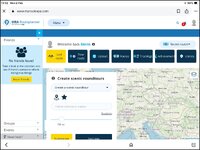
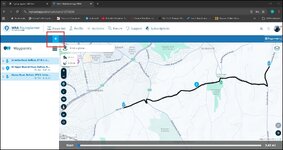
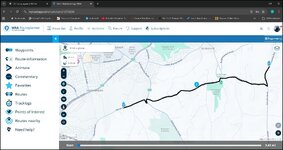
Sort of, I would like just the map. The map itself is only about 1/4 of the screen. It’s mostly “no friends found, create scenic round tours” and all the rubbish in the top third of the picture. Can this be got rid of as the map is such a small part of the screen? Thanks.do you mean zoom in?
on a laptop, I use the + and - keys on the numeric keypad to zoom in and out, as I am a big fan of keyboard shortcuts from my days of coding using Unix' Vi!
Sort of, I would like just the map. The map itself is only about 1/4 of the screen. It’s mostly “no friends found, create scenic round tours” and all the rubbish in the top third of the picture. Can this be got rid of as the map is such a small part of the screen? Thanks.
Tried that and this is all I have now.Get rid of the Friends box by clicking the left arrow in the blue banner.
Click New Route and just give it a name - all you need to do - then click OK
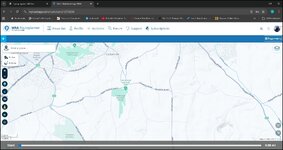
You now have a full screen map around which you can zoom in and scroll around.
The cursor will now be a cross hair for marking the points on the map to make your route.

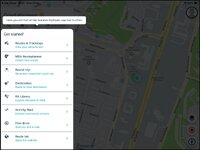
Ok thanks, how do I get rid of all the crap down the left hand side? I’m struggling with this. I could have planned many rides on Basecamp in the time this takes.You have to dismiss that onboarding menu on the left. That's why the map is darkened.
Try clicking on the map itself and see if that menu disappears.
Ok thanks, how do I get rid of all the crap down the left hand side?


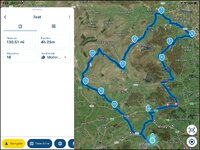
Using the mobile app as above you plonk your finger on point nine for a little moment it then becomes mobile and you can shift it about to your heart's content. To creat another waypoint between say 7 and eight. On the mobile app rest you finger on the line and a new waypoint with the correct number will appear. All subsequent numbers will advance by one. and you can put the waypoint where your finger is or move it about as described to put it on the road you want it to be on.View attachment 477357
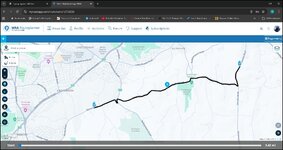
Slowly getting there. I drawn a small route. Is there a way of moving the route? Say moving point 9 to Hawes for instance? I’ve tried just touching the route to move it but it doesn’t move. I’ve also tried to add another hand/point but that isn’t an option. I’m sure this is decent way of plotting routes but changing the after seems very complicated. Also there doesn't seem to be a send to device option.