Trying again

glenn2926

Well-known member
UKGSer Subscriber
Joined
Oct 7, 2009
Messages
5,693
Reaction score
6,158
Location
Right Here
Afternoon all,
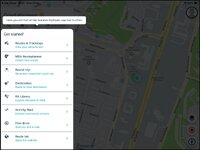
I’m trying again to use the My Route planning system.IMG_0229.jpg
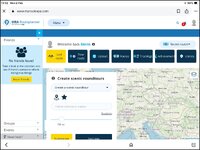
Is there any way to get a better map view than this? I would like to be able to draw a route but can’t get a better map view than this.
 
do you mean zoom in?
on a laptop, I use the + and - keys on the numeric keypad to zoom in and out, as I am a big fan of keyboard shortcuts from my days of coding using Unix' Vi!
 
Get rid of the Friends box by clicking the left arrow in the blue banner.

Click New Route and just give it a name - all you need to do - then click OK

You now have a full screen map around which you can zoom in and scroll around.

The cursor will now be a cross hair for marking the points on the map to make your route.
 
do you mean zoom in?
on a laptop, I use the + and - keys on the numeric keypad to zoom in and out, as I am a big fan of keyboard shortcuts from my days of coding using Unix' Vi!
Sort of, I would like just the map. The map itself is only about 1/4 of the screen. It’s mostly “no friends found, create scenic round tours” and all the rubbish in the top third of the picture. Can this be got rid of as the map is such a small part of the screen? Thanks.
 
Sort of, I would like just the map. The map itself is only about 1/4 of the screen. It’s mostly “no friends found, create scenic round tours” and all the rubbish in the top third of the picture. Can this be got rid of as the map is such a small part of the screen? Thanks.

Have you tried as I suggested ?
 
Get rid of the Friends box by clicking the left arrow in the blue banner.

Click New Route and just give it a name - all you need to do - then click OK

You now have a full screen map around which you can zoom in and scroll around.

The cursor will now be a cross hair for marking the points on the map to make your route.
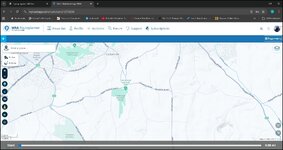
Tried that and this is all I have now.IMG_0230.jpg
A very dark part of a map of somewhere.
 
You have to dismiss that onboarding menu on the left. That's why the map is darkened.
Try clicking on the map itself and see if that menu disappears.
 
I would like to be able to open the app without having all the other options I'm not particulary bothered about.
 
You have to dismiss that onboarding menu on the left. That's why the map is darkened.
Try clicking on the map itself and see if that menu disappears.
Ok thanks, how do I get rid of all the crap down the left hand side? I’m struggling with this. I could have planned many rides on Basecamp in the time this takes.
 
Ok thanks, how do I get rid of all the crap down the left hand side?

That is what I meant. Try clicking outside it, and it should disappear.
Should.


"Tap". I just realised you are using a tablet. Tap with your finger on the map and see if that menu disappears.
 
I just tried on my phone: tap on the map and the menù does actually disappear.
As it should.
 
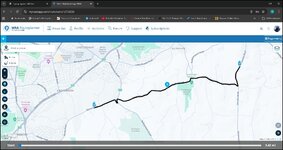
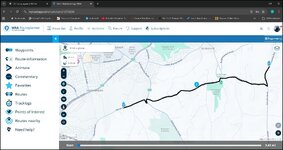
Put the mouse curser over a bit of road and click a waypoint will be created.

1770043711347.jpg
 
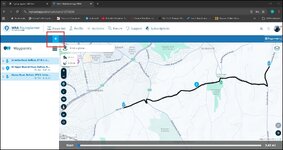
To see your waypoint list click the top left arrow as shown

1770043833372.jpg
 
If you click the three lines below the arrow other options become visible.

1770043957334.jpg
 
IMG_0231.jpg
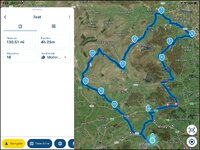
Slowly getting there. I drawn a small route. Is there a way of moving the route? Say moving point 9 to Hawes for instance? I’ve tried just touching the route to move it but it doesn’t move. I’ve also tried to add another hand/point but that isn’t an option. I’m sure this is decent way of plotting routes but changing the after seems very complicated. Also there doesn't seem to be a send to device option.
 
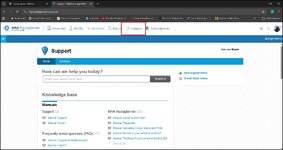
Fiddle about with it for a while then get yourself a big mug of tea and some chocy biscuits and have a go at the guidance docs. Theres loads of good stuff. You can keep two instances of the site open and jump between tabs trying things out. FWIW I found the transition from Mapsource to Basecamp more difficult than the transition from basecamp (which I still use) to MRA. Its pretty intuitive once you've played about with it for a while.

1770044145855.jpg
 
View attachment 477357
Slowly getting there. I drawn a small route. Is there a way of moving the route? Say moving point 9 to Hawes for instance? I’ve tried just touching the route to move it but it doesn’t move. I’ve also tried to add another hand/point but that isn’t an option. I’m sure this is decent way of plotting routes but changing the after seems very complicated. Also there doesn't seem to be a send to device option.
Using the mobile app as above you plonk your finger on point nine for a little moment it then becomes mobile and you can shift it about to your heart's content. To creat another waypoint between say 7 and eight. On the mobile app rest you finger on the line and a new waypoint with the correct number will appear. All subsequent numbers will advance by one. and you can put the waypoint where your finger is or move it about as described to put it on the road you want it to be on.
 
In the web app just hover the mouse over the route line and an inverted teardrop with a + appears. Click and this will create a waypoint in the right order and again you can move this to where you want it.


Back
Top Bottom