Replying to this little bit now as I'm currently planning routes (and track backups!!!

) for my way back to London next week. It was in the back of my mind.
Good shout with the "three miles rule". I'm (loosely) keeping that in mind now that I am reshaping (for the millionth time) the route back.
The reason why I don't add many regular shaping points on motorway is mostly because: adding a lot of regular shaping points is a method to reduce the sat nav's "free thinking". I know we all set it to "fastest route" and almost no avoidances, but having a 3 mile gap within shaping points (even less in some cases) helps us be sure that the sat nav doesn't re-route elsewhere and does exactly the route we want.
We've seen above this is not the case and that's why (for peace of mind) I'll directly use tracks from now on.
I'll just give the "active route" thing a try (for testing).
Now, if I'm jumping on a motorway, it means I just want to plod along in the most boring, but quickest way to destination. This is almost as standard A/B navigation.
Keeping the motorway section free of shaping points lets the sat nav recalculate "freely" if there is any issues (traffic, closures, etc.).
In the specific case of that GPX I sent the instructions could be: Go direct from Calais to Reims - whatever fastest route - then start following the breadcrumbs.
But just my preferences when on the motorways.
Another small thing I noticed. My last day back I will mostly follow the same route from around Dijon to Calais, a split of 50/50 D roads and motorway. I've done this many time – I re-trace it each time for some reasons.
Having less shaping points ON the motorway might help when "reversing" routes as the nav is not forced on a specific "side" of the motorway. Just a though. But in those case it's better to re-verify

All is good.
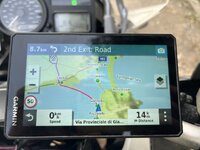
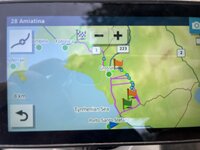
Only one last question as I'll be mostly resorting to just using tracks for long-ish distance travel like this: when you select a track and press "Go" to "navigate" it start to finish or finish to start... didn't the XT prompt you to navigate to the start of the track itself? Or am I dreaming? It doesn't seem to be doing it anymore (I sometimes get confused with stuff my 64s does).
Not a massive issue (you can tap on the map) but it was a quick/helpful support.