XT route and A/B direct route calculation issues

Scrap that.

I’ve just done it.

Though I can’t recall ever having suffered from the notorious U-turn problem on any routes I have created myself in MyRoute and then imported / run on my XT.
I think I've only witnessed it once on a route through the Picos. I'd saved the route and a friend running the same route that I sent him had repeated U turns. We missed a waypoint on the route (to save time) and I manually skipped it, so did he but his unit would not stop trying to take him back. My route was "Saved" and his route was "Imported". It was easily fixed when we stopped for coffee. Just stopped the route on the XT and restarted it joining at "Closest Entry Point" it behaved itself for the rest of the day. To be honest I'm sort of losing being "handy" with the XT. I haven't really used it to navigate since before Easter. I mostly use MRA and OSMand+ on the Honda's AA screen and only OSMand+ because I like the look of the maps.
 
To be honest I'm sort of losing being "handy" with the XT. I haven't really used it to navigate since before Easter. I mostly use MRA and OSMand+ on the Honda's AA screen and only OSMand+ because I like the look of the maps.

I haven’t used my XT for a while. I only took it on my last jaunt as a back up to MyRoute’s Navigation app on my phone, as I was unsure if I’d cured the wireless charging issue for the phone.

I had, thankfully.

That said, I did quite enjoy running the XT and Navigation app together, not least as it’s very much easier to mark places on the XT than on the Navigation app, on the fly.
 
Last edited:
Yes My Route app or OSMand for that matter isn't a patch on the XT or garmin devices in general for POI handling marking places or recording tracks. (y)
 
I look forward to your full OSMand+ report…. (y)

I have downloaded the app but never used it.

PS My apologies to er-minio for the horrendous highjacking of his thread. Mea culpa.
 
I would definitely recommend joining the MyRoute forum.

Some of it is repetitive moaning but the good definitely outweighs the bad. There are some really helpful people on it and regular updates from the MyRoute’s ownership team. Unlike Garmin, it’s much less ‘corporate’, unsurprisingly.
I have. I also only have 1 reply in 4 days :)
 
On the look of the maps, I'm running on a Michelin theme in my XT2 which as you might guess uses the Michelin road colouring logic. Seems to be clearer to me, YMMV,
 
Yes, I do it often as for this long/simple routes I find it less an headache to use tracks. Navigating it gives you, at least, distance to arrival and/or time.
It doesn't redirect you to the track though (I can live with that) and doesn't announce big turns (I believe the Montana would?) but I can live without that too. :)
Just time and distance, no turn by turn.

I don’t think the Montana does, either
 
I don’t think the Montana does, either

Ah ok. I thought it did!
To be fair, I'm happy with just time and distance and I think I'll be using it way more looking forward.

I've done a fair bit of gravel on Monday (Finestre, Assietta, and Sommelier) and the remaining distance to end of track has been useful to gauge a couple of quick rest stops along the route (I was "on a schedule" to meet my friend elsewhere far-ish in the evening :D ). That's most of what I need. :)
 
Ah ok. I thought it did!
To be fair, I'm happy with just time and distance and I think I'll be using it way more looking forward.

I've done a fair bit of gravel on Monday (Finestre, Assietta, and Sommelier) and the remaining distance to end of track has been useful to gauge a couple of quick rest stops along the route (I was "on a schedule" to meet my friend elsewhere far-ish in the evening :D ). That's most of what I need. :)
I will check, I’m fitting my Montana to the HP2, for our upcoming trip, and since it was last used for the French TET I can’t remember🙄
 
B. It has shaping points 31 intermediate shaping points. MyRoute would recommend something like 130 (ie. one every three miles). That said, the first and quite long section is motorway, so individual shaping points maybe hold less value. Me? I follow MyRoute’s ‘best practice’ irrespective.

Replying to this little bit now as I'm currently planning routes (and track backups!!! :D ) for my way back to London next week. It was in the back of my mind.

Good shout with the "three miles rule". I'm (loosely) keeping that in mind now that I am reshaping (for the millionth time) the route back.
The reason why I don't add many regular shaping points on motorway is mostly because: adding a lot of regular shaping points is a method to reduce the sat nav's "free thinking". I know we all set it to "fastest route" and almost no avoidances, but having a 3 mile gap within shaping points (even less in some cases) helps us be sure that the sat nav doesn't re-route elsewhere and does exactly the route we want.

We've seen above this is not the case and that's why (for peace of mind) I'll directly use tracks from now on.
I'll just give the "active route" thing a try (for testing).

Now, if I'm jumping on a motorway, it means I just want to plod along in the most boring, but quickest way to destination. This is almost as standard A/B navigation.
Keeping the motorway section free of shaping points lets the sat nav recalculate "freely" if there is any issues (traffic, closures, etc.).
In the specific case of that GPX I sent the instructions could be: Go direct from Calais to Reims - whatever fastest route - then start following the breadcrumbs.

But just my preferences when on the motorways.

Another small thing I noticed. My last day back I will mostly follow the same route from around Dijon to Calais, a split of 50/50 D roads and motorway. I've done this many time – I re-trace it each time for some reasons.
Having less shaping points ON the motorway might help when "reversing" routes as the nav is not forced on a specific "side" of the motorway. Just a though. But in those case it's better to re-verify :)


All is good.
Only one last question as I'll be mostly resorting to just using tracks for long-ish distance travel like this: when you select a track and press "Go" to "navigate" it start to finish or finish to start... didn't the XT prompt you to navigate to the start of the track itself? Or am I dreaming? It doesn't seem to be doing it anymore (I sometimes get confused with stuff my 64s does).
Not a massive issue (you can tap on the map) but it was a quick/helpful support.

 
Last edited:
Replying to this little bit now as I'm currently planning routes (and track backups!!! :D ) for my way back to London next week. It was in the back of my mind.

Good shout with the "three miles rule". I'm (loosely) keeping that in mind now that I am reshaping (for the millionth time) the route back.
The reason why I don't add many regular shaping points on motorway is mostly because: adding a lot of regular shaping points is a method to reduce the sat nav's "free thinking". I know we all set it to "fastest route" and almost no avoidances, but having a 3 mile gap within shaping points (even less in some cases) helps us be sure that the sat nav doesn't re-route elsewhere and does exactly the route we want.

We've seen above this is not the case and that's why (for peace of mind) I'll directly use tracks from now on.
I'll just give the "active route" thing a try (for testing).

Now, if I'm jumping on a motorway, it means I just want to plod along in the most boring, but quickest way to destination. This is almost as standard A/B navigation.
Keeping the motorway section free of shaping points lets the sat nav recalculate "freely" if there is any issues (traffic, closures, etc.).
In the specific case of that GPX I sent the instructions could be: Go direct from Calais to Reims - whatever fastest route - then start following the breadcrumbs.

But just my preferences when on the motorways.

Another small thing I noticed. My last day back I will mostly follow the same route from around Dijon to Calais, a split of 50/50 D roads and motorway. I've done this many time – I re-trace it each time for some reasons.
Having less shaping points ON the motorway might help when "reversing" routes as the nav is not forced on a specific "side" of the motorway. Just a though. But in those case it's better to re-verify :)


All is good.
Only one last question as I'll be mostly resorting to just using tracks for long-ish distance travel like this: when you select a track and press "Go" to "navigate" it start to finish or finish to start... didn't the XT prompt you to navigate to the start of the track itself? Or am I dreaming? It doesn't seem to be doing it anymore (I sometimes get confused with stuff my 64s does).
Not a massive issue (you can tap on the map) but it was a quick/helpful support.
No, it never did. The old 590 would navigate you to the start of a track, but not the XT. Basically, you have to either drop a pin at the start of the track and navigate that or just start your navigation near the start of the track, so you can see it on the screen
 
Ok, on my way back.
I am using tracks, so al good apart some minor annoyances (motorway exits especially around Genova, distance to next turn, etc.)

All my tracks start their life as routes in Basecamp (unless these are for offroad sections), so I send them both to the device. I tested a couple of the routes to do the “save active route” thing Mzokk suggested, but there is the straight lines issue. :D

Navigating to a temp waypoint (start of track) is ok. It always is.
IMG_2217.jpeg

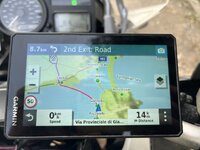
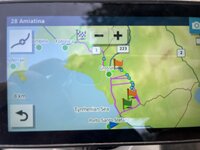
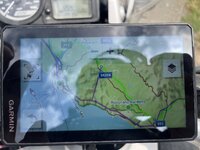
But the route miscalculates (should follow the green track).
Oh well.

IMG_2219.jpeg

IMG_2226.jpeg

Tracks it is :)

I’m off to a fairly wet (hopefully not too much) Via Del Sale this morning. Se ya all other side of the channel in a couple of days. :)
 
You are not having much luck.

I have only once seen a screen like this on my XT:

img_2219-jpeg.439708


Which was when I was running a route (made by somebody else) which I think they’d crested in MyRoute or BaseCamp.

Maybe, when you are back, we should get together and try to work out where the problem lies?

:beerjug:
 
Last edited:
I’ve seen that, a couple of times. I think I reloaded the route from Trip Planner, and maybe adjusted the avoidances, like turned off motorways or something. However I did it I got to where I was going!
 
Yes, I had this error for years, even pre-XT. I think it has to do with the route being calculated on the base map or something.
It's funny how it doesn't work as intended (with routes) ONCE. :D
I'll upload the gpx, just for curiosity, in a bit.

Got into the hotel (south of Dijon) just now. I might have underestimated today's full route :D
 
It does not like the road that the track is on, even though you seem to have plenty of shaping points on it. Was the route date stamped in some way that the unit thinks the road is seasonally closed? Or have you still got road closed warnings linked to the unit via the "Drive" app? I think the unit might be possessed and is trying to make your head explode :D


Back
Top Bottom