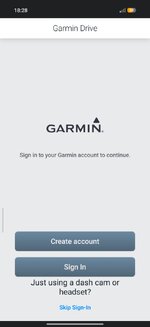
Garmin have F**ked the Drive app.

Basically, can we not send MRA routes from our Android device to our XT's?

Real bummer if not as I'm away for 3 weeks on Friday and I never transferred my routes.
If the app on your phone has not auto-updated you should be fine. If not they can still be transferred via your computer.
 
If the app on your phone has not auto-updated you should be fine. If not they can still be transferred via your computer.
Cheers.
I'm not sure if it has or not as I just got a new phone.
Maybe I can do it off my old one.
 
Cheers.
I'm not sure if it has or not as I just got a new phone.
Maybe I can do it off my old one.
On the old phone go to the app store and turn off auto updates from the Garmin Drive info page BEFORE you open the app on the phone otherwise your old phone will end up with the new app.
 
Try the Explore app...:censored:
Prepare pain killers...
I experimented with explore when I first got the XT and transferred a load of routes and tracks from basecamp. If it had worked as advertised at the time, it would be great, but its pretty bad. I completely cleared everything that I had on my Explore account to see how it handles MRA file formats (it was tedious as you cannot bulk delete routes, tracks or waypoints). But I haven't had time to experiment yet.
 
On the old phone go to the app store and turn off auto updates from the Garmin Drive info page BEFORE you open the app on the phone otherwise your old phone will end up with the new app.
You top bloke.
 
Just checked on the old phone and it updated!
My new phone hasn't connected to Garmin as it's not logged in.Screenshot_2026-09-14-18-28-16-603_com.garmin.android.apps.gecko.jpg
I have switched off updates in playstore. Maybe I'll be lucky and it doesn't update.
 
This is a good example on why you should never keep auto-update enabled on any device. Ever.
 
I assume you know about the importing issue with MRA into the XT. You have to import, then start the route from the trip planner, then go to the active route and save it. The route then becomes a saved route instead of an imported route and works ok.
I don't "Import" from MRA, I "Export" the route, select "Drive" app to open the route and hit send, the XY then reports receiving the route and calculates it, to use it I have to go into the Trip Planner where it shows up as a "Saved Route"

Apart from the GPX 1.2 debacle this has always been fine, and MRA confirmed there might be trouble when using GPX 1.2 on the Zumo, as did Garmin - hence I don't even bother now, 1.1 is pretty good.

I set my stops as "Via" points and everything else as a shape, this gives me flexibility to shortcut to any Via point eaily, to use the Via point time / distance option to see how long until the next stop etc.

As my current Drive App version now works I will just leave it set to not update, and hope they reverse ths debacle before I need a new phone, but have the Installer file for this version as a backup - but it is a PITA to install that way.

 
Saw this thread earlier and hit the same issue when I tried to send a route across.
Managed to install an older version of the Drive app and it's back to working as expected again.
I've already been trialling a cheap(£20), Android Auto 5" unit off AliExpress which works really well with MRA and I think this will push me to sell on both my XT and my wife's.

Mark.
 
Saw this thread earlier and hit the same issue when I tried to send a route across.
Managed to install an older version of the Drive app and it's back to working as expected again.
I've already been trialling a cheap(£20), Android Auto 5" unit off AliExpress which works really well with MRA and I think this will push me to sell on both my XT and my wife's.

Mark.
If possible, please report it to Garmin in any case. Users should not have to download potentially iffy old versions of their software just because they have broken the latest version.
 
Just tried on both my phones and it doesn't work!
Does anyone have a link to the old drive download?
Thanks
 
I don't "Import" from MRA, I "Export" the route, select "Drive" app to open the route and hit send, the XY then reports receiving the route and calculates it, to use it I have to go into the Trip Planner where it shows up as a "Saved Route"

Apart from the GPX 1.2 debacle this has always been fine, and MRA confirmed there might be trouble when using GPX 1.2 on the Zumo, as did Garmin - hence I don't even bother now, 1.1 is pretty good.

I set my stops as "Via" points and everything else as a shape, this gives me flexibility to shortcut to any Via point eaily, to use the Via point time / distance option to see how long until the next stop etc.

As my current Drive App version now works I will just leave it set to not update, and hope they reverse ths debacle before I need a new phone, but have the Installer file for this version as a backup - but it is a PITA to install that way.
Sorry meant export not import. But if you send to the xt the route and track end up in the trip planner. But not as a saved route. The xt treats imported routes differently to saved routes. Hence the need to start the route, then go back in to active route and save it again. Then use the saved route, this will stop the issues around the device sending you around in circles (RUT issue) if u miss a waypoint. This is well documented on the xt forums. I have never had any issues with 1.2, but have also not had issues with 1.1 as long as I put in enough shaping points
 
Don't know how but I have got my routes from MRA to the XT.
 
Sorry meant export not import. But if you send to the xt the route and track end up in the trip planner. But not as a saved route. The xt treats imported routes differently to saved routes. Hence the need to start the route, then go back in to active route and save it again. Then use the saved route, this will stop the issues around the device sending you around in circles (RUT issue) if u miss a waypoint. This is well documented on the xt forums. I have never had any issues with 1.2, but have also not had issues with 1.1 as long as I put in enough shaping points
You convert the track to a trip on the XT. It comes out how you plotted it.
It's how I have always done mine.
 
Just tried on both my phones and it doesn't work!
Does anyone have a link to the old drive download?
Thanks
I found this article(in Dutch but there's a translate facility on the page) and downloaded a version from July from the Aptoide app store


Back
Top Bottom